EasyManua.ls Logo

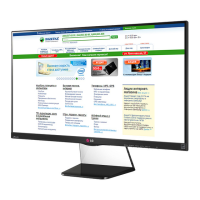
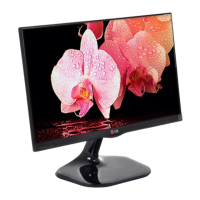
LG 23MP48D - User Manual

LG 23MP48D
45 pages
Print Icon
To Next Page IconTo Next Page
Loading...
www.lg.com
IPS LED MONITOR MODEL
Please read this manual carefully before operating
your set and retain it for future reference.
Owner's Manual
IPS LED MONITOR
(LED MONITOR*)
*LG LED Monitors are LCD Monitors with LED Backlighting.
20MP38A
20MP38H
20MP38HQ
22MP48A
22MP48D
22MP48HQ
23MP48D
23MP48HQ
20MP48A 24MP48HQ 27MP48HQ

Other manuals for LG 23MP48D

Questions and Answers

  • D
    Danielle DiazSep 1, 2025
    How to fix LG Monitor when no image appears?
    • W
      Wendy RichardSep 1, 2025
      If your LG Monitor isn't displaying an image, ensure the power cord is correctly plugged into the power outlet. Also, press the power button to turn on the monitor. If it's in power saving mode, try moving the mouse or pressing a key on the keyboard. Confirm that your PC is turned on, too. If the issue persists, the signal from your PC might be outside the monitor's frequency range. Refer to the 'Specifications' section of the manual to reconfigure your display settings.
  • D
    Deborah WhiteAug 31, 2025
    What to do if my LG 23MP48D Monitor displays "Unrecognized monitor, Plug&Play (VESA DDC) monitor found"?
    • O
      Olivia ReynoldsAug 31, 2025
      If you see an "Unrecognized monitor, Plug&Play (VESA DDC) monitor found" message on your LG Monitor, be sure to install the display driver from the display driver CD (or diskette) that comes with your display. Also, make sure to check if the video card supports Plug&Play function.
  • P
    Phillip HarmonAug 30, 2025
    What to do if my LG Monitor shows 'Unrecognized monitor, Plug&Play (VESA DDC) monitor found' message?
    • R
      Rickey HernandezAug 30, 2025
      Be sure to install the display driver from the LG website. Also, make sure to check if the video card supports Plug&Play function.
  • S
    Shawna LeonardAug 29, 2025
    Why does my LG Monitor display no image?
    • K
      Kelly MejiaAug 29, 2025
      If your LG Monitor is not displaying an image, ensure the power cord is properly connected to the power outlet and the monitor is turned on by pressing the Power button. If it's in power saving mode, move the mouse or press any key on the keyboard. Also, check if the PC is turned on. If the signal from the PC is out of range, see the 'Specifications' section of this manual and configure your display again. Finally, verify the signal cable between the PC and the monitor is correctly connected.
  • J
    jeffreyjenkinsAug 28, 2025
    What to do if the LG 23MP48D Monitor screen blinks?
    • W
      william76Aug 28, 2025
      If your LG monitor screen is blinking, check if the screen is set to interlace mode. If it is, change it to the recommended resolution.
  • C
    clintonbuchananAug 27, 2025
    Why does my LG 23MP48D show no image?
    • M
      Maria VasquezAug 27, 2025
      If your LG monitor displays no image, several factors could be at play. First, ensure the power cord is securely connected to the power outlet and that the monitor is powered on by pressing the Power button. If the monitor is in power saving mode, try moving the mouse or pressing any key on the keyboard. Also, verify that your PC is turned on. If the signal cable between the PC and the monitor is missing or disconnected, check the cable and reconnect it. If you see a message indicating the signal from the PC is out of range, consult the 'Specifications' section of this manual and configure your display accordingly.
  • A
    Alexis BishopAug 26, 2025
    Why does my LG 23MP48D have no image?
    • C
      chaleyAug 26, 2025
      If your LG monitor displays no image, ensure the power cord is properly connected to the outlet and that the power button is pressed. If the monitor is in power saving mode, move the mouse or press a key. Also, verify that the PC is turned on and the cable is correctly connected. If a message appears indicating the signal is out of range, consult the 'Specifications' section of the manual to reconfigure the display.
  • E
    Erica AndersonAug 25, 2025
    How to fix an LG 23MP48D when no image appears?
    • M
      Megan CharlesAug 26, 2025
      If no image appears on your LG Monitor, ensure the power cord is properly connected to the outlet and that you've pressed the power button. If the monitor is in power saving mode, move the mouse or press a key on the keyboard. Also, verify that the PC is turned on and the signal cable is securely connected. If the PC's video card signal is out of range, consult the 'Specifications' section of the manual to reconfigure your display.
  • A
    Amanda GrantAug 25, 2025
    Why is my LG Monitor screen flickering?
    • B
      Brooke HawkinsAug 25, 2025
      If the screen of your LG monitor is flickering, and the resolution is set to HDMI 1080i 60/50 Hz, this could be the cause. Try changing the resolution to the recommended setting of 1080P to resolve the flickering.

LG 23MP48D Specifications

General IconGeneral
BrandLG
Model23MP48D
CategoryMonitor
LanguageEnglish

Related product manuals