EasyManua.ls Logo

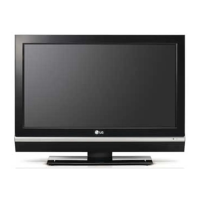
LG 26LB76 - User Manual

LG 26LB76
608 pages
Print Icon
To Next Page IconTo Next Page
Loading...
1. Trim Size (Format) : 185 mm x 260 mm
2. Printing Colors : 1 Color (BLACK)
3. Stock (Paper)
Cover : Coated paper, S/W 150 g/
Inside : Uncoated paper, 백상지 60 g/
4. Printing Method : Off-set
5. Bindery : Perfect bind
6. Language : EN/GE/FR/IT/SP/PO/NE/GR/HU/PL/CZ/SK/RO/BU/SV/
SW/NO/DA/FI/ES/LAT/LITH/RU/UK/KA (25)
7. Number of pages : 604 pages
Changes
3.
REV.
NO.
MM/DD/YY
SIGNATURE
CHANGE NO.
CHANGE CONTENTS
1
4
5
6
8
7
9
10
2
3
“This part contain Eco-hazardous substances (Pb, Cd, Hg, Cr6+, PBB, PBDE, etc.) within LG standard level,
Details should be followed Eco-SCM management standard[LG(56)-A-2524].
Especially, Part should be followed and controlled the following specification.
(1)Eco-hazardous substances test report should be submitted
when Part certification test and First Mass Production.
(2) Especially, Don’t use or contain lead(Pb) and cadmium(Cd) in ink.
N
O
T
E
S
(1) Origin Notification
* LGEIN : Printed in Indonesia * LGEWA : Printed in U.K. * LGEMA : Printed in Poland
* LGESP : Printed in Brazil * LGEMX : Printed in Mexico
* LGEND : Printed in China * LGEIL : Printed in India
* Other Oversea Factories : NON
Special Instructions3.
관리자
MODEL
BRAND
Printing Specification
Model Description
Part No.
2.
User’s Guide Specification
1.
User’s Guide Specification
SUFFIX
26/32/37/42LC45/55-ZA. 26/32/37/42LC46-ZC.
32LC56-ZC. 42/50PC55/56-ZB/D. 50PB65-ZA
LG
MFL34441603
(0709-REV05)
Product Name
EU
26/32/37/42LC4*, 26/32/37/42LC5*,
42/50PC5*, 50PB65*
CHOI MJ
07.03.23
KIM JO
07.03.23
03/23/07 CHOI MJ S7-77163
Applied the result of PQ testing.
05/03/07 Jeon Mi Jeong S7-80902
Applied the expaned countries of CI Slot.
05/14/07 Hwan MG S7-82391
Added optional sentence on the p.15.
07/13/07 Hwan MG S7-87208
Added new models.
09/13/07 MOON CH S7-94841
Deleted 2- rubber cap of accessories.

Table of Contents

Questions and Answers

  • M
    Matthew HernandezAug 19, 2025
    How to fix horizontal bars on my LG 26LB76 LCD TV?
    • S
      Sheena GlassAug 19, 2025
      If you see horizontal or vertical bars, or the picture is shaking on your LG LCD TV, check for local interference from electrical appliances or power tools. The station or cable product might be experiencing problems, so try tuning to another station.
  • K
    Kristina HuberAug 21, 2025
    How to fix lines or streaks on my LG 26LB76 screen?
    • K
      Kenneth ThompsonAug 21, 2025
      If you are seeing lines or streaks in the pictures on your LG LCD TV, check the antenna. You may need to change the direction of the antenna.
  • P
    Priscilla WallaceAug 25, 2025
    What to do if my LG LCD TV has no picture and no sound?
    • P
      Patrick DelgadoAug 25, 2025
      If your LG LCD TV has no picture and no sound, ensure the power cord is properly inserted into the wall power outlet. Also, check your antenna direction and location. To test the outlet, plug another product's power cord into the same outlet.
  • J
    justinparkerAug 26, 2025
    Why does my LG 26LB76 LCD TV have poor color or picture?
    • T
      Tyler WatsonAug 26, 2025
      If you are experiencing poor color or picture quality on your LG LCD TV, first, try adjusting the color settings in the menu. Ensure there's sufficient distance between the TV and any VCRs. Try tuning to another channel to rule out broadcast issues. Check if the video cables are correctly installed, and activate any function to restore the picture brightness.
  • W
    wendyelliottAug 28, 2025
    How to fix audio if it's not working on my LG 26LB76?
    • M
      Michelle LeeAug 28, 2025
      If the audio isn't working on your LG LCD TV, first, press the VOL+/- (or Volume) button. Check if the sound is muted and, if so, press the MUTE button. Try tuning to another channel to see if the issue is with the broadcast. Also, verify that the audio cables are properly installed.
  • J
    Jamie JohnsonAug 30, 2025
    What to do if my LG LCD TV remote is not working?
    • G
      griffithcharlesAug 30, 2025
      If your LG LCD TV isn't operating normally, check for obstructions between the product and the remote control. Ensure batteries are installed with correct polarity (+ to +, - to -). Verify the correct remote operating mode is set (TV, VCR, etc.). Try installing new batteries. Also, check if the sleep timer is set.
  • V
    Vanessa MartinezSep 1, 2025
    Why is my LG LCD TV reception poor on some channels?
    • N
      Nicole HurstSep 1, 2025
      If you're experiencing poor reception on some channels with your LG LCD TV, it may be because the station signal is weak. Try reorienting the antenna to better receive the weaker station. Also, check for any sources of possible interference.
  • N
    Nathaniel JonesSep 3, 2025
    Why does my LG 26LB76 suddenly turn off?
    • P
      Paula SmithSep 3, 2025
      If your LG LCD TV suddenly turns off, check the power control settings to ensure they haven't been altered. It's possible there's no broadcast on the tuned station with Auto off activated.
  • W
    wattstonyaSep 5, 2025
    How to solve problems in PC mode on LG 26LB76 LCD TV?
    • C
      Catherine RyanSep 6, 2025
      If you encounter a problem in PC mode on your LG LCD TV, try adjusting the resolution, horizontal frequency, or vertical frequency. Also, check the input source to ensure it is correctly selected.
  • C
    corey32Sep 8, 2025
    Why does the picture appear slowly on my LG 26LB76?
    • S
      stephen96Sep 8, 2025
      It's normal for the picture to appear slowly after switching on your LG LCD TV, as the image is muted during the product startup process. If the picture hasn't appeared after five minutes, please contact the service center.

LG 26LB76 Specifications

General IconGeneral
Screen Size26 inches
Resolution1366 x 768
Display TechnologyLCD
Aspect Ratio16:9
Brightness500 cd/m²
Viewing Angle178° (H) / 178° (V)
InputsHDMI, Component, Composite

Related product manuals