EasyManua.ls Logo

LG 26LG3DC - User Manual

LG 26LG3DC
88 pages
Print Icon
To Next Page IconTo Next Page
Loading...
Please read this manual carefully before operating
your set.
Retain it for future reference.
Record model number and serial number of the set.
See the label attached on the back cover and quote
this information to your dealer
when you require service.
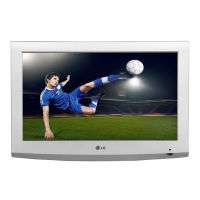
LCD TV
OWNER’S MANUAL
26LG3DCH
32LG3DC
32LG3DCH
P/NO : SAC30708026 (0801-REV00)
www.lgcommercial.com
As an ENERGY STAR
Partner LGE U. S. A.,Inc.
has determined that this
product meets the
ENERGY STAR guidelines
for energy efficiency.
ENERGY STAR is a set of power-saving
guidelines issued by the U.S.
Environmental Protection Agency(EPA).
(Only 32LG3DC model)

Table of Contents

Questions and Answers

  • S
    Stephen WhiteAug 11, 2025
    How to clean the screen of my LG LCD TV?
    • K
      Kim RhodesAug 11, 2025
      To clean your LG LCD TV screen, wet a soft cloth in a mixture of lukewarm water and a little fabric softener or dish washing detergent. Wring the cloth until it’s almost dry, and then use it to wipe the screen. Ensure excess water is off the screen, and allow it to air-dry completely before turning on the TV.
  • R
    Rebecca ArnoldAug 22, 2025
    How to clean the cabinet of my LG 26LG3DC LCD TV?
    • L
      Laura HowardAug 22, 2025
      To remove dirt or dust from your LG LCD TV cabinet, wipe it with a soft, dry, lint-free cloth. It is important not to use a wet cloth.
  • M
    madisonclarkAug 31, 2025
    What to do if I'm going on an extended absence and have an LG 26LG3DC?
    • D
      Dr. Pamela JimenezAug 31, 2025
      If you are going to be away for an extended period, it's a good idea to unplug the power cord of your LG LCD TV. This protects against potential damage from lightning strikes or power surges while you are away.

LG 26LG3DC Specifications

General IconGeneral
BrandLG
Model26LG3DC
CategoryLCD TV
LanguageEnglish

Related product manuals