EasyManua.ls Logo

LG 26LG3DDH - User Manual

LG 26LG3DDH
148 pages
Print Icon
To Next Page IconTo Next Page
Loading...
OWNER’S MANUAL
LCD TV
Please read this manual carefully before operating
your set and retain it for future reference.
P/NO : SAC34026007 (1110-REV07)
www.lg.com
The model and serial number of the TV is located
on the back and one side of the TV.
Record it below should you ever need service.
MODEL
SERIAL
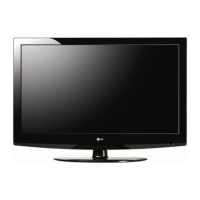
22LG3DDH
26LG3DDH
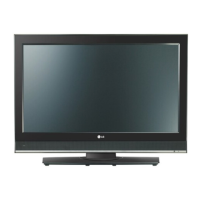
32LG3DDH
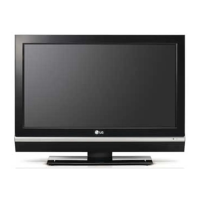
42LD6DDH

Table of Contents

Other manuals for LG 26LG3DDH

Questions and Answers

  • M
    michael68Aug 20, 2025
    How to solve the issue of LG TV not allowing direct channel number entry?
    • M
      Michelle PughAug 20, 2025
      If you cannot directly enter the channel number on your LG TV, it may be because the TV is in Stand-alone Mode and Installer Menu item 028 CH. OVERIDE is set to 0 (disabled), or Channel Access was denied in Express Script. Set 028 CH. OVERIDE to 1 to allow access for direct keypad entry to all channels.
  • D
    David PinedaAug 23, 2025
    Why is there no picture on my LG TV?
    • E
      eddiearroyoAug 23, 2025
      If your LG TV shows no picture, there might be several reasons: * The display panel might be turned off, so ensure the TV is turned ON. * The antenna or cable might not be properly connected; ensure the antenna/cable is securely connected to the TV. * The connections might be incorrect; double-check all connections on the TV. * If applicable, the MPI cable might not be connected; connect the MPI cable to the MPI device. * The program might be encrypted; try tuning to another channel. * The tuning band might be wrong; adjust the Installer Menu settings.
  • J
    John OchoaAug 26, 2025
    How to fix the LG TV clone menu if it does not display on the TV screen?
    • A
      Andrea HowardAug 26, 2025
      If the clone menu doesn't display on your LG TV screen, the TLL-1100A shows an error message, or the LT2002 LED doesn't blink, consider these solutions: * Ensure the MPI cord is properly connected to establish a good connection. * Verify that the TV is powered ON, as the clone programmer requires the TV to be ON. * For LT2002 only: Install four new, high-quality AA alkaline batteries. * For TLL-1100A only: Ensure the TLL-1100A is fully charged or connected to AC power.
  • G
    gwilliamsAug 28, 2025
    What to do if the LG TV clone copies setup in less than 30 seconds?
    • K
      Kelly SilvaAug 28, 2025
      If the clone copies the setup in less than 30 seconds on your LG TV, it might not have enough time to copy the entire TV setup. For TLL-1100A, turn the TLL-1100A OFF and then ON again. For LT2002, press RESET on the clone programmer and then redo the Learn/Teach process.
  • J
    josephhuangAug 31, 2025
    What causes a hard to read clone menu on LG TV?
    • S
      Stephanie McdonaldAug 31, 2025
      A hard-to-read clone menu on your LG TV is typically caused by a weak signal. Connect the TV to a reliable analog channel signal source to resolve this issue.
  • G
    garzamirandaSep 2, 2025
    Why does my LG TV show 'Inactive TV' message and then turns OFF?
    • C
      Claudia ClarkSep 2, 2025
      Your LG TV might be set up to display an 'Inactive TV' message and then turn off if all channels are set to 'Normal-Deleted' from Channel Bank 4. To return the TV to normal operation, select another channel bank (1, 2, or 3).
  • G
    Gregory MooreSep 5, 2025
    What to do if the LG TV remote does not operate the clone programmer?
    • M
      montgomeryshannonSep 5, 2025
      Only use an LG Installer Remote to operate the clone programmer with your LG TV.
  • K
    Katie DavisSep 8, 2025
    How to fix denied channel access on LG TV?
    • B
      brittany41Sep 8, 2025
      To fix denied channel access on your LG TV, set CH. OVERIDE to 001 to allow access for channel status change.
  • D
    dawn65Sep 12, 2025
    Why doesn't the Channel Banks Setup Menu appear on my LG TV?
    • J
      Jake LeeSep 12, 2025
      The Channel Banks Setup Menu will not be available until the TV setup is transferred to the PTC. Also, set Installer Menu item 028 CH. OVERIDE to 001 to allow access for channel status changes.
  • K
    Kathleen BrowningSep 14, 2025
    Why does my LG TV show Aux Sources Selection Menu when BANK is pressed on Installer Remote?
    • E
      Eduardo PattonSep 14, 2025
      If your LG TV shows the Aux Sources Selection Menu when the BANK button is pressed on the Installer Remote, it is because Installer Menu item 027 HOSPITAL MODE is set to 0. Set item 027 to the appropriate setting for channel banks to appear when pressing the BANK or INPUT keys.

LG 26LG3DDH Specifications

General IconGeneral
BrandLG
Model26LG3DDH
CategoryLCD TV
LanguageEnglish

Related product manuals