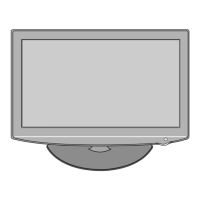
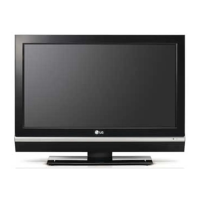
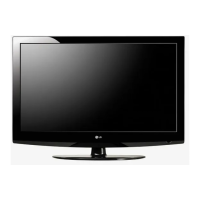
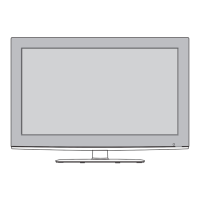
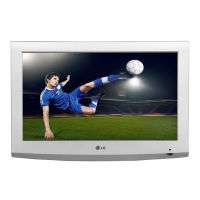
This document provides a service manual for the LG LCD TV model 26LH1DC1-UB, detailing its functions, technical specifications, usage, and maintenance procedures.
Function Description
The 26LH1DC1-UB is a 26-inch wide LCD TV designed for North American markets, supporting both digital (ATSC/64&256QAM) and analog (NTSC) receiving systems. It features a 16:9 aspect ratio and offers a variety of input and output options for video and audio. The TV includes a digital pillow speaker and an MPI (Multi-Purpose Interface) input, suggesting its suitability for commercial or hospitality environments. Key functionalities include program guide (MINI-EPG), digital noise reduction, captioning (EIA608, EIA708), channel management (add/delete, preview), signal strength display, and PPV&PRO: IDIOM support. The TV's internal architecture includes an embedded processing unit, memory interface, audio processing unit, display processor, and various video/audio capture and output units, all managed by a SupraHD-660 IC.
Important Technical Specifications
- Application Range: 26" LCD TV with PPV & PILLOW SPEAKER.
- Temperature: 20 ±5°C.
- Relative Humidity: 65 ±10%.
- Power Voltage: Input voltage (100~240V @50/60Hz).
- Screen Size: 26 inch Wide.
- Aspect Ratio: 16:9.
- Tuning System: FS.
- LCD Module: LC260WX2-SLB2, LC260WX2-SLB1, LC260WX2-SLA1 (LPL).
- Video Stream Compression: MPEG2 MP@HL.
- Digital Receiving Signal: 8VSB, Clear QAM (64, 256), NTSC.
- Display Interface: LVDS 1366x768.
- Digital Comb-filter: Support: 3D Y/C-NTSC Signal.
- Audio Demodulation: Dolby Digital (AC3).
- Speaker Power: RMS 7.5W+7.5W (8Ω load).
- Antenna Impedance: 75Ω Unbalanced, F-Type Jack, VHF/UHF Tuner.
- External Inputs:
- AV Input: CVBS: 3, L/R Audio: 3, Auto-Cam port (AV2).
- S-Video Input: Y/C: 1.
- Component Input: YPbPr (480i~1080i): 2, L/R Audio: 2.
- PC Input: D-sub15 (Max 1366x768 pixel, 60Hz), Phone Jack (Audio).
- HDMI Input: 480i, 480p, 720p, 1080i.
- Service Port: DSUB 9P Jack (RS-232).
- PILLOW SPEAKER Input: DIGITAL PILLOW SPEAKER.
- MPI Input: RJ11 Jack.
- Digital Audio Output: SPDIF (Optical).
- OSD Language: English, Spanish, French.
- DTV Characteristics (8T VSB Standard):
- Dynamic Range: -82 to -5 dBm.
- White Noise (SNR): 15.5 dB.
- Channel Pull-in Range: -250 to 250 KHz.
- VSB AFC Range: Fo +/-250 KHz.
- QAM AFC Range: Fo +/-170 KHz.
- DTV Characteristics (64/256 QAM):
- Dynamic Range (64 QAM): -69.0 to -32.0 dBm.
- Dynamic Range (256 QAM): -63.0 to -32.0 dBm.
- White Noise (SNR) (64 QAM): 27 dB.
- White Noise (SNR) (256 QAM): 34 dB.
- Audio Output (Analog):
- Reference Level: 200 mVrms (Left/Right).
- Max. Level: 2 Vrms (Left/Right).
- Separation: -60 dB (Left/Right).
- Frequency Response: -19.5 to -21 dB (@20Hz~20kHz, @0.5dB~ -1.0dB).
- Signal Timing (Resolution): Supports various resolutions from 720x480 (SDTV, 480i) to 1920x1080 (HDTV, 1080i) for Component Video, PC Mode (RGB), and DVI/HDMI inputs, with corresponding H-freq, V-freq, and Pixel Clock values.
Usage Features
The TV offers a comprehensive service menu for adjustments and diagnostics. This menu can be accessed using the TV's MENU button (held for 5 seconds) or a service remote controller ("IN-START" or "ADJ" buttons). Navigation is done via channel UP/DOWN and left/right/volume keys, with 'ENTER' to confirm and 'EXIT' to end. The service menu allows for:
- System Reset: Initializes general NVRAM parameters.
- Software Version: Displays current software information.
- Chip I²C Test: Checks major device hardware.
- Aging Test: Displays a single color pattern for testing.
- White Balance: Adjusts R, G, B offsets and gains for color temperature.
- YPbPr/RGB Offset/Gain: Calibrates video AD and scaler for PC input.
- Auto Picture: Adjusts brightness and contrast for video presets.
- Running Time: Displays accumulated operating time.
- System All Reset: Initializes all NVRAM and service parameters (use with caution).
- Audio Delay: Adjusts audio delay for DTV, ATV/CVBS/YC, COMP/PC/HDMI groups.
- AI Control: ON/OFF for Dynamic Contrast Ratio function.
- Last Power Save: Sets whether to save last power state.
- Panel Monitoring: Sets panel abnormal detection monitoring.
- Panel ID: Sets Display ID, Panel Company ID, and Model ID.
- Commercial Flag: Sets communication with Network Board or stand-alone operation.
- Panel Brightness: Adjusts panel brightness (1-100, default 70).
- Epg Mode: Toggles between Mini, Full, and None.
- SW Upgrade: Allows software upgrade via RF Stream.
- EDID Data Write: For RGB PC and HDMI ports.
Maintenance Features
The service manual emphasizes safety precautions, including the use of an isolation transformer during servicing and performing AC leakage current checks. Specific procedures are outlined for:
- Component Replacement: Detailed steps for removing and replacing ICs, small-signal discrete transistors, power output transistors, diodes, fuses, and conventional resistors.
- Circuit Board Foil Repair: Guidelines for repairing damaged copper patterns at IC and other connections using jumper wires.
- Software Upgrade: Instructions for serial upgrade via PC using KMCOMM.exe and Hyper Terminal, including connecting cables, setting port parameters, and executing download/erase/program functions.
- Troubleshooting Guides: Flowcharts for diagnosing common issues such as "No Screen" (LED on/blinking), "No Power" (LED off), and "No Sound." These guides direct technicians to check specific cables, power supplies, ICs (e.g., TUNER, HC401, STA323W, MSP3425, TEA6422D), and settings (e.g., PC Serial port, EDID EEPROM, RJP Mode).
- Detailed Troubleshooting Steps: Provides specific checks for SMPS power, LED status, LVDS cable, booting flow in the debugger, main chip power, array resistance, DDR memory, digital/analog broadcasting reception, external AV/Component/PC/HDMI inputs, and audio output. This includes measuring voltages with a DMM and checking signal waveforms with an oscilloscope.

 Need help?

 To Next Page
 General