EasyManua.ls Logo

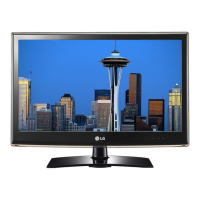
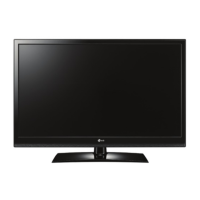
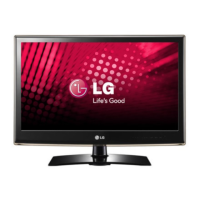
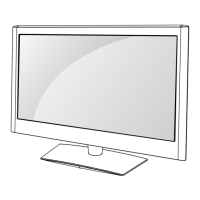
LG 26LV2520 - User Manual

LG 26LV2520
142 pages
Print Icon
To Next Page IconTo Next Page
Loading...
Order Number
: GETEC-C1-11-121
FCC Part 15 subpart B
Test Report Number
: GETEC-E3-11-047
Page 1 / 1
EUT Type: LED LCD TV/Monitor
FCC ID.: BEJ42LW5300UC
APPENDIX G
: USERS MANUAL

Other manuals for LG 26LV2520

Questions and Answers

  • E
    ehawkinsSep 5, 2025
    What to do if there is no sound on my LG 26LV2520 but there is an image?
    • C
      Chris AdamsSep 5, 2025
      If you see images but hear no sound on your LG LCD TV, try these solutions: * Press the VOL + or - button to adjust the volume. * Ensure the sound isn't muted by pressing the MUTE button. * Try switching to other channels to rule out a broadcast issue. * Verify that the TV Speaker feature is enabled in the menu.
  • T
    Theresa AlexanderAug 25, 2025
    What to do if my LG 26LV2520 LCD TV has horizontal or vertical bars or images blur?
    • D
      David MillerAug 25, 2025
      If you're seeing horizontal or vertical bars, or blurry images on your LG LCD TV, check for local interferences from devices like electrical appliances or power tools.
  • G
    gillespiesallyAug 25, 2025
    How to fix thin lines on LG LCD TV screen?
    • K
      kimberlyclarkAug 26, 2025
      If you see thin lines in the background of the screen on your LG LCD TV, check the video cable connections to ensure they are properly connected.
  • D
    davisseanSep 13, 2025
    Why does my LG 26LV2520 LCD TV turn off by itself?
    • J
      Jennifer MooreSep 13, 2025
      If your LG LCD TV turns off suddenly, check the power control settings to ensure the power supply isn't interrupted. Also, verify if the Auto sleep feature is enabled in the Time settings. If there is no signal while the TV is on, the TV will turn off automatically after 15 minutes of inactivity.
  • T
    Travis GreenSep 23, 2025
    Why doesn't my file appear on LG 26LV2520 Movie List?
    • A
      Alexander HamiltonSep 23, 2025
      If the file does not appear on the Movie List of your LG LCD TV, check whether the extension is supported.
  • K
    Kim BookerSep 9, 2025
    What to do if there is no output from one of the LG 26LV2520 LCD TV speakers?
    • J
      Jennifer NielsenSep 9, 2025
      If there is no sound output from one of the speakers on your LG LCD TV, adjust the Balance in the menu option.
  • R
    Raymond DawsonSep 1, 2025
    How to fix display offset on LG 26LV2520 LCD TV?
    • E
      emurilloSep 1, 2025
      To correct the display offset on your LG LCD TV, first adjust the position setting in the Picture menu. Also, verify that the video card resolution and frequency are supported by the TV. If the frequency is out of range, set the recommended resolution using the display settings on your external device.
  • F
    fwrightSep 23, 2025
    Why are subtitles not working on my LG 26LV2520?
    • B
      brianthompsonSep 23, 2025
      If subtitles are not working on your LG LCD TV, first, check if the file is playing normally on a PC to ensure it is not damaged. Also, verify that the video file and subtitle file have the same name and are located in the same folder. Finally, confirm that the subtitle file and language are supported by the TV.
  • R
    Robert JohnstonSep 18, 2025
    How to improve poor reception on LG LCD TV?
    • J
      joshua70Sep 18, 2025
      If you're experiencing poor reception on some channels with your LG LCD TV, try tuning to other channels as there might be an issue with the broadcast itself. The station signal may be weak, so try adjusting the antenna's direction. Also, check for any potential local interference from electrical appliances or power tools.
  • E
    Elaine CrossAug 28, 2025
    Why does my LG 26LV2520 LCD TV turn off suddenly?
    • C
      charles42Aug 28, 2025
      If your LG LCD TV is turning off unexpectedly, examine the power control settings to make sure the power supply isn't being interrupted. Also, check if the Auto sleep feature is enabled in the Time settings. Note that the TV will automatically turn off after 15 minutes of inactivity if there is no signal.

LG 26LV2520 Specifications

General IconGeneral
Screen Size26 inches
Resolution1366 x 768
Display TypeLCD
Aspect Ratio16:9
Brightness300 cd/m²
Contrast Ratio1000:1
Response Time5 ms
HDMI Ports2
USB Ports1
Backlight TypeCCFL
Refresh Rate60 Hz
InputsHDMI, USB, Composite, Component, RF
Sound Output10 W

Related product manuals