EasyManua.ls Logo

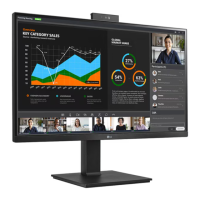
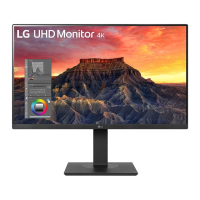
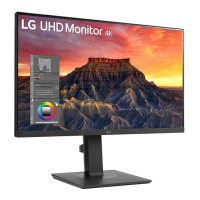
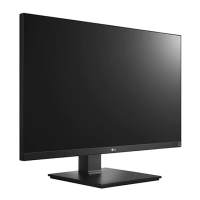
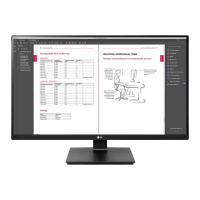
LG 27BQ75QB-B.AEU - User Manual

LG 27BQ75QB-B.AEU
11 pages
Print Icon
To Next Page IconTo Next Page
Loading...
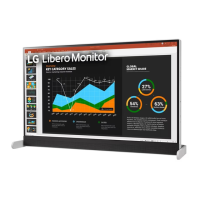
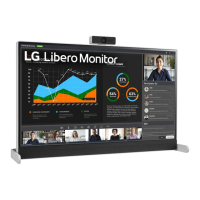
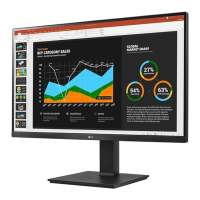
LED LCD Monitor (LED Monitor)
27BQ75QC 27BQ75QB
Depending on country / Selon les pays /
En función del país /Dependendo do país /
Abhängig vom Land / Závisí na zemi /
Zależnie od kraju/ Zavisno od zemlje /
Závisí od krajiny / A seconda del Paese
/
Ülkeye bağlı
/
Afhænger af landet/Avhengig av landet /
Beroende på land / Maasta riippuen / В зависимости от страны
/
Залежно від країни / Mamlakatga bog’liq ravishda / În funcţie de ţară
/
www.lg.com
/
Tergantung pada negaranya / /
*MBM67514981*
(2205-REV00)

Questions and Answers

  • K
    Karen KnightAug 18, 2025
    What to do if nothing is displayed on my LG 27BQ75QB-B.AEU screen?
    • A
      austinmaynardAug 18, 2025
      If nothing is displayed on the screen, verify that the power cord is correctly plugged into the power outlet. Also, check the signal cable between the PC and the monitor, and reconnect it if necessary. If Settings -> General -> DP OUT is On, execute Settings -> General -> Reset to Initial Settings. It may be a PC that does not support DP OUT (MST).
  • W
    williamsadamAug 20, 2025
    What to do if my LG Monitor displays an 'Out of Range' message?
    • B
      Brenda WilliamsAug 20, 2025
      The 'Out of Range' message appears when signals from the PC (graphics card) are outside the monitor's supported frequency range. To resolve this, consult the Product Specification section of this manual to set the appropriate frequency.
  • F
    Felicia ColeAug 23, 2025
    How to fix no sound on my LG 27BQ75QB-B.AEU Monitor?
    • M
      Marilyn JenningsAug 23, 2025
      First, check that the headphone port connections are properly made. If the connections are correct, try increasing the volume using the appropriate button. Also, ensure that the audio output of your PC is set to the monitor you are currently using. Note that the settings may vary depending on your operating system.
  • K
    Kathleen TaylorAug 26, 2025
    Why are images displayed without sound on my LG 27BQ75QB-B.AEU Monitor?
    • J
      Julie JacksonAug 26, 2025
      If images are displayed without sound, first ensure that the headphone port connections are properly made. Then, try increasing the volume using the button. Finally, set the audio output of the PC to the monitor you are using. Note that the exact settings may vary depending on your operating system.
  • L
    lewiskellyAug 28, 2025
    What to do if the screen display is unstable and shaky on my LG Monitor?
    • S
      Steve YoungAug 28, 2025
      If your screen display is unstable and shaky, or if images leave shadow trails, it might be due to the resolution being set to HDMI 1080i 60/50 Hz (interlaced). Try changing the resolution to 1080p or the recommended resolution. Also, ensure that the graphics card is set to the recommended (optimal) resolution. Setting methods may vary depending on the computer or operating system, and some resolutions may not be available depending on the performance of the graphics card. If this is the case, contact the manufacturer of the computer or graphics card for assistance.
  • C
    Christina GriffinAug 31, 2025
    Why is my LG Monitor screen display unstable and shaky?
    • K
      Kimberly RiveraAug 31, 2025
      If the selected resolution is HDMI 1080i 60/50 Hz (interlaced), the screen may flicker. Change the resolution to 1080p or the recommended resolution. Not setting the graphics card to the recommended (optimal) resolution may result in blurred text, a dimmed screen, a truncated display area or misalignment of the display. The setting methods may be different depending on the computer or operating system, and some resolutions may not be available depending on the performance of the graphics card.
  • M
    Matthew SanchezSep 2, 2025
    What to do if some functions are not available when pressing the Menu button on my LG 27BQ75QB-B.AEU Monitor?
    • A
      Anthony BallardSep 2, 2025
      If some functions are unavailable when you press the Menu button, the OSD might be locked. To unlock it, disable OSD Lock in General settings.
  • E
    Erik HollandSep 4, 2025
    What to do if my LG 27BQ75QB-B.AEU Monitor shows 'Unrecognized monitor, Plug and Play (VESA DDC) monitor found'?
    • A
      Alyssa WilsonSep 4, 2025
      If you see an 'Unrecognized monitor, Plug and Play (VESA DDC) monitor found' message, install the display driver from the LG website. Also, verify that your graphics card supports the Plug and Play function.
  • P
    parkerdaleSep 7, 2025
    Why does image sticking occur even when my LG Monitor is turned off?
    • W
      William MendozaSep 7, 2025
      Displaying a still image for a prolonged time may cause damage to the screen. To extend the lifetime of the monitor, use a screensaver.
  • M
    Michael AyersSep 10, 2025
    Why are there spots on the screen of my LG 27BQ75QB-B.AEU?
    • S
      sherrythompsonSep 10, 2025
      When using the monitor, pixilated spots (red, green, blue, white, or black) may appear on the screen. This is normal for an LCD screen. It is not an error, nor is it related to the monitor's performance.

LG 27BQ75QB-B.AEU Specifications

General IconGeneral
BrandLG
Model27BQ75QB-B.AEU
CategoryMonitor
LanguageEnglish

Related product manuals