E
Ethan PerrySep 12, 2025
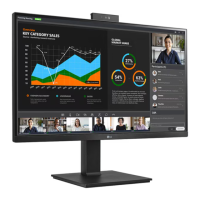
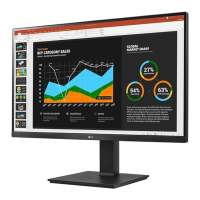
What to do if some functions are not available when I press the Menu button on my LG 27BQ75QB Monitor?
- EealvarezSep 12, 2025
The OSD might be locked. To unlock it, disable OSD Lock in the General settings.



 To Next PageTo Next Page
What to do if some functions are not available when I press the Menu button on my LG 27BQ75QB Monitor?
The OSD might be locked. To unlock it, disable OSD Lock in the General settings.
How to solve 'Unrecognized monitor, Plug and Play (VESA DDC) monitor found' message on LG 27BQ75QB Monitor?
Be sure to install the display driver. Make sure to check if the graphics card supports Plug and Play function.
 General
| Screen Size | 27 inches |
|---|---|
| Resolution | 2560 x 1440 (QHD) |
| Panel Type | IPS |
| Aspect Ratio | 16:9 |
| Refresh Rate | 75 Hz |
| HDR Support | HDR10 |
| Connectivity | HDMI, DisplayPort, USB-C |
| USB Ports | 2 x USB 3.0 |
| Built-in Speakers | Yes |
| VESA Mount | 100 x 100 mm |
| Contrast Ratio | 1000:1 |
| VESA Mount Compatible | Yes |
| Response Time | 5 ms |
| Color Gamut | 99% sRGB |
| Viewing Angle | 178º |
| Brightness | 350 cd/m² (Typ.) |