EasyManua.ls Logo

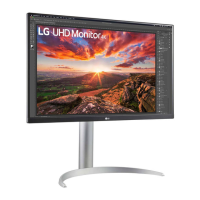
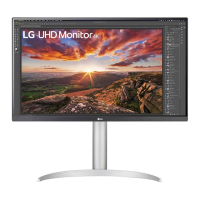
LG 27UP850N - User Manual

LG 27UP850N
33 pages
Print Icon
To Next Page IconTo Next Page
Loading...
* LG LED Monitor applies LCD screen with LED backlights.
Please read this manual carefully before operating your set and
retain it for future reference.
27UP850
27BP85U
27UP80B
27UP850N
27BP85UN
27UP85NP
OWNER’S MANUAL
LED LCD MONITOR
(LED Monitor*)
www.lg.com
Copyright © 2020 LG Electronics Inc. All Rights Reserved.

Questions and Answers

  • T
    Travis MoralesJul 29, 2025
    Why is nothing displayed on my LG 27UP850N screen?
    • B
      bhallJul 29, 2025
      There could be several reasons why nothing is displayed on your LG monitor's screen. First, ensure the power cord is correctly plugged into the power outlet and that the power cable connection is secure, then press the power button. Also, verify that the connected input is enabled in the monitor's settings under the Input section. This issue can also occur if the signal cable between your PC and the monitor is either missing or disconnected, so check the cable and reconnect it securely. Finally, the signals transferred from the PC (graphics card) might be out of the monitor's horizontal or vertical frequency range. Refer to the Product Specification section of the manual to set the appropriate frequency.
  • L
    lmarquezAug 4, 2025
    Why is there no sound from the headphone port on my LG Monitor?
    • D
      Diane FoxAug 5, 2025
      If there is no sound from the headphone port on your LG monitor, first ensure that the headphone port connections are made properly. If the connections are correct, try increasing the volume using the joystick. Also, make sure to set the audio output of the PC to the monitor you are using. Note that the settings may differ depending on the operating system you use.
  • N
    Nathan SmithAug 10, 2025
    What to do if my LG Monitor screen display is unstable and shaky?
    • J
      Justin RichardsonAug 10, 2025
      If your LG monitor's screen display is unstable or shaky, or if images displayed on the monitor leave shadow trails, and the selected resolution is HDMI 1080i 60/50 Hz (interlaced), the screen may be flickering. Try changing the resolution to 1080p or the recommended resolution. Also, not setting the graphics card to the recommended (optimal) resolution may result in blurred text, a dimmed screen, a truncated display area or misalignment of the display.
  • M
    mdavidsonAug 16, 2025
    How to enable disabled features on LG 27UP850N?
    • P
      Patrick HallAug 16, 2025
      If some features are disabled on your LG monitor, the OSD might be locked. To enable the features, disable OSD Lock in the General settings.
  • S
    Sherri RandallAug 22, 2025
    How to fix an "Unrecognized monitor, Plug and Play (VESA DDC) monitor found" message on my LG 27UP850N?
    • H
      hansenannetteAug 22, 2025
      If you see an "Unrecognized monitor, Plug and Play (VESA DDC) monitor found" message, be sure to install the display driver from the LG website. Also, make sure to check if the graphics card supports Plug and Play function.

Summary

Assembling and Preparing

Moving and Lifting the Monitor

Installing on a Table

Adjusting the Stand Height

Adjusting the Screen Angle

Using the Pivot Feature

Installing the Wall Mount Plate

Installing the Monitor on a Wall

Using the Monitor

Connecting to a PC

How to connect your computer to the monitor for display.

HDMI Connectivity for PCs

Transmitting video and audio signals from your PC to the monitor via HDMI.

Connecting AV Devices

Connecting Peripherals

Main Menu Features

Menu Settings Navigation

Quick Settings

Input Settings

Picture Mode Settings

Picture Mode for HDR Signals

Picture Adjustments

Game Adjust Settings

Color Adjust Settings

Sound Settings

General Settings

Troubleshooting

No Display Issues

Diagnosing and fixing problems where the screen shows no output.

Display Instability and Image Trails

Resolving screen flicker, shaking, or ghosting issues.

Troubleshooting: Unrecognized Monitor

Troubleshooting: Audio Issues

Product Specifications

Product Specifications for 27 UP80 B

LG 27UP850N Specifications

General IconGeneral
Color depth1.07 bit
Color gamut95 %
Pixel pitch0.1554 x 0.1554 mm
Screen shapeFlat
Display diagonal27 \
Display technologyLED
Native aspect ratio16:9
Maximum refresh rate60 Hz
Display brightness (peak)400 cd/m²
High Dynamic Range (HDR) supportedYes
High Dynamic Range (HDR) technologyHigh Dynamic Range 10 (HDR10)
USB hub version2.0 / 3.2 Gen 1 (3.1 Gen 1)
USB Power Delivery up to90 W
Panel mounting interface100 x 100 mm
RMS rated power5 W
Product colorSilver, Black
Market positioningHome
AC input voltage100 - 240 V
AC input frequency50 - 60 Hz
Energy efficiency scaleA to G
Power consumption (standby)0.5 W
Power consumption (typical)44 W
Cables includedDisplayPort, HDMI, USB Type-C
Package typeBox
Package depth212 mm
Package width694 mm
Package height496 mm
Weight and Dimensions IconWeight and Dimensions
Depth (with stand)239.3 mm
Height (with stand)569.3 mm
Weight (with stand)5900 g
Depth (without stand)45.4 mm
Width (without stand)613.5 mm
Height (without stand)363.5 mm
Weight (without stand)4100 g

Related product manuals