EasyManua.ls Logo

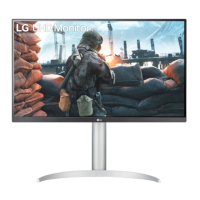
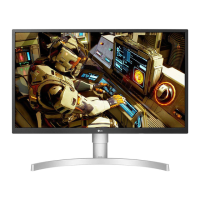
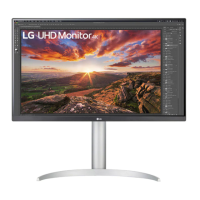
LG 27UP650P User Manual

LG 27UP650P
30 pages
To Next Page IconTo Next Page
Page #1 background imageLoading...
Page #1 background image
* LG LED Monitor applies LCD screen with LED backlights.
Please read this manual carefully before operating your set and
retain it for future reference.
27UP600/27UP600P
27UP650/27UP650P
OWNER’S MANUAL
LED LCD MONITOR
(LED Monitor*)
www.lg.com
Copyright © 2020 LG Electronics Inc. All Rights Reserved.

Questions and Answers:

LG 27UP650P Specifications

General IconGeneral
Screen Size27 inches
Resolution3840 x 2160 (4K UHD)
Panel TypeIPS
Refresh Rate60 Hz
HDRHDR10
Color GamutDCI-P3 95%
Aspect Ratio16:9
Response Time5 ms (GtG)
Contrast Ratio1000:1
VESA Mount100 x 100 mm
SpeakersNo
Ports1x DisplayPort
StandTilt, Height Adjustable
Viewing Angle178° (H) / 178° (V)
Power Consumption32W (Typical)
Brightness400 cd/m²

Summary

Assembling and Preparing the Monitor

Safety Precautions During Assembly

Important safety instructions and precautions for assembling the monitor.

Product Description and Controls

Joystick Button Operation and Usage

Explains the location, function, and operation of the monitor's joystick button.

Safe Moving and Lifting Guidelines

Safety guidelines for safely moving and lifting the monitor to prevent damage.

Monitor Installation and Adjustments

Wall Mounting Instructions

Basic Monitor Usage

Connecting to a PC

Instructions for connecting a PC via HDMI or DisplayPort and Plug and Play feature.

User Settings and Menu Navigation

Activating and Navigating the OSD Menu

Step-by-step guide on how to activate and navigate the main OSD menu using the joystick.

Main Menu Features and Settings

Navigating Main Menu Options

Instructions for navigating and setting options within the OSD menu (Power Off, Input, Settings, Picture Mode, Exit).

Quick Settings Menu Options

Adjusting Brightness, Contrast, Volume, and Color Temperature

Explains how to adjust brightness, contrast, volume, and color temperature settings.

Input and Aspect Ratio Settings

Selecting Input Mode and Aspect Ratio

Information on selecting input modes and adjusting aspect ratio of the screen display.

Picture Settings for SDR Signals

Picture Mode Presets for SDR

Explains various Picture Mode presets for SDR signals like Custom, Vivid, Cinema, etc.

Picture Settings for HDR Signals

Picture Mode Presets for HDR

Lists Picture Mode presets (Custom, Vivid, Cinema, FPS, RTS) for HDR signals.

Advanced Picture Adjustments

Adjusting Brightness, Contrast, Sharpness, and Black Level

Explains Brightness, Contrast, Sharpness, SUPER RESOLUTION+, Black Level, and Variable Backlight.

Game Adjustments and FreeSync

Color Adjustments and Settings Reset

General System Settings

Advanced Display Features

Troubleshooting Common Issues

Troubleshooting Specific Messages

Product Specifications (27UP600 Series)

Product Specifications (27UP650 Series)

Related product manuals