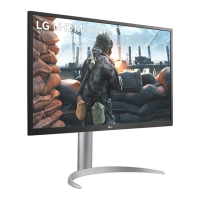
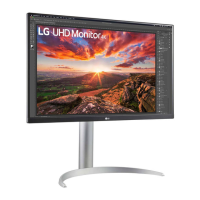
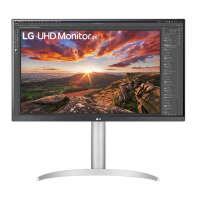
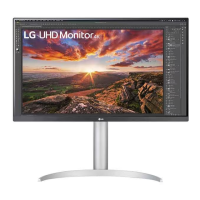
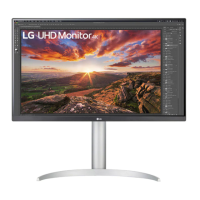
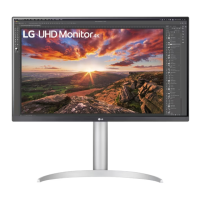
This document describes an LG LED LCD Monitor, providing essential information regarding its function, technical specifications, usage, and maintenance.
Function Description:
The LG LED LCD Monitor serves as a visual display unit, compatible with various devices such as PCs and AV equipment. It is designed to provide clear visual output for a range of applications, from general computing to multimedia consumption. The monitor supports multiple input and output options, including HDMI, DisplayPort, and USB, enhancing its versatility. The USB ports on the monitor function as a USB hub, allowing for the connection of multiple USB devices.
Important Technical Specifications:
The manual lists several models, indicating a range of sizes and potential feature variations:
- 27-inch models: 27UP550, 27UP550N, 27UP550P, 27UP55NP
- 32-inch models: 32UP550, 32UP550N, 32UP550P, 32UP55NP
These model numbers suggest different configurations or regional variants within the 27-inch and 32-inch categories. The monitor is equipped with various connectivity ports:
- USB (SS): Multiple SuperSpeed USB ports are available, functioning as a USB hub for connecting peripherals. There are both upstream (for connecting to a PC) and downstream (for connecting devices) USB ports.
- DP IN/DP OUT: DisplayPort input and output, allowing for daisy-chaining or connecting to DisplayPort-enabled devices.
- HDMI IN/HDMI OUT: HDMI input and output, supporting connections to HDMI-enabled PCs and AV equipment.
- H/PΩ: Headphone/audio output jack.
The monitor's power input is indicated by a standard power cable connection.
Usage Features:
The manual provides clear instructions for setting up and using the monitor:
- Assembly: The monitor requires assembly, which involves attaching the stand to the display panel and securing it with screws. The process includes connecting the stand base to the neck, then attaching the assembled stand to the monitor.
- Cable Management: A cable management clip or tie is provided to organize the cables, ensuring a tidy setup.
- Connectivity: Users are advised to use the supplied cables for optimal performance and to avoid compatibility issues. Specifically, using DVI to HDMI/DP (DisplayPort) to HDMI cables may cause compatibility problems. The USB ports on the product function as a USB hub, allowing for expanded connectivity.
- Power On/Off: The monitor is powered on by connecting the power cable to the monitor and then to a wall outlet.
- Ergonomics: The monitor's height and tilt can be adjusted to suit user preferences, promoting comfortable viewing. The manual illustrates adjusting the monitor's height and tilt.
- Online Manuals: Users can download detailed manuals from the LG website for comprehensive information.
Maintenance Features:
The manual includes important warnings and recommendations for user health and device longevity:
- Eye Care:
- Take a 10-minute break after every 30 minutes of use.
- Children under 2 years old should not watch the screen.
- Children 2 years and older should not watch the screen for more than 1 hour per day.
- General Warnings:
- Excessive use may harm eyesight.
- Always use the supplied cables to prevent device malfunction.
- Avoid applying excessive force or impact to the monitor during assembly or adjustment.
- Do not block the ventilation openings of the monitor.
- Environmental Information (Taiwan Specific): The manual includes a "Declaration of the Presence Condition of the Restricted Substances" table, which outlines the presence of hazardous substances in various components of the LED display. This table indicates that certain restricted substances (Lead, Mercury, Cadmium, Hexavalent Chromium, Polybrominated Biphenyls, Polybrominated Diphenyl Ethers) are either not exceeding the percentage content benchmark or are listed as exempted items in components like circuit boards, enclosures, metal stands, LCD panels, and accessories (e.g., power adapters, cables). This demonstrates compliance with environmental regulations.
- Regulatory Compliance (Thailand Specific): A notice from the National Broadcasting and Telecommunications Commission (NBTC) of Thailand states that this radio communication equipment is exempt from requiring a license for use or establishment of a radio communication station under the Radio Communication Act B.E. 2498. This message is applicable only to models with wireless features such as Wi-Fi and Bluetooth.
The overall design and instructions emphasize user safety, proper setup, and adherence to recommended usage guidelines for optimal performance and user well-being.

 Need help?

 To Next Page
 General