Need help?
Do you have a question about the LG 28TN525S and is the answer not in the manual?
Guidelines for safely installing the TV, covering heat, moisture, weight, and placement.
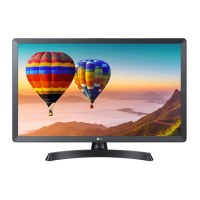
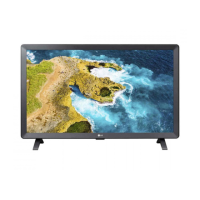
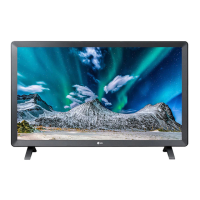
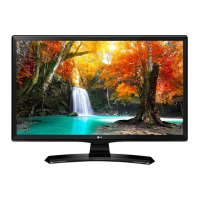
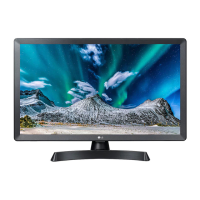
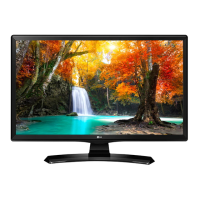
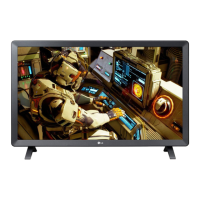
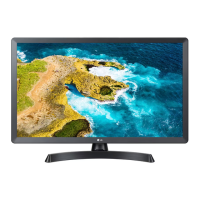
This document is an owner's manual for an LG LED TV, specifically models 24TN520S and 28TN525S. It provides essential information regarding the safe operation, installation, maintenance, and troubleshooting of the device. The manual emphasizes that an LG LED TV uses an LCD screen with LED backlights.
The manual begins with a section on Safety Precautions, which are crucial for preventing injury, accidents, or damage to the product. It distinguishes between "WARNING" messages, indicating potential serious injury or death if ignored, and "CAUTION" messages, indicating potential minor injury or product damage.
Key precautions for installing the product include:
Precautions for the AC adapter and electrical power include:
Precautions for moving the product include:
Precautions for using the product include:
The manual also covers Mounting on a wall, advising against self-installation and recommending contacting authorized service personnel. It provides instructions for attaching a wall mounting interface and specifies screw requirements.
The Separate Purchase section mentions that items like the Magic Remote Control may be changed or modified and are model-dependent.
The Using the Button section explains how to operate the TV using its physical button, covering basic functions like power on/off, menu control, input source changes, volume adjustment, and channel scrolling.
The Mounting on a Table section provides instructions for setting up the TV on a table, including ventilation requirements and connecting the AC-DC adapter. It also describes the optional Kensington security system for securing the TV to a table.
The Connections (Notifications) section details how to connect various external devices (Blu-ray players, HD receivers, DVD players, VCRs, audio systems, USB storage devices, PCs, gaming devices) to the TV. It includes notes on external device compatibility, recording TV programs, PC mode considerations (noise, resolution), wired LAN connections (CAT 7 cable recommended), and HDR picture viewing. It also covers Antenna connection for RF cables and Other connections for HDMI and USB devices, noting supported HDMI audio formats.
The Remote Control section describes the functions of various buttons on the remote, including power, search, subtitles, quick settings, input source, number buttons, quick help, dash, list, more actions, quick access, volume, favorite channels, guide, mute, and accessibility.
The User Guide section directs users to the embedded user guide for more detailed information.
The Maintenance section provides instructions for Cleaning your TV, including the screen, frame, cabinet, and stand, emphasizing gentle cleaning methods and avoiding harsh chemicals. It also covers Power cord maintenance and Preventing "Image burn" or "Burn-in" on the screen by avoiding fixed images for long periods.
Finally, the Troubleshooting section offers solutions for common issues such as the remote control not working, no image or sound, sudden TV shutdown, and no signal detected when connecting to a PC via HDMI.
The manual concludes with Symbols used throughout the document to indicate alternating current, direct current, class II equipment, stand-by, power on, and dangerous voltage.
 General
| Screen shape | Flat |
|---|---|
| Response time | 8 ms |
| Display diagonal | 27.5 \ |
| Display brightness | 250 cd/m² |
| Display resolution | 1366 x 768 pixels |
| Display technology | LED |
| Native aspect ratio | 16:9 |
| Supported video modes | 480p, 720p, 1080i, 1080p |
| Contrast ratio (typical) | 1200:1 |
| Display number of colors | 16.7 million colors |
| Display diagonal (metric) | 69.85 cm |
| Motion interpolation technology | - |
| PC in (D-Sub) | No |
| Common interface (CI) | Yes |
| USB 2.0 ports quantity | USB 2.0 ports have a data transmission speed of 480 Mbps, and are backwards compatible with USB 1.1 ports. You can connect all kinds of peripheral devices to them. |
| Ethernet LAN (RJ-45) ports | 0 |
| Component video (YPbPr/YCbCr) in | 1 |
| Sound modes | Dolby Audio |
| RMS rated power | 5 W |
| AC input voltage | 100 - 240 V |
| AC input frequency | 50 - 60 Hz |
| Energy efficiency scale | A to G |
| Power consumption (max) | 40 W |
| Power consumption (standby) | 0.4 W |
| Power consumption (typical) | - W |
| Number of OSD languages | 35 |
| Tuner type | Analog |
| Number of tuners | 1 tuner(s) |
| Analog signal format system | NTSC |
| Digital signal format system | Not supported |
| Product color | Black, Grey |
| Panel mounting interface | 100 x 100 mm |
| Package type | Box |
| Package depth | 461 mm |
| Package width | 804 mm |
| Package height | 175 mm |
| Package weight | 5450 g |
 Weight and Dimensions
| Depth (with stand) | 187.5 mm |
|---|---|
| Width (with stand) | 649.5 mm |
| Height (with stand) | 448.5 mm |
| Weight (with stand) | 3880 g |
| Depth (without stand) | 78.4 mm |
| Height (without stand) | 394.3 mm |
| Weight (without stand) | 3530 g |

 To Next Page