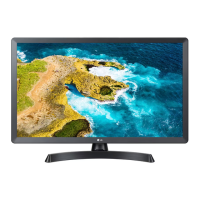
Need help?
Do you have a question about the LG 28TQ515S and is the answer not in the manual?
Key safety measures for installing the TV to prevent electrical shock, fire, and physical injury.
Guidelines for safe use of the AC adapter and power cord to prevent electrical hazards and product damage.
Precautions for safely lifting, moving, and transporting the TV to prevent damage, injury, or electric shock.
Safety measures during TV operation, including cleaning, environmental factors, and vision protection.
Guide on operating the TV using its built-in button for basic functions, menu access, and adjustments.
Information on the optional Kensington security system for securing the TV against theft.
Specifications for compatible wall mount sizes (VESA) and screw requirements for secure attachment.
Guidance on connecting TV antennas, satellite dishes, and CI modules for signal reception.
Instructions for connecting devices via HDMI, USB, and wired LAN, including performance notes.
Explanation of primary remote buttons like Power, Input, volume, and channel selection.
How to use Quick Access, search functions, and other advanced features of the remote control.
Steps for cleaning the TV's exterior and power cord to maintain performance and prevent damage.
Solutions for issues like remote control failure, no image/sound, sudden power-off, and connectivity problems.
Information regarding operating and storage environment conditions and the specifications of the AC/DC adapter.
Crucial safety measures to prevent the TV from falling, ensuring child safety and preventing injuries.
Criteria for seeking professional service and explanations of common electrical symbols found in the manual.
This document serves as the Owner's Manual for LG LED TVs, providing essential information on safety, setup, operation, and maintenance. It is designed to help users understand and safely operate their LG LED TV models, which include 24TQ510S, 24TQ520S, 27TQ615S, 27TQ625S, 28TQ515S, 28TQ525S, 28LQ515S, and 28LQ525S. The manual emphasizes the importance of reading all instructions carefully before use and retaining the document for future reference.
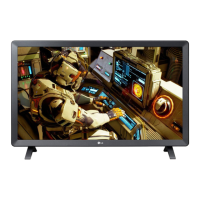
The LG LED TV functions as a display device for various media, offering both television and monitor capabilities. It utilizes an LCD screen with LED backlights to produce images. The TV supports connections to a wide range of external devices, including Blu-ray players, HD receivers, DVD players, VCRs, audio systems, USB storage devices, PCs, and gaming consoles. This versatility allows the user to enjoy diverse content, from broadcast television to digital media and computer applications.
The device features a user-friendly interface accessible through a button on the TV itself and a remote control. The button on the TV allows for basic operations such as power on/off, input source selection, volume adjustment, and programme scrolling. The remote control offers more extensive functionality, including teletext access, subtitle recall, quick settings, number input, programme guide display, and access to various streaming services and special functions. Some models may also support a Magic Remote Control, which utilizes Bluetooth for enhanced interaction.
For digital TV modes, the device can display encrypted (pay) services through a CI module connection, provided the module is inserted correctly into the COMMON INTERFACE port. It also supports satellite dish connections for satellite models, allowing access to satellite TV programming.
The manual provides detailed guidance on setting up and using the TV. When mounting on a table, it is crucial to ensure a minimum 100 mm space from the wall for proper ventilation to prevent overheating and potential damage. The TV should be placed on a flat and stable surface to avoid accidental drops. For wall mounting, specific instructions are provided, emphasizing the use of authorized LG wall mounts and VESA standard screws to ensure safety and prevent damage. It is important not to overtighten screws, as this can void the warranty.
Connecting external devices is straightforward, with advice to refer to the respective device manuals for optimal setup. For PC connections via HDMI, the manual suggests adjusting resolution, refresh rate, brightness, and contrast settings to achieve a clear picture and minimize noise. The TV's USB port supports 0.5 A electric current, with a recommendation to use a separate power adapter for HDDs requiring more power.
The remote control offers a comprehensive set of buttons for navigation and control. Users can power the TV on/off, change input sources, access teletext, recall subtitles, and adjust settings. The "Quick Access" feature allows users to directly launch specified apps or Live TV by pressing and holding number buttons. Volume control and programme scrolling are also available. The "Mute" button not only silences audio but can also access the [Accessibility] menu on some models. A search function allows users to find content or perform web searches.
The "User Guide" embedded in the product (depending on the model) provides further information, accessible through the TV's menu system. This ensures that users have comprehensive support readily available for any operational queries.
Proper maintenance is key to extending the product's lifespan and ensuring optimal performance. The manual outlines several maintenance practices:
The manual also includes troubleshooting tips for common issues, such as the remote control not working, no image or sound, or the TV turning off suddenly. These tips guide users through basic checks like battery status, cable connections, and power control settings before contacting a service center.
Safety precautions are heavily emphasized throughout the manual, covering installation, electrical power, and general usage. Users are warned against disassembling or modifying the product, exposing it to water or high temperatures, and blocking ventilation holes. The importance of using approved power cords and AC adapters is highlighted to prevent fire or electric shock. When moving the TV, it should be turned off, all cables removed, and handled carefully by multiple people for larger apparatus, ensuring the screen faces away from the person moving it and avoiding excessive pressure on the front panel.
Overall, this manual provides a comprehensive guide to safely and effectively using and maintaining the LG LED TV, ensuring a positive user experience and prolonging the device's life.
 General
| Screen shape | Flat |
|---|---|
| Response time | 8 ms |
| Display diagonal | 27.5 \ |
| Display brightness | 250 cd/m² |
| Display resolution | 1366 x 768 pixels |
| Display technology | LED |
| Native aspect ratio | 16:9 |
| Contrast ratio (typical) | 1200:1 |
| Display number of colors | 16.7 million colors |
| Display diagonal (metric) | 69.9 cm |
| Motion interpolation technology | - |
| Dynamic contrast ratio marketing name | Mega Contrast |
| High Dynamic Range (HDR) supported | No |
| HDCP | Yes |
| USB 2.0 ports quantity | USB 2.0 ports have a data transmission speed of 480 Mbps, and are backwards compatible with USB 1.1 ports. You can connect all kinds of peripheral devices to them. |
| Ethernet LAN (RJ-45) ports | 1 |
| USB 3.2 Gen 1 (3.1 Gen 1) Type-A ports quantity | 0 |
| Smart modes | Cinema, Filmmaker, Game, Standard, Vivid |
| Operating system version | 22 |
| Operating system installed | Web OS |
| Hybrid Broadcast Broadband TV (HbbTV) version | 2.0 |
| Sound modes | Dolby Audio |
| RMS rated power | 10 W |
| AC input voltage | 230 V |
| Energy efficiency scale | A to G |
| Power consumption (typical) | - W |
| Stand type | Center stand |
| Product color | White |
| Panel mounting interface | 100 x 100 mm |
| Package depth | 461 mm |
| Package width | 804 mm |
| Package height | 175 mm |
| Package weight | 5450 g |
| Tuner type | Digital |
| Digital signal format system | DVB-C, DVB-S, DVB-S2, DVB-T, DVB-T2 |
 Weight and Dimensions
| Depth (with stand) | 187.5 mm |
|---|---|
| Height (with stand) | 448.3 mm |
| Weight (with stand) | 3880 g |
| Depth (without stand) | 78.4 mm |
| Width (without stand) | 649.5 mm |
| Height (without stand) | 394.3 mm |
| Weight (without stand) | 3530 g |


 To Next Page