EasyManua.ls Logo

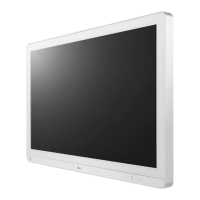
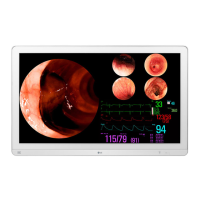
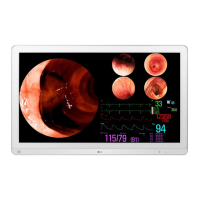
LG 32HL512D-B.AWM - User Manual

LG 32HL512D-B.AWM
42 pages
Print Icon
To Next Page IconTo Next Page
Loading...
www.lg.com
Copyright 2020 LG Electronics Inc. All Rights Reserved.
* LG LED Monitor applies LCD screen with LED backlights.
Please read this manual carefully before operating your set and retain it for future reference.
32HL512D
IPS LED Monitor
(LED Monitor*)
OWNER’S MANUAL

Questions and Answers

  • J
    jonesmarkAug 18, 2025
    How to fix an LG 32HL512D-B.AWM Monitor when nothing is displayed on the screen?
    • H
      harrisgregoryAug 19, 2025
      If your LG Monitor displays nothing on the screen, first ensure the power cord is correctly plugged into the power outlet and that the power cable is properly connected. Then, press the power button. Also, verify that the connected input is enabled in the monitor's settings under [Settings] > [Input]. If the issue persists, check the signal cable between your PC and the monitor to ensure it's properly connected. Finally, confirm that the signals from your PC's graphics card are within the monitor's supported horizontal or vertical frequency range, as specified in the < PRODUCT SPECIFICATIONS> section of this manual.
  • A
    Ashley FowlerAug 20, 2025
    What to do if my LG 32HL512D-B.AWM Monitor screen display is unstable and shaky?
    • S
      stanleytimothyAug 21, 2025
      If your LG Monitor's screen display is unstable or shaky, or if images leave shadow trails, it might be due to the selected resolution being HDMI 1080i 60/50 Hz (interlaced). Try changing the resolution to 1080p or the recommended resolution. Displaying a still image for a prolonged time may cause damage to the screen, resulting in the retention of the image, so use a screensaver to extend the monitor's lifetime. Note that this issue is not an error and is not related to the monitor's performance.
  • T
    Tracy LiuAug 23, 2025
    How to fix a LG 32HL512D-B.AWM Monitor when nothing is displayed on the screen?
    • J
      Joel KellyAug 23, 2025
      If nothing is displayed on your LG Monitor screen, ensure the power cord is correctly plugged into the outlet and that the power cable is properly connected. Press the power button. Also, verify that the correct input is enabled in the monitor's settings under [Settings] > [Input]. If the issue persists, check the signal cable between your PC and the monitor to ensure it's properly connected. Finally, confirm that the signals from your PC (graphics card) are within the monitor's supported horizontal or vertical frequency range, as specified in the product specifications section of the manual.
  • T
    Tanner RogersAug 26, 2025
    How to fix LG 32HL512D-B.AWM Monitor when nothing is displayed on the screen?
    • M
      Margaret PayneAug 26, 2025
      If nothing is displayed on your LG Monitor screen, ensure the power cord is correctly plugged into the power outlet. Also, check the power cable connection and press the power button. Verify that the connected input is enabled in the monitor's settings under [Settings] > [Input]. If the issue persists, check the signal cable between your PC and the monitor, ensuring it's properly connected. Finally, confirm that the signals from your PC (graphics card) are within the horizontal or vertical frequency range supported by the monitor.
  • C
    Curtis SmithAug 28, 2025
    What to do if LG 32HL512D-B.AWM Monitor screen display is unstable and shaky?
    • K
      Kristopher ChurchAug 28, 2025
      If the screen display on your LG monitor is unstable and shaky, or if images leave shadow trails, and the selected resolution is HDMI 1080i 60/50 Hz (interlaced), change the resolution to 1080p or the recommended resolution. Displaying a still image for a prolonged time may cause damage to the screen, resulting in the retention of the image. To extend the lifetime of the monitor, use a screensaver. When using the monitor, pixilated spots (red, green, blue, white, or black) may appear on the screen. This is normal for an LCD screen and is not an error, nor is it related to the monitor's performance.
  • J
    Joseph RowlandAug 30, 2025
    What to do if nothing is displayed on the LG Monitor screen?
    • E
      Elizabeth MedinaAug 30, 2025
      If nothing is displayed on your LG Monitor screen, there are several things you can check: * Ensure the power cord is correctly plugged into the power outlet. * Verify the power cable connection and press the power button. * Confirm that the connected input is enabled under [Settings] > [Input]. * Check the signal cable between the PC and the monitor to ensure it is properly connected. This issue can occur if the cable is missing or disconnected. * Make sure the signals transferred from the PC (graphics card) are within the horizontal or vertical frequency range of the monitor. Refer to the section of this manual to set the appropriate frequency.
  • J
    John WalkerSep 1, 2025
    How to enable 4K resolution on my LG 32HL512D-B.AWM?
    • K
      kevinmeltonSep 1, 2025
      If 4K resolution is unavailable on your LG Monitor, ensure the cable is properly connected. Set the correct resolution and refresh rate in your PC's screen resolution settings or the player's option menu. Verify that the connected external device supports 4K resolution. You may also need to go to [Settings] > [General] > [HDMI ULTRA HD Deep Color] to enable this function.
  • N
    Natalie ReidSep 3, 2025
    Why is 4K resolution unavailable on my LG Monitor?
    • D
      dvillaSep 4, 2025
      If the 4K resolution is unavailable on your LG Monitor, start by checking if the cable is properly connected. Next, set the correct resolution and refresh rate in your PC's screen resolution settings or the player's option menu. Confirm that the connected external device supports 4K resolution, as it is only available on compatible devices. Finally, enable the [HDMI ULTRA HD Deep Color] function by navigating to [Settings] > [General] > [HDMI ULTRA HD Deep Color].
  • L
    Larry NelsonSep 6, 2025
    Why is the 4K resolution unavailable on my LG 32HL512D-B.AWM?
    • A
      Allison FreemanSep 6, 2025
      If 4K resolution is unavailable on your LG Monitor, consider the following: * Ensure the cable is properly connected; using the accessories supplied with the product is recommended. * Verify that the proper resolution and refresh rate are set in the PC screen resolution settings or the player's option menu. * Confirm that the connected external device supports 4K resolution, as it is only available on compatible devices. * Enable the [HDMI ULTRA HD Deep Color] function by going to [Settings] > [General].
  • J
    Jennifer Ryan DVMSep 8, 2025
    Why is my LG 32HL512D-B.AWM Monitor screen display unstable and shaky?
    • H
      hcoleSep 8, 2025
      If your LG Monitor's screen display is unstable, shaky, or images leave shadow trails, it might be due to the resolution being set to HDMI 1080i 60/50 Hz (interlaced). Try changing the resolution to 1080p or the recommended resolution. If the issue continues, consider using a screensaver to extend the monitor's lifetime. Note that the issue might not be an error related to the monitor's performance.

LG 32HL512D-B.AWM Specifications

General IconGeneral
Screen Size31.5 inches
Resolution1366 x 768
Panel TypeIPS
Brightness250 cd/m²
Refresh Rate60 Hz
Aspect Ratio16:9
Viewing Angle178°/178°
Response Time8ms
ConnectivityHDMI, USB, VGA
Display TypeLCD

Related product manuals