EasyManua.ls Logo

LG 32HL710S-W.ATR - User Manual

LG 32HL710S-W.ATR
47 pages
Print Icon
To Next Page IconTo Next Page
Loading...
* LG LED Monitor applies LCD screen with LED backlights.
Please read this manual carefully before operating your set and retain it for future reference.
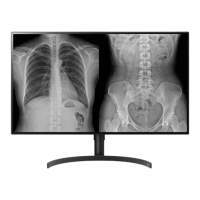
IPS LED Monitor
(LED Monitor*)
www.lg.com
Copyright 2019 LG Electronics Inc. All Rights Reserved.
32HL710S
OWNER’S MANUAL

Questions and Answers

  • B
    Brian HaydenAug 18, 2025
    How to fix LG 32HL710S-W.ATR when nothing is displayed on the screen?
    • J
      Justin HowellAug 18, 2025
      If nothing is displayed on your LG Monitor screen, first, ensure the power cord is correctly plugged into the power outlet. Then, check the power cable connection and turn on the power switch. Also, verify that the input setting is correct by navigating to [All Settings] > [Input]. If the issue persists and signals from your PC (graphics card) are out of the monitor's frequency range, consult the section of the manual to set the appropriate frequency. Finally, check the cable and try reconnecting it.
  • T
    Tammy RhodesAug 20, 2025
    What to do if nothing is displayed on my LG Monitor screen?
    • J
      Judy MartinAug 20, 2025
      If nothing is displayed on your LG Monitor screen, try these steps: First, ensure the power cord is correctly plugged into the power outlet. Next, check the power cable connection and turn on the power switch. Also, verify that the input setting is correct by navigating to [All Settings] > [Input]. If the issue persists, check the cable and reconnect it.
  • M
    Mark HahnAug 23, 2025
    What to do if my LG 32HL710S-W.ATR screen is unstable and shakes?
    • K
      Karen CaldwellAug 23, 2025
      If your LG Monitor screen is unstable, shakes, or shows shadowy traces, it might be due to the resolution being set to HDMI 1080i 60/50 Hz (interlaced). Try changing the resolution to 1080p or the recommended resolution to resolve this issue.
  • D
    David DiazAug 26, 2025
    Why is the display color abnormal on my LG 32HL710S-W.ATR Monitor?
    • C
      crystalrileyAug 26, 2025
      If the display color on your LG Monitor is abnormal, first, set the number of colors to 24 bit (true colors) or higher. You can usually find this setting in Windows Control Panel under Display > Settings > Color Quality (this may vary depending on your operating system). Next, check if the signal cable is properly connected; try reconnecting the cable or reinserting the PC's graphics card. Note that pixilated spots (red, green, blue, white, or black) may appear on the screen, which is normal for an LCD screen and not related to the monitor's performance.
  • C
    Charles StephensAug 27, 2025
    What to do if LG 32HL710S-W.ATR Monitor screen is unstable and shakes?
    • C
      Charles GutierrezAug 27, 2025
      If your LG Monitor screen is unstable and shakes, or if there are shadowy traces left on the screen, and the selected resolution is HDMI 1080i 60/50 Hz (interlaced), the screen may be flickering. Try changing the resolution to 1080p or the recommended resolution.
  • C
    Cynthia WileyAug 30, 2025
    Why does my LG 32HL710S-W.ATR screen retain an image?
    • R
      robertandersonAug 30, 2025
      Displaying a still image for a prolonged time may cause damage to the screen of your LG Monitor, resulting in the retention of the image. To extend the lifetime of the monitor, use a screensaver.
  • C
    christylaneSep 1, 2025
    How to prevent image retention on my LG 32HL710S-W.ATR?
    • M
      Mary KingSep 1, 2025
      If your LG Monitor screen retains an image, it's likely due to displaying a still image for a prolonged time, which can damage the screen. To extend the monitor's lifespan, use a screensaver.
  • C
    Christopher WilliamsSep 3, 2025
    How to troubleshoot LG Medical Equipment when nothing is displayed on the screen?
    • J
      Julia PetersSep 3, 2025
      If nothing is displayed on your LG Medical Equipment screen, ensure the power cord is securely plugged into the power outlet. Also, verify the power cable connection and switch are turned on. Check the input setting via [All Settings] > [Input]. If the issue persists, examine the cable and try reconnecting it.
  • D
    Dana LamSep 6, 2025
    Why does the display color look abnormal on my LG Medical Equipment?
    • K
      Kathryn TapiaSep 6, 2025
      If the display color on your LG Medical Equipment appears abnormal, first set the number of colors to 24 bit (true colors) or higher through Windows Control Panel > Display > Settings > Color Quality (This path may vary depending on your operating system). Next, check the signal cable connection, reconnect it, or reinsert the PC's graphics card. Note that some color variations are normal for LCD screens and do not indicate an error.
  • A
    Amy AdamsSep 8, 2025
    What to do if my LG Medical Equipment screen is unstable and shakes?
    • S
      steven64Sep 8, 2025
      If your LG Medical Equipment screen is unstable, shakes, or shows shadowy traces, and the resolution is set to HDMI 1080i 60/50 Hz (interlaced), this may cause flickering. Try changing the resolution to 1080p or the recommended resolution.

LG 32HL710S-W.ATR Specifications

General IconGeneral
Screen Size31.5 inches
Resolution1920 x 1080 (Full HD)
Panel TypeIPS
Refresh Rate60 Hz
Brightness250 cd/m²
Response Time5 ms (GtG)
Aspect Ratio16:9
Contrast Ratio1000:1
ConnectivityHDMI
Viewing Angle178°

Related product manuals