- 26 -
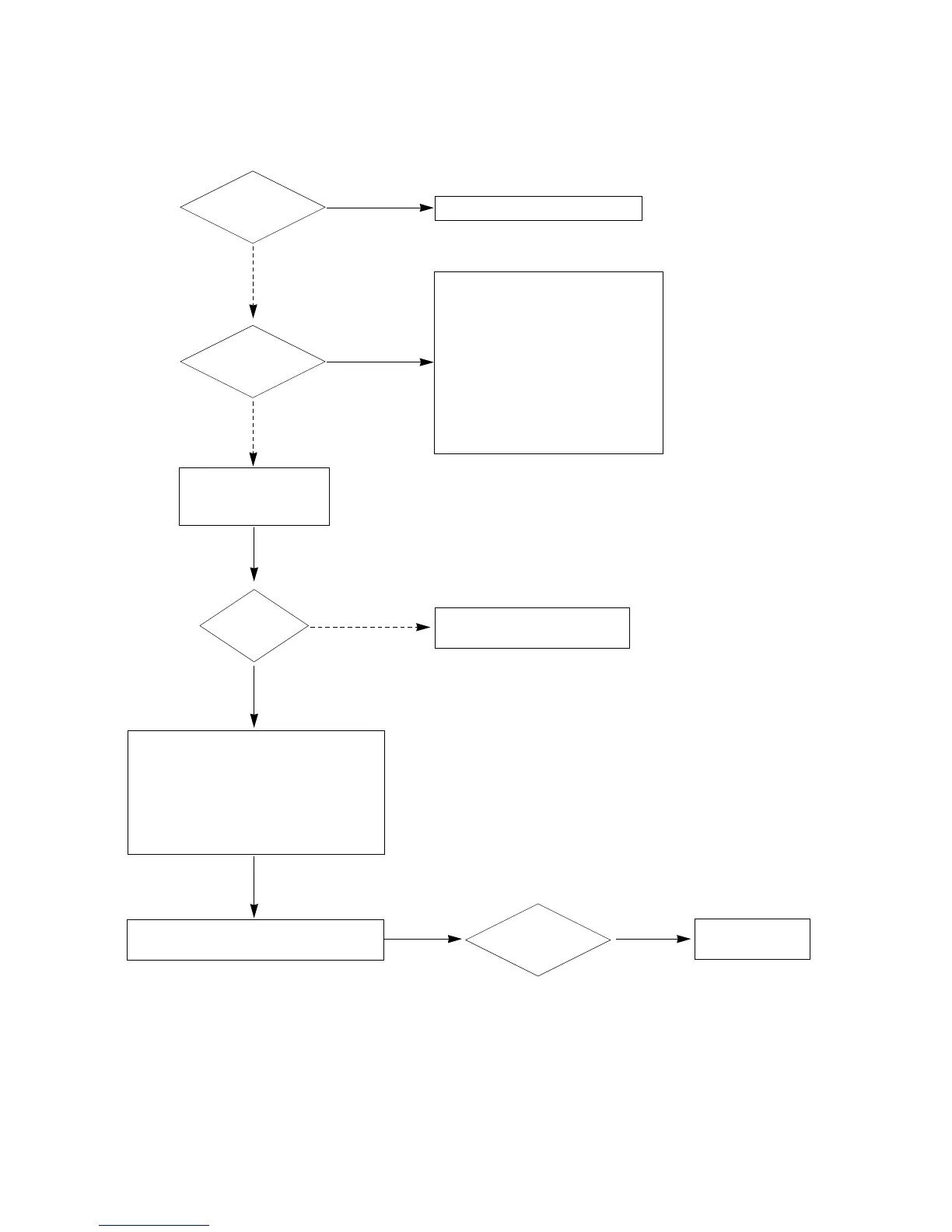
19. HDMI mode
1. Check TV input mode.
(HDMI1 port support HDMI and DVI.
So if you input DVI signal and PC
audio from phone jac, You ca hear
PC audio.)
2. Unplug and plug HDMI cable.
3. Check HDMI Mute register. (0x68,
offset 0x37)
4. Check Audio-out channel mute
register (0x68, offset 0x32) is
apprepriately enabled.
Download EDID data each port.
Check HDMI source.
Change another source or cable.
Replace IC01200
No
No
Yes
Is only video
normal?
Yes
Is only audio
normal?
No
Check TMDS line wave.
(R1215 ~ R1222/ R1226
~ R1233)
Is wave
continuous?
Normal video
Normal audio?
Yes
1. Check HDMI receiver’s status register.
(0x60, offset 00x6)
- If the value is 0xf or 0x8, it is normal.
2. Check HDCP register.(0x6, offset 0x32)
- Enable bit 6 : HDCP key loaded
- Enable bit 5 : HDCP dicryption active
- Enable bit 4 : HDCP authen, attempted
Reset TMDS power down/ on register.
- 0x60, ofste 0x3f, 0xf7 => 0xff


 To Next Page