(1) Method of Auto RGB Color Balance
1) Input the PC 1024x768 @ 60Hz with 100% color bar
pattern like Fig.2. into RGB.
2) Set the PSM to Standard mode in Picture menu.
3) Press the INSTART key on R/C for adjustment.
4) Press the
G(Vol. +) key operate To set , then it becomes
automatically.
5) Auto-RGB OK means adjustment is completed.
6. White Balance
=> Caution : Before White-balance, the AV ADC should be
done. (ZH:AV3, TH:AV1, MH:VIDEO1)
=> After Aging, When the procedure is changed White
balance adjustment, it will be canceled Heat_run mode
auto.
Notice : Before White-balance, change input mode.
Move to AV3(ZH) or AV1(TH) or VIDEO1(MH) by
using the FRONT-AV KEY on Remote controller.
<Caution>
- System control RS-232 Host should be "PC" for
adjustment.
- AV ADC(ZH: AV3, TH : AV1, MH: VIDEO1) should be
done before White-balance.
* Test Equipment
Color Analyzer (CA-110)
PC(For communication through RS-232C)
=>UART Baud rate : 115200
Pattern Generator (MSPG-925FA etc.)
*Target Value [ PSM: Standard(ZH/TH), CSM: Normal]
- Normal(9300K±1000K) x:283±0.015, y: 298±0.015
-Luminance(Y)
AV : Min. 250 Cd/m2 (LPL)
AV : Min. 200Cd/m2 (AUO)
=> Reference Value(Automatically fixed)
- Cool(11000K±1000K)
- Warm(7200K±1000K)
6.1. Manual white Balance (AV)
1) Execute CA-110 Zero Calibration.
2) Execute the SET Heat Run for 30minutes.
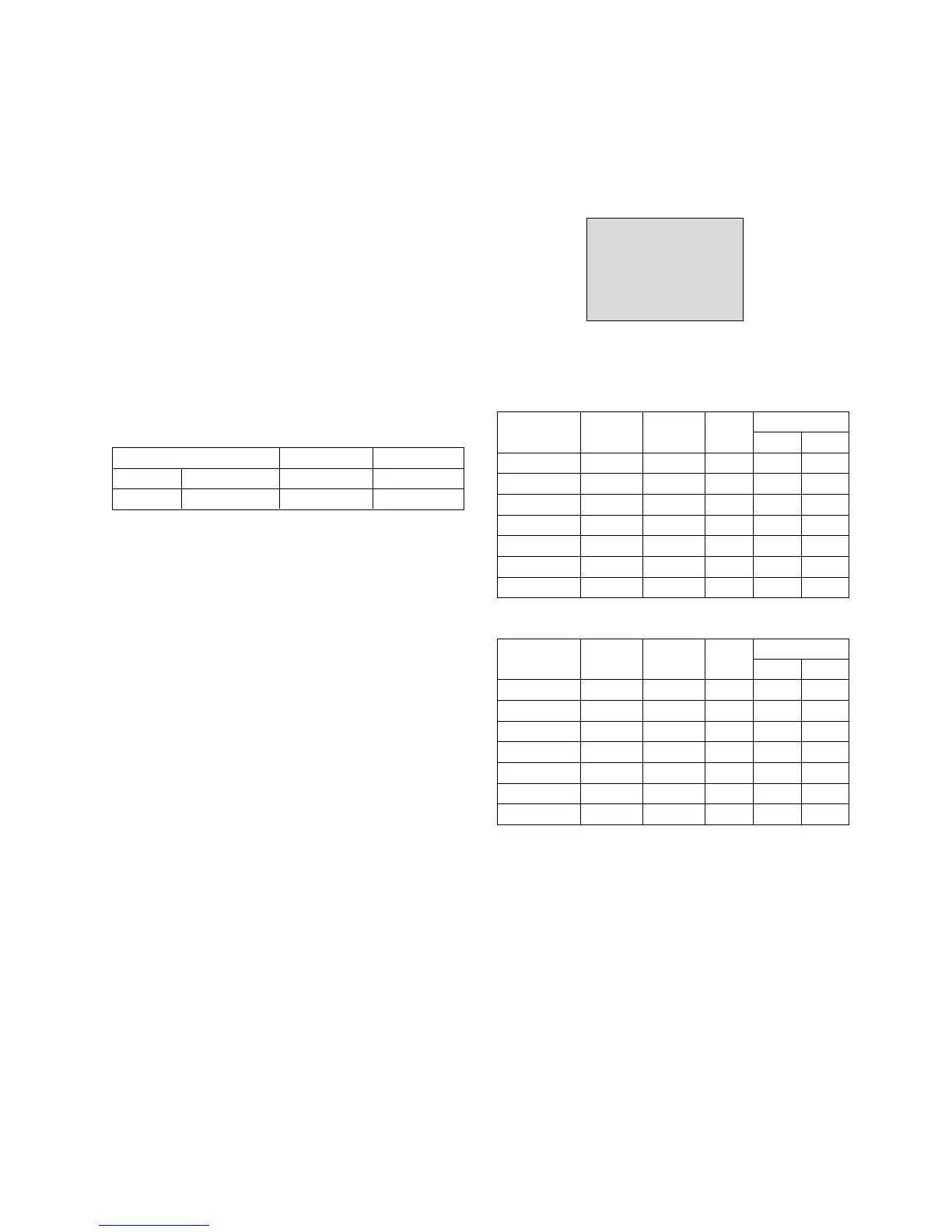
3) As below Fig.3, Supply 216Level (85 IRE) full screen
pattern to Video input.
32LB2R-ZH, 37LB2R-ZH, 42LB2R-ZH: AV3/AV4 (Input 50Hz)
4) Press the FRONT-AV KEY on R/C for converting input
mode.
5) Set the PSM to Standard mode in Picture menu.
6) Enter the White Balance adjustment mode by pressing the
INSTART key twice(White Balance) on R/C.
7) Stick sensor to center of the screen and select each items
(Red/Green/Blue Gain and Offset) using
D/E(CH+/-) key
on R/C.
8) Adjust Only High Light with R Gain/B Gain using
F/G (VOL
+/-) key on R/C.
9) Adjust it until color coordination becomes as below.
X-axis : 0.283±0.003
Y-axis : 0.298±0.003
(R/G/B gain and R/G/B offset Default values are different in
according to using module )
10) Adjust High light with R/B Gain.
6.2 Auto white Balance (AV)
1) LPL Module
2) AUO Module
- 13 -
White balance ZH(AV3), TH(AV1) MH(VIDEO1)
MSPG925FA 216 Level (85IRE) Model : 202 Model : 201
Full screen pattern • Pal Video • NTSC Video
<Fig. 3>
216 Level(85IRE)
Command1 Command2 Set ID
Data
Min Max
Input Select XB B 00 00h 90h
R-Gain J A 00 00h E0h
G-Gain J B 00 00h E0h
B-Gain J C 00 00h E0h
R-Offset J D 00 00h 90h
G-Offset J E 00 00h 90h
B-Offset J F 00 00h 90h
Command1 Command2 Set ID
Data
Min Max
Input Select XB B 00 00h 90h
R-Gain J A 00 00h E0h
G-Gain J B 00 00h E0h
B-Gain J C 00 00h E0h
R-Offset J D 00 00h 90h
G-Offset J E 00 00h 90h
B-Offset J F 00 00h 90h


 To Next Page