90
TO USE A USB OR PC DEVICE
TO USE A USB OR PC DEVICE
Viewing Files on the Network
1
Set a share folder (CIFS: Common Internet File System) on the PC (Refer to P.88 to 89).
2
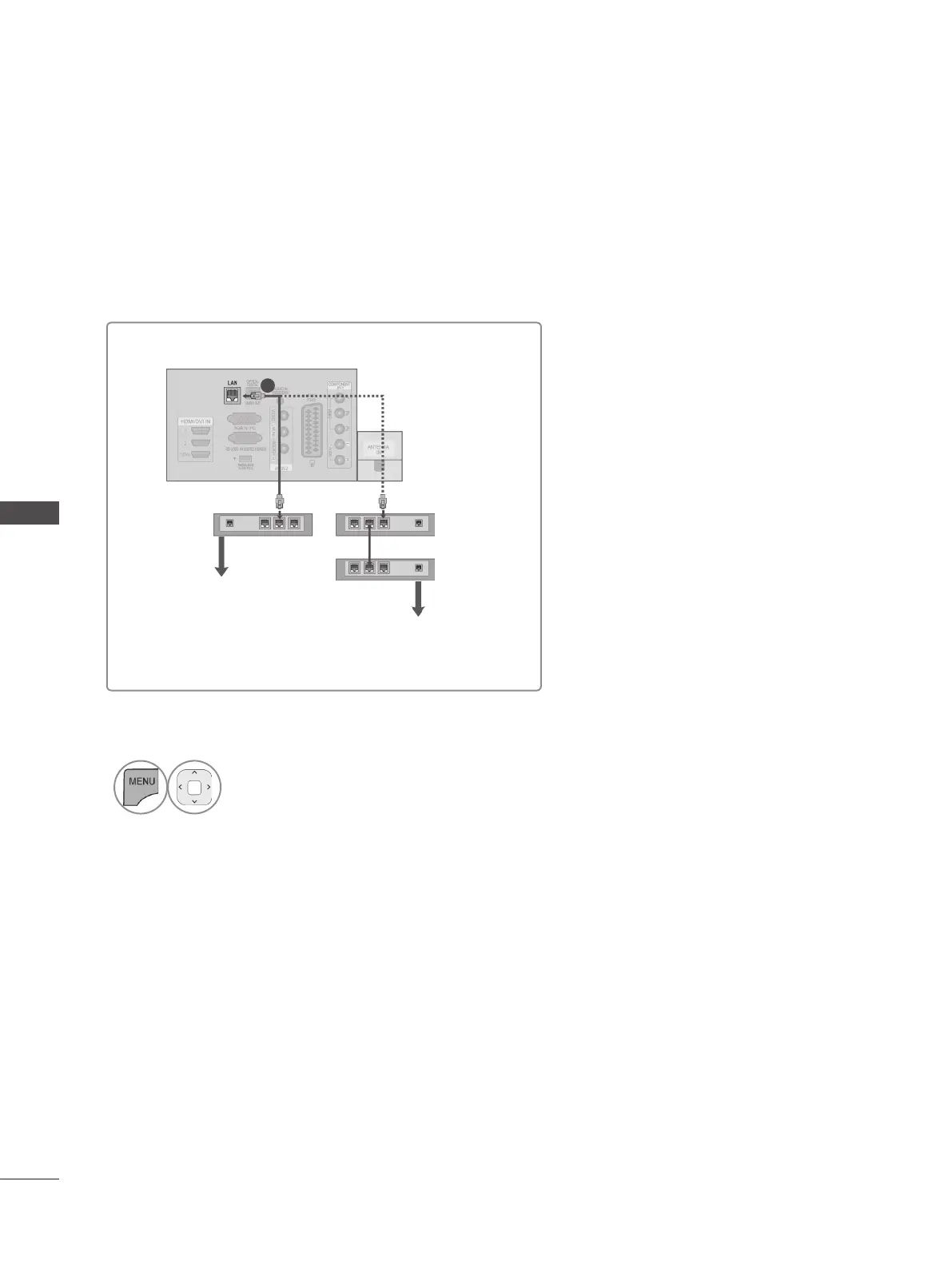
Connect the LAN port of the Modem or Router to the LAN port on the TV.
i.e) LED LCD TV / LCD TV
Broadband Modem
Router
Broadband Modem
Broadband Service
Broadband Service
1
3
Select MY MEDIA.
4
Repeat step 2 to 5 on P.86.


 To Next Page