175
PARENTAL CONTROL /
RATINGS
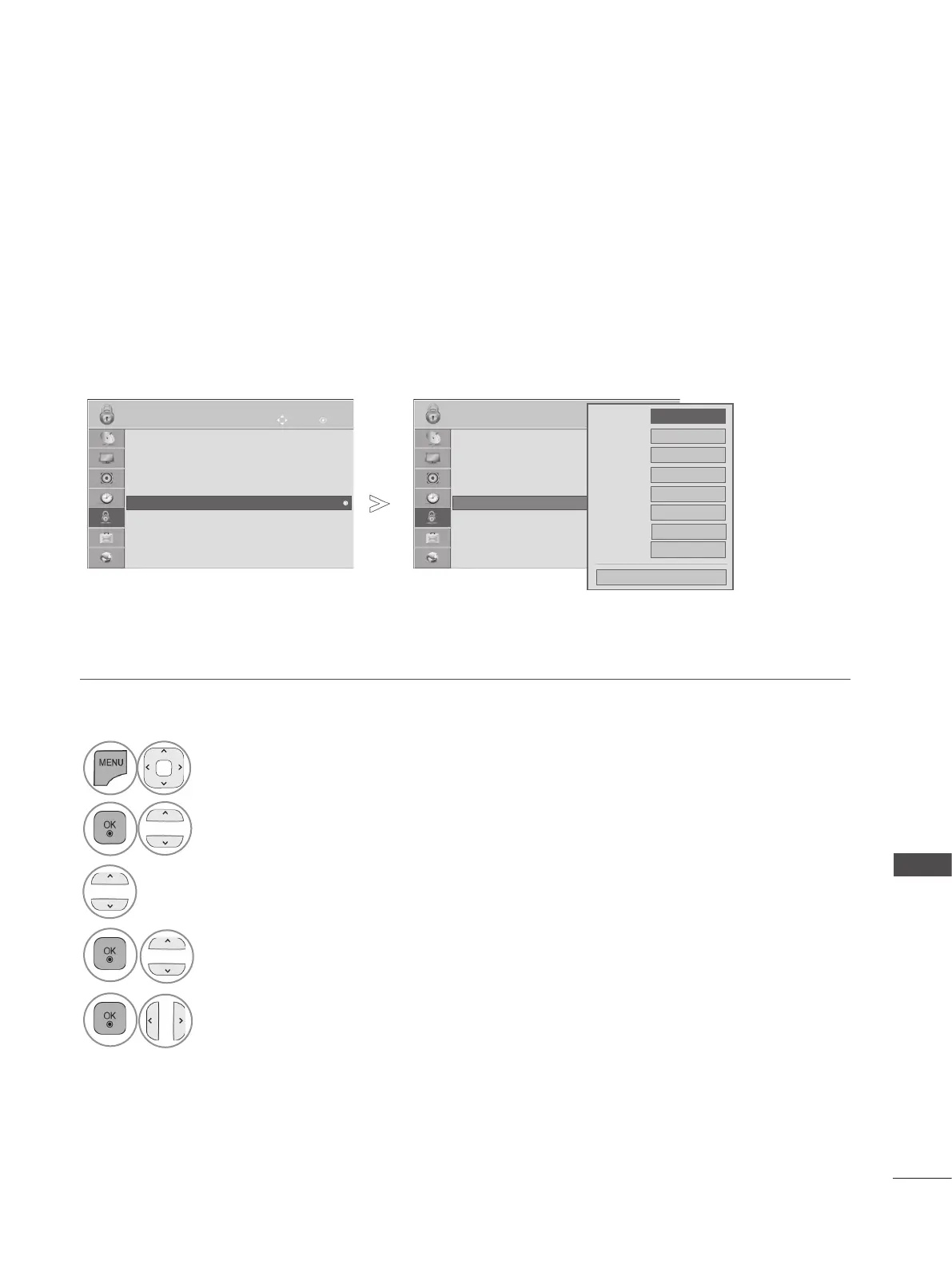
EXTERNAL INPUT BLOCKING
Enables you to block an input.
It is available to use this function in Lock System ”On”.
• Press the MENU/EXIT button to return to normal TV viewing.
• Press the BACK button to move to the previous menu screen.
OK
Move
● Set Password
● Lock System : On
● Block Programme
● Parental Guidance : Blocking Off
● Input Block
● Key Lock : Off
LOCK
● Input Block
▲
▼
OK
Move
● Set Password
● Lock System : On
● Block Programme
● Parental Guidance : Blocking Off
● Input Block
● Key Lock : Off
LOCK
● Input Block
▲
▼
●
AV1
●
AV2
●
Component
●
RGB
●
HDMI1
●
HDMI2
●
HDMI3
●
HDMI4
◄
Off
►
Off
Off
Off
Off
Off
Off
Close
Off
■ Image shown may differ from your TV.
1
Select LOCK.
2
Select Lock System.
3
Select Input Block.
4
Select input source.
5
Select On or Off.



 To Next Page