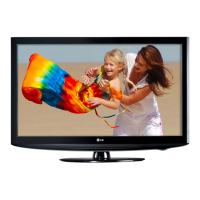
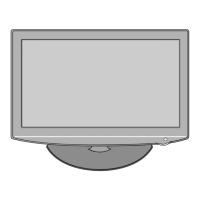
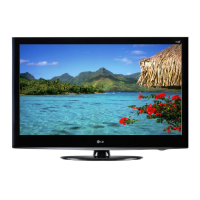
This document is a service manual for LG LCD TVs, specifically models 32LD330/330C, 32LD330/330C-TA, 32LD331C/340, 32LD331C/340-TA, 32LD341C/342C, 32LD341C/342C-TA, 32LD345, and 32LD345-TB, all based on the LP91H chassis. It provides comprehensive information for servicing, including safety precautions, specifications, adjustment instructions, troubleshooting, and exploded views.
Function Description
The devices described are LG LCD televisions designed for displaying video content from various sources. The manual outlines the procedures for maintenance and repair, ensuring proper functioning and safety. It covers aspects from basic operation to detailed technical adjustments, making it a complete guide for service technicians.
Important Technical Specifications
The manual details several key technical specifications for the LCD TV models:
General Module Specifications:
- Screen Size: 32" wide Color Display Module
- Aspect Ratio: 16:9
- Resolution: 1366x768
- LCD Module: 32" TFT WXGA LCD
- Operating Environment: Temperature: 0~40 °C, Humidity: 0%~85%
- Storage Environment: Temperature: -20~60 °C, Humidity: 0%~85%
- Input Voltage: AC 100 V-240 V~, 50/60 Hz
- Power Consumption: 87.5 W (HD)
Chroma & Brightness (Optical) - LCD Module:
- Luminance (W/O PC mode):
- AUO 32" HD: 350 min / 420 typ cd/m²
- IPS 32" HD: 300 min / 400 typ cd/m²
- SHARP 32" HD: 360 min / 450 typ cd/m²
- View Angle (R/L, U/D): 158/158 degrees
- Color Coordinates (White):
- IPS 32"(HD): X typ 0.278, Y typ 0.285 (±0.03)
- AUO 32"(HD): X typ 0.280, Y typ 0.290 (±0.03)
- SHARP 32"(HD): X typ 0.278, Y typ 0.285 (±0.03)
- Module Contrast Ratio:
- AUO 32" HD: 2,400 min / 3,000 typ
- IPS 32" HD: 700 min / 1,400 typ
- SHARP 32" HD: 3,000 min / 5,000 typ
- Luminance Variation: 1.3
Component Video Input (Y, PB, PR) - Supported Resolutions:
The TV supports a wide range of resolutions from SDTV (720x480i/p, 720x576i/p) to HDTV (1280x720p, 1920x1080i/p) with varying H-freq, V-freq, and Pixel Clock values.
RGB Input - Supported Resolutions (Analog PC, RGB-DTV):
The TV supports PC resolutions from EGA (640x350) up to WUXGA (1920x1080) for FHD models, including VESA standards like VGA, SVGA, XGA, and WXGA.
HDMI Input (PC & DTV) - Supported Resolutions:
Similar to RGB and Component inputs, HDMI supports PC resolutions from 640x480 up to 1920x1080 (WUXGA) and DTV resolutions from SDTV 480i/p to HDTV 1080i/p, including 1080p.
Usage Features
The manual primarily focuses on service-related usage rather than end-user features. However, it implicitly describes some operational aspects:
- Input Versatility: The TV supports multiple input types including Component Video, RGB (PC), HDMI (PC & DTV), AV (Video, S-Video), and TV(RF), allowing connection to a wide array of devices.
- Picture Modes: The "Vivid" picture mode is mentioned in the context of White Balance adjustment, indicating user-selectable display settings.
- Local Dimming: The manual includes a section on checking the Local Dimming function, implying this is a feature of the TV for enhanced contrast.
- Service Mode Access: Technicians can access a service mode using an "ADJ" key on the remote control and a password ("0000") to perform various adjustments and checks.
- Software Updates: The TV supports software updates via USB memory stick or D/L Jig, ensuring the device can receive performance improvements and bug fixes.
- EDID Data Management: The TV handles EDID (Extended Display Identification Data) for HDMI and RGB inputs, which is crucial for proper communication with source devices. EDID data can be downloaded automatically or via RS-232C commands.
Maintenance Features
The service manual provides extensive details on maintenance and adjustment procedures:
- Safety Precautions: Emphasizes the importance of using an isolation transformer during servicing, replacing safety-related parts with specified components, and performing AC leakage current checks (Cold and Hot) to prevent electrical shock and fire hazards.
- Adjustment Instructions:
- Mstar Main S/W Program Download: Instructions for updating the main software using a D/L Jig or USB memory stick.
- EDID D/L Method: Procedures for downloading EDID data for HDMI and RGB inputs, either automatically during Tool Option adjustment or via RS-232C commands.
- ADC Calibration: Detailed steps for calibrating Analog-to-Digital Converters for Component and RGB inputs using an external pattern generator and the service remote.
- White Balance Adjustment: Procedures for both automatic and manual white balance adjustments using a color analyzer (CA100+, CA210) to ensure accurate color temperature. This includes adjusting Red/Green/Blue Gain and Offset for Cool, Medium, and Warm modes.
- Input Area Option: Adjustment of the Area option value based on country, language, and signal conditions.
- SW Version Check: Method to verify the software version installed on the TV.
- Troubleshooting Guide: Comprehensive flowcharts for diagnosing common issues such as:
- "No power" (LED indicator off)
- "No Raster" on PC, Component, HDMI, AV (Video, S-Video), and TV(RF) signals
- "No Sound"
The troubleshooting steps guide technicians through checking various components like power board, main board ICs (IC1001, IC1005, IC1007, IC1002, IC1008, Q1003, IC802, IC800, IC201, IC300, IC301, IC600), LED Assy, connectors (P307, JK202, JK101, JK301, JK302, JK303), cables (Panel Link, Inverter, LVDS), and the tuner (TU500). It also suggests re-soldering or replacing defective parts and re-downloading EDID/HDCP data where applicable.
- Exploded View: Provides a visual breakdown of the TV's physical components, aiding in disassembly and reassembly during repairs.
- Schematic Diagrams: Detailed circuit diagrams for various blocks (Component/AV In, RS-232C/PC/USB/PC Sound, HDMI, LVDS/Control Key, Tuner, Audio, Mstar, DDR2, Power), essential for in-depth electrical troubleshooting and component identification.
The manual emphasizes the use of specific, manufacturer-recommended parts for critical components to maintain safety and performance standards.


 To Next Page

 General