EasyManua.ls Logo

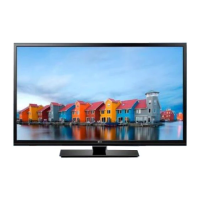
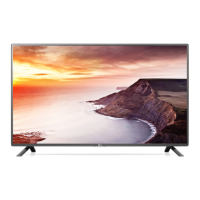
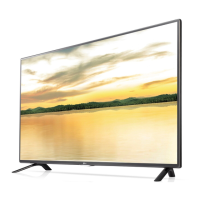
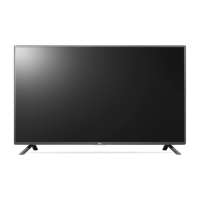
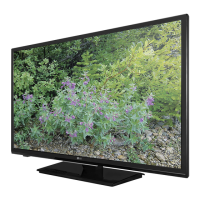
LG 32LF500B - User Manual

LG 32LF500B
24 pages
Print Icon
To Next Page IconTo Next Page
Loading...
OWNER’S MANUAL
LED TV*
* LG LED TV applies LCD screen with LED backlights.
Please read this manual carefully before operating your TV
and retain it for future reference.
www.lg.com
32LF500B
0773-CE360008-L202

Other manuals for LG 32LF500B

Questions and Answers

  • P
    Pamela WashingtonJul 28, 2025
    How to fix LG 32LF500B remote control not working?
    • M
      Meghan GonzalezJul 28, 2025
      If your LG LED TV isn't responding to the remote, first, make sure nothing is blocking the remote's signal by covering the receiver on the TV. Then, check for any obstacles between the remote and the TV. If that doesn't work, try replacing the batteries in the remote with new ones.
  • T
    Tracy LuceroAug 3, 2025
    What to do if my LG LCD TV has no image and sound?
    • M
      Mr. Alan Trujillo DDSAug 3, 2025
      If your LG LCD TV has no image and no sound, first check if the TV is turned on. Next, ensure the power cord is properly connected to a wall outlet. Finally, test the wall outlet by connecting other products to see if there's a problem with the outlet itself.
  • M
    mary60Aug 9, 2025
    Why does my LG 32LF500B turn off by itself?
    • S
      saundersandreaAug 9, 2025
      If your LG LED TV turns off suddenly, it might be due to a few reasons. First, the power supply could be interrupted, so check the power control settings. Also, the Off Time or Sleep Timer feature in the TIME settings may be activated. Finally, if there's no signal while the TV is on, it will turn off automatically after 15 minutes of inactivity.
  • J
    Joseph SmithAug 15, 2025
    What to do if LG LCD TV remote control is not working?
    • N
      Nathan RiveraAug 15, 2025
      If your LG LCD TV remote isn't working, first ensure nothing is blocking the receiver on the TV. Then, make sure there are no obstacles between the remote and the TV. Finally, try replacing the remote batteries with new ones.
  • I
    iancruzAug 22, 2025
    Why does my LG LCD TV turn off suddenly?
    • D
      Donna PowellAug 22, 2025
      If your LG LCD TV turns off suddenly, it might be due to a few reasons. First, check the power control settings to ensure the power supply isn't interrupted. Second, verify if the Off Time or Sleep Timer feature is activated in the TIME settings. Lastly, if there is no signal, the TV will turn off automatically after 15 minutes of inactivity.

Summary

IMPORTANT SAFETY INSTRUCTIONS

CAUTION concerning the Power Cord

Details precautions for the power cord to prevent hazards.

Grounding

Ensures proper grounding of the TV to prevent electric shock.

DISCONNECTING DEVICE FROM THE MAIN POWER

Explains how to safely disconnect the TV from the power source.

Preventing image burn or burn-in on your TV screen

Advice on avoiding permanent screen image disfigurement.

ASSEMBLING AND PREPARING

Parts and Buttons

Identification and overview of the TV's physical parts and buttons.

Lifting and Moving the TV

Safe procedures for lifting, moving, and transporting the television.

Setting Up The TV

Instructions for physically setting up the TV, including stand attachment.

Mounting on a table

Steps for placing and securing the TV on a flat surface.

Mounting on a wall

Guidance on installing the TV using a wall mount bracket.

MAKING CONNECTIONS

Connecting to an antenna or cable

How to connect external sources like antennas or cable boxes for viewing.

REMOTE CONTROL

SETTINGS

To set up the channels automatically

Procedure for automatically scanning and storing available TV channels.

To return to initial settings

Resetting all user-configured settings to factory defaults.

Using USB storage devices

Instructions for connecting and playing media from USB storage devices.

MAINTENANCE

TROUBLESHOOTING

LG 32LF500B Specifications

General IconGeneral
Screen shapeFlat
Response time- ms
Display diagonal32 \
Display brightness- cd/m²
Display resolution1366 x 768 pixels
Native aspect ratio16:9
Native refresh rate60 Hz
LED backlighting type-
Supported video modes720p
Display diagonal (metric)81.2 cm
Screen format adjustments4:3, Zoom
Supported graphics resolutions1366 x 768, 1280 x 720 (HD 720)
3DNo
Smart modesCinema, Game, Sports, Standard, Vivid
Sound modesGame, Movie, Music, Sports, Standard
Audio decodersDolby Digital
RMS rated power10 W
Number of speakers2
HDMI ports quantity3
DVI-D ports quantity0
USB 2.0 ports quantityUSB 2.0 ports have a data transmission speed of 480 Mbps, and are backwards compatible with USB 1.1 ports. You can connect all kinds of peripheral devices to them.
Component video (YPbPr/YCbCr) in1
Audio formats supportedMP3
Image formats supportedJPG
Product colorBlack
AC input voltage100 - 240 V
AC input frequency50 - 60 Hz
Power consumption (standby)0.5 W
Package depth149.8 mm
Package width825.5 mm
Package height520.7 mm
Package weight7121 g
Sustainability certificatesENERGY STAR
Weight and Dimensions IconWeight and Dimensions
Depth (with stand)180 mm
Height (with stand)486 mm
Weight (with stand)5600 g
Depth (without stand)91.4 mm
Width (without stand)737 mm
Height (without stand)439.4 mm
Weight (without stand)5170 g

Related product manuals