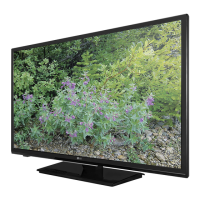
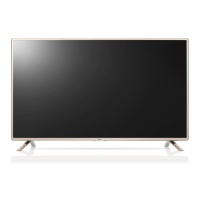
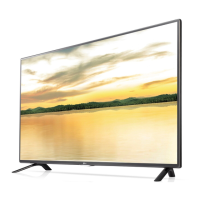
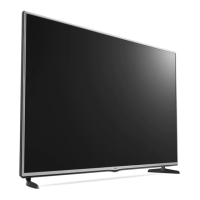
This document describes the LG LF55** LED TV, an LCD screen with LED backlights. It provides comprehensive information on its installation, operation, maintenance, and troubleshooting.
Function Description
The LG LF55** LED TV is designed for home entertainment, offering various features for viewing television programs, connecting external devices, and playing multimedia content. It supports multiple input sources, including HDMI, Component, and AV, allowing users to connect HD receivers, DVD players, VCRs, audio systems, USB storage devices, PCs, and gaming devices. The TV can be operated using a remote control or a joystick button located on the device itself.
Important Technical Specifications
- Display: LCD screen with LED backlights.
- Resolution: Supports various resolutions, including 720x480, 720x576, 1280x720, and 1920x1080, with corresponding horizontal and vertical frequencies.
- Power Requirement: AC 100-240 V~50/60 Hz.
- Operating Temperature: 0 °C to 40 °C.
- Storage Temperature: -20 °C to 60 °C.
- Operating Humidity: Less than 80%.
- Storage Humidity: Less than 85%.
- Television System (Analogue TV): PAL/SECAM-B/G/D/K, PAL-I, NTSC-M, PAL B/B (depending on country).
- Programme Coverage: VHF, UHF, CATV.
- Maximum Number of Storable Programmes: 200.
- External Antenna Impedance: 75 Ω.
- USB Support: USB 2.0, with recommended capacity of 1 TB or less for external hard disks and 32 GB or less for USB memory. Supports FAT16, FAT32, NTFS file systems.
- Multimedia File Formats:
- Photo: JPEG (Baseline: 64x64 to 15360x8640 pixels; Progressive: 64x64 to 1024x768 pixels).
- Music: MP3 (Bit rate 32 kbps to 320 kbps; Sampling rate MPEG1 Layer3: 32, 44.1, 48 kHz; MPEG2 Layer3: 16, 22.05, 24 kHz; MPEG2.5 Layer3: 8, 11.025, 12 kHz).
- Movie: DAT, MPG, MPEG, VOB, AVI, DIVX, MP4, MKV, TS, TRP, TP, ASF, WMV, FLV, RM, RMVB. Video formats include DivX 3.11, 4, 5, 6, Xvid, MPEG-1, 2, 4, H.264/AVC, VC1, JPEG, Sorenson H.263. Audio formats include Dolby Digital, AAC, MPEG, MP3, LPCM, ADPCM, WMA. External subtitle formats: .smi, .srt, .sub, .ass, .ssa, .txt, .psb. Internal subtitle format: XSUB. Max bit rate: 20 Mbps (Motion JPEG: 10 Mbps). Max file size: 30 GB.
- AC/DC Adapter (Examples for 32LF510, 32LF513):** Input AC 100-240 V~50/60 Hz, Output 19 V2.1 A.
- AC/DC Adapter (Examples for 43/49LF510, 43/49LF513):** Input AC 100-240 V~50/60 Hz, Output 19 V3.42 A.
Usage Features
- Initial Setup: Upon first power-on, the TV guides the user through an initial setup process to select language, customize basic settings, and perform auto-tuning for available programs.
- Navigation: The TV can be controlled via a remote control or a joystick button. The joystick allows for power on/off, volume adjustment, program scrolling, and menu navigation.
- Input Source Selection: Users can easily switch between various external devices connected to the TV via the INPUT button.
- Program Management:
- Auto Tuning: Automatically finds and stores all available programs.
- Manual Tuning: Allows manual tuning and arrangement of stations, including assigning station names and fine-tuning reception.
- Programme Edit: Enables users to delete, move, or skip stored programs.
- Picture Settings:
- Aspect Ratio: Adjusts the image size (e.g., 16:9, Just Scan, Original, 4:3, 14:9, Zoom, Cinema Zoom 1).
- Energy Saving: Reduces power consumption by adjusting screen brightness (Off, Minimum, Medium, Maximum, Screen off).
- Picture Mode: Preset modes for optimized image settings (Vivid, Standard, Cinema, Soccer, Game) and advanced options (Dynamic Contrast, Dynamic Colour, Noise Reduction, Gamma, Black Level, Motion Eye Care, Film Mode, Colour Gamut, Edge Enhancer).
- Audio Settings:
- Sound Mode: Preset modes for optimized sound settings (Standard, Music/Bollywood, Cinema, Soccer, Game) and advanced options (Treble, Bass, Reset).
- Auto Volume: Maintains consistent volume levels across different programs.
- Balance: Adjusts audio balance between left and right speakers.
- TV Speaker: Option to turn off internal speakers when using an external Hi-Fi system.
- Stereo/Dual Reception: Selects sound output for dual language broadcasts (DUAL I, DUAL II, DUAL I+II) and NICAM reception (NICAM MONO, FM MONO, NICAM STEREO).
- Speaker Sound Output Selection: In AV, Component, HDMI modes, users can select L+R, L+L, or R+R output.
- Time Settings: Sets clock, off time, on time, sleep timer, and automatic standby.
- Option Settings: Includes menu language, input label customization, and factory reset.
- Lock Settings: Activates/deactivates lock system, sets password, blocks programs, and blocks input sources.
- Entertainment Features:
- Photo List: Views image files from USB storage devices, with slideshow options and background music.
- Music List: Plays music files from USB storage devices.
- Movie List: Plays movie files from USB storage devices, with various playback controls (play, pause, skip, scan).
- DivX® VOD: Registration and deregistration for playing purchased or rented DivX® VOD content.
- Game: Plays game content on the TV (depending on model).
- Teletext: Provides a free service for news, weather, and program information (not available in all countries). Supports SIMPLE and FASTEXT systems, with page selection, index, time display, hold, reveal, and update functions.
- Antenna Isolator: Guide for installing an antenna isolator to prevent voltage differences between the TV set and antenna signal ground.
Maintenance Features
- Cleaning: Regular cleaning of the TV, screen, frame, cabinet, stand, and power cord is recommended. Use a dry, soft cloth for dust or light dirt, or a damp cloth with mild detergent for major dirt. Avoid harsh chemicals, spraying liquids directly, or applying excessive force.
- Power Cord: Disconnect the power cord from the wall outlet when the TV is left unattended for a long time to prevent damage from lightning or power surges. Regularly remove accumulated dust or dirt from the power cord.
- Battery Replacement: Instructions for replacing batteries in the remote control, ensuring correct polarity and avoiding mixing old and new batteries.
- Safety Precautions: Emphasizes not placing the TV in direct sunlight, high humidity, near heat sources, in areas exposed to steam, oil, rain, or wind. Warns against placing heavy objects on power cables, touching power plugs with wet hands, plugging too many devices into one outlet, or dropping the product. Advises against disassembling or modifying the product and to contact a service center for repairs.
- Wall Mounting: Instructions for attaching an optional wall mount bracket, emphasizing the use of VESA standard screws and proper installation by qualified personnel.
- Shelf Stand: Instructions for attaching a shelf stand (for LF515* models), including dimensions and maximum supported weight.
- Masonry Wall Attachment: Instructions for attaching the TV to masonry walls (for LF515* models), specifying anchor types, drill bit size, and pull-out/shear load requirements.
- Troubleshooting: Provides solutions for common issues such as remote control malfunction, no image/sound, sudden power off, and "No signal" or "Invalid Format" messages when connecting to a PC.

 Need help?

 To Next Page
 General