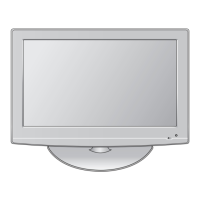
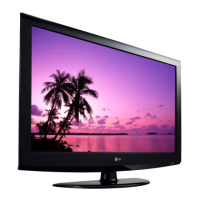
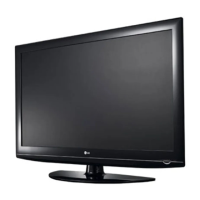
This document is a service manual for LG LCD TVs, specifically models 32LG30R(A)/32R, 32LG30R(A)/32R-TA, 32LG33R/34R, and 32LG33R/34R-TC, all based on the LP81A chassis. It provides comprehensive information for servicing and maintaining these devices.
Function Description
The LG LCD TVs covered by this manual are designed for displaying video and audio content from various sources. They function as standard television receivers, capable of processing broadcast signals (PAL SECAM B/G/D/K, PAL I, NTSC-M) and external inputs. The internal architecture includes a main board (LP81A chassis) that integrates video processing, audio amplification, and control functionalities, connected to an LCD module for display.
Important Technical Specifications
The manual details several key technical specifications for the LCD TVs:
General Specifications (LCD Module)
- Display Screen Device: Available in 26" and 32" wide Color Display Modules.
- Aspect Ratio: 16:9.
- LCD Module Type: 26" and 32" TFT WXGA LCD.
- Resolution: 1366x768 (HD) for both 26" and 32" models.
- Operating Environment: Temperature 0~40°C, Humidity 0~85%.
- Storage Environment: Temperature -20~60°C, Humidity 0~85%.
- Input Voltage: 100-240V~, 50/60Hz.
- Power Consumption:
- Power on (Blue): LG30/LG50
- Power on (White): LG60
- Stand-by (Red): ≤ 1.0 W (All)
- LCD Module Makers: AUO, CMO, CPT, LPL, SHARP.
- Outline Dimensions (H x V x D):
- 26" models: 626 x 373 x 43.7 mm
- 32" models (CMO): 760 x 450 x 47.4 mm
- 32" models (LPL): 760 x 450 x 48 mm
- Pixel Pitch:
- 26" models: 0.1405 x 0.4215 mm
- 32" models: 0.17025 x 0.51075 mm
- Back Light:
- 26" models: 12 CCFL
- 32" models (CMO): 16 CCFL
- 32" models (LPL): 12 EEFL
- Display Colors: Coating 3H, AG/2H, AG.
Model Specification (NON EU)
- Market: NON EU, CHINA.
- Broadcasting System: PAL SECAM B/G/D/K, PAL I, NTSC-M.
- Available Channel:
- VHF/UHF: E2~C69 (PAL), 2~78 (NTSC), C1~C62 (China), C1~C75 (Australia).
- CATV: S1~S47 (PAL), 1~71 (NTSC), S1~S41 (China), S2~S44 (Australia).
- Receiving System: Upper Heterodyne.
- Video Input (2EA): PAL, SECAM, NTSC (Rear 1EA, Side 1EA).
- AV Output (1EA): PAL, SECAM, NTSC (Rear).
- S-Video Input (1EA): PAL, SECAM, NTSC (Side, S-Video Priority).
- Component Input (2EA): Y/Cb/Cr, Y/Pb/Pr (Rear).
- RGB Input (1EA): RGB-PC, S/W Upgrade (Rear).
- HDMI Input (2EA/3EA): HDMI-DTV, Only PCM MODE (LG30 Tool, 32LG60, LG50, LG70 Tool).
- Audio Input (5EA): PC Audio, Component (2EA), AV (2EA) (L/R Input).
- RS-232C: Remote control, Commercial (Side(1EA)-LG30 Tool only, LG50, LG60, LG70 not Support).
- USB Input: Divx, MP3, JPEG (Side(1EA) - LG60, LG70 Tool Only, LG30, LG50 Not Support).
Supports various resolutions from 720x480 (SDTV) up to 1920x1080 (HDTV 1080P) with corresponding H-frequencies, V-frequencies, and Pixel clocks.
Supports resolutions from 640x350 (EGA) up to 1920x1080 (WUXGA) with corresponding H-frequencies, V-frequencies, and Pixel clocks.
Supports various PC and DTV resolutions, including SDTV, HDTV 720P, HDTV 1080I, and HDTV 1080P, with corresponding H-frequencies, V-frequencies, and Pixel clocks.
Usage Features
The TVs offer a range of input options for connecting various devices, including multiple AV, Component, RGB, HDMI, and USB ports. The service manual focuses on maintenance and adjustment rather than end-user features, but implies standard TV functionalities such as channel tuning, volume control, and input selection. The inclusion of RS-232C suggests potential for commercial or integrated control systems.
Maintenance Features
The service manual provides detailed instructions for troubleshooting, adjustment, and repair, emphasizing safety precautions.
Safety Precautions
- General Guidance: Always use an isolation transformer when servicing, replace blown fuses with specified types, keep resistors 10mm from PCBs, and keep wires away from high voltage/temperature parts. Perform an AC leakage current check on exposed metallic parts before returning the receiver to the customer.
- Leakage Current Checks: Detailed procedures for both Cold Check (using an ohm-meter) and Hot Check (using an AC voltmeter with a 1.5K/10W resistor and 0.15uF capacitor) are provided to ensure electrical safety.
- Servicing Precautions: Unplug the AC cord before removing/reinstalling components, disconnecting/reconnecting electrical plugs, or connecting test substitutes. Use appropriate high voltage meters, avoid spraying chemicals, clean electrical contacts with a specific acetone/isopropyl alcohol mixture, and ensure heat sinks are correctly installed. Always connect test receiver ground lead first and remove it last.
- Electrostatically Sensitive (ES) Devices: Instructions for handling ES devices include draining static charge from the body, placing assemblies on conductive surfaces, using grounded-tip soldering irons and anti-static solder removal devices, avoiding freon-propelled chemicals, and keeping ES devices in protective packaging until installation.
- General Soldering Guidelines: Use a grounded-tip, low-wattage soldering iron (500-600°F), RMA resin-core solder (60 tin/40 lead), keep the tip clean, and thoroughly clean surfaces. Specific techniques for unsoldering and soldering are provided, emphasizing quick work to avoid overheating the PCB foil.
- Component Removal/Replacement: Detailed steps for removing and replacing ICs, "Small-Signal" Discrete Transistors, Power Output Transistors, Diodes, Fuses, and Conventional Resistors are outlined.
- Circuit Board Foil Repair: Procedures for repairing defective copper patterns at IC connections (using jumper wires) and other connections (component side jumper wires) are described.
Adjustment Instruction
- Application Range: Applies to 32/37/42/47/52" LCD TVs with LP81A chassis.
- Requirements for Test: Specifies environmental conditions (25±5°C, 65±10% humidity), power input (100-240V~, 50/60Hz), and a 20-minute warm-up period.
- S/W Program Download: Instructions for downloading firmware via PCB Assy (HD and FHD) using the 'ISP Tool' program, including connecting the download jig, configuring speed, and reading/writing bin files.
- ADC Process:
- Auto RGB Color Balance: Method for adjusting color balance using a pattern generator (MSPG-925F) and specific commands (AUTO_COLOR_ADJUST).
- Component Input ADC: Similar adjustment for component input.
- TOOL Option, Area Option Change: Instructions for changing option values based on module maker, inch, and market using an adjustment remote control (IN-START Key).
- EDID (Extended Display Identification Data) / DDC (Display Data Channel) Download: Procedures for downloading EDID data for RGB and HDMI inputs, including specific data values for LP81A HD models.
- HDCP Setting: Instructions for setting HDCP keys, including connecting a D-sub signal cable and using MSPG925.
- Adjustment of White Balance:
- Purpose: To reduce deviation in module color temperature.
- Principle: Adjust white balance without saturation by fixing one R/G/B gain and decreasing others.
- Modes: Cool and Warm (Medium data calibrated by Cool data).
- Equipment: Remote controller, Color Analyzer (CA100+ or CA-210), Auto W/B adjustment instrument.
- Manual Adjustment: Detailed steps involving heat-run, ADJ key, inputting external patterns, and adjusting R/G/B Gain and Offset.
- DDC Command Protocol: Specifications for E2PROM Data Write and Read commands, including signal tables, command sets, and purpose (EDID write, FOS Default write, Random Data write).
Troubleshooting
The manual provides flowcharts for diagnosing common issues:
- No Power: Checks power cord, line filter, PSU connection, PSU fuse, and connection between PSU and Main B/D.
- No Raster: Checks minute discharge at module, inverter/VaVs status, output voltage, link cable, and IC801 output.
- Unusual Display from RF Mode: Checks video output of Tuner, input voltage, I2C communication, LVDS cable connection, and IC801.
- Unusual Display from Rear AV Mode, Side AV Model, Side S-Video Mode, Component 1 Mode, Component 2 Model, RGB Model: Each section provides a flowchart to check video input normality and suggests checking the input source or changing IC801 if issues persist.
- No Sound: Checks if all input modes have no sound, speaker menu settings, speaker cable, EDID data, IC600 output, signal after IC600, IC801 operation, and IC601 operation.

 Need help?

 To Next Page
 General