EasyManua.ls Logo

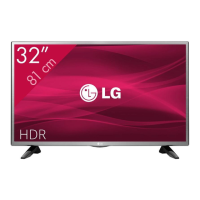
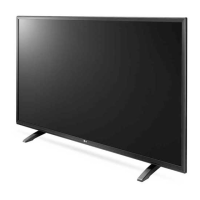
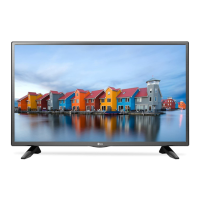
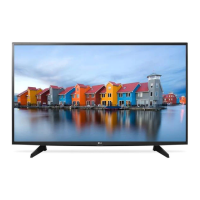
LG 32LH510U - User Manual

LG 32LH510U
164 pages
Print Icon
To Next Page IconTo Next Page
Loading...
Please read this manual carefully before operating your set and
retain it for future reference.
www.lg.com
Safety and Reference
OWNER’S MANUAL
LED TV*
* LG LED TV applies LCD screen with LED backlights.
*MFL69309712*
P/NO : MFL69309712 (1609-REV03)
Printed in Korea

Table of Contents

Other manuals for LG 32LH510U

Questions and Answers

  • W
    watkinskristinJul 29, 2025
    What to do if I cannot control my LG 32LH510U LED TV with the remote control?
    • A
      angelamaddenJul 29, 2025
      If you're unable to control your LG LED TV with the remote, first ensure there are no obstructions between the remote and the TV's sensor. Then, check the remote control sensor on the product and try again. Finally, verify that the batteries in the remote are working and correctly installed.
  • W
    William MartinezAug 5, 2025
    Why does my LG 32LH510U LED TV turn off suddenly?
    • K
      Kyle MillerAug 5, 2025
      If your LG LED TV turns off suddenly, there might be a few reasons. First, the power supply may be interrupted, so check the power control settings. Also, verify that the Auto Power Off, Sleep Timer, or Timer Power Off settings are not activated in the Timers settings. Finally, note that the TV will automatically turn off after 15 minutes of inactivity if there is no signal.
  • E
    ebonyjacksonAug 13, 2025
    Why is there no image and sound on my LG 32LH510U LED TV?
    • D
      David PruittAug 13, 2025
      If your LG LED TV shows no image and produces no sound, start by checking if the TV is turned on. Next, make sure the power cord is securely connected to a working wall outlet. You can test the outlet by plugging in another device to see if it works.
  • S
    sara28Aug 21, 2025
    What to do if LG 32LH510U says ‘No signal’ or ‘Invalid Format’ when connecting to PC (HDMI)?
    • P
      prattjenniferAug 21, 2025
      If you see a ‘No signal’ or ‘Invalid Format’ message when connecting your PC to your LG LED TV via HDMI, try these steps: First, turn the TV off and then on again using the remote control. If that doesn't work, try reconnecting the HDMI cable. As a last resort, restart your PC while the TV is powered on.

Summary

Safety and Reference

Safety Instructions

Preparing

Lifting and Moving the TV

Using the Buttons

Basic Functions

Securing the TV to a Wall

Mounting on a Table

Mounting on a Wall

Separate Purchase (Wall Mounting Bracket)

Connections

Antenna and Satellite Connections

Connect the TV to terrestrial or satellite antennas for signal reception.

Adapter and CI Module Connections

Connect the power adapter and CI module for operation and encrypted services.

Scart and Other External Connections

Connect devices via Scart or other ports like HDMI for diverse inputs.

Remote Control

Teletext and Function Buttons

Explains the function of teletext, navigation, and special function buttons on the remote.

Basic Operation Buttons

Covers buttons for power, TV/Radio selection, volume, channel, and input.

Settings

Automatic Programme Tuning

Guides on automatically scanning and tuning available TV programmes.

Picture Settings

Controls for optimizing picture quality, including mode selection and fine-tuning.

Sound and Audio Settings

Options for selecting sound modes, effects, synchronizing audio/video, and balance.

SIMPLINK Connectivity

Enables control of multiple multimedia devices via the SIMPLINK menu.

Fine-tuning Picture Mode

Advanced Picture Controls

Energy Saving Feature

SIMPLINK Function Description

Password and Reset Settings

USB Device Management

My Media Supporting Files

Supported Video Formats

Supported Audio Formats

Supported Photo Formats

Web Manual and External Control

Troubleshooting

Specifications

CI Module and Environment

Details CI module dimensions, operating/storage conditions, and environmental requirements.

Broadcasting System and Channels

Covers supported TV systems, channel frequency bands, and programme storage limits.

Antenna Impedance and Adapter

Specifies external antenna impedance and AC/DC adapter details for the TV.

HDMI-DTV Supported Modes

Component Port Information

HDMI-PC Supported Modes

LG 32LH510U Specifications

General IconGeneral
Screen shapeFlat
Response time- ms
Display diagonal32 \
Display brightness- cd/m²
Display resolution1366 x 768 pixels
Display technologyLED
Native aspect ratio16:9
LED backlighting typeDirect-LED
Display diagonal (metric)80 cm
Screen format adjustments4:3, 16:9, Zoom
Supported graphics resolutions1366 x 768
Motion interpolation technologyPMI (Picture Mastering Index) 300
3DNo
Annual energy consumption37 kWh
Tuner typeAnalog & digital
Analog signal format system-
Digital signal format systemDVB-C, DVB-S2, DVB-T2
Smart modesCinema, Energy saving, Game, Standard, Vivid
Sound modesGame, Movie, Music, Sports, Standard
RMS rated power6 W
Number of speakers2
HDMI version1.4
DVI-D ports quantity0
USB 2.0 ports quantityUSB 2.0 ports have a data transmission speed of 480 Mbps, and are backwards compatible with USB 1.1 ports. You can connect all kinds of peripheral devices to them.
Consumer Electronics Control (CEC)SimpLink
Common interface Plus (CI+) version1.3
Programming period8 day(s)
Video formats supportedH.265
Product colorBlack
Panel mounting interface200 x 200 mm
AC input voltage100 - 240 V
AC input frequency50 - 60 Hz
Power consumption (standby)0.3 W
Power consumption (typical)25 W
Package depth134 mm
Package width795 mm
Package height505 mm
Package weight6200 g
Cables includedAC
Weight and Dimensions IconWeight and Dimensions
Depth (with stand)172 mm
Height (with stand)474 mm
Weight (with stand)4700 g
Depth (without stand)71 mm
Width (without stand)734 mm
Height (without stand)438 mm
Weight (without stand)4500 g

Related product manuals