EasyManua.ls Logo

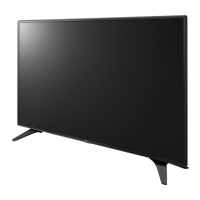
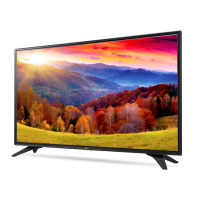
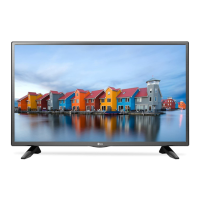
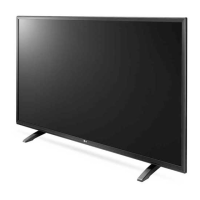
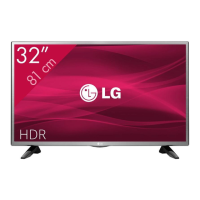
LG 32LH63 Series - User Manual

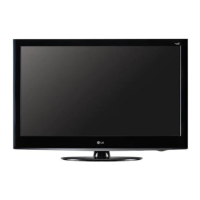
LG 32LH63 Series
36 pages
Print Icon
To Next Page IconTo Next Page
Loading...
www.lg.com
Please read this manual carefully before operating your set and
retain it for future reference.
Safety and Reference
OWNER’S MANUAL
LED TV*
* LG LED TV applies LCD screen with LED backlights.
*MFL69311713*
P/NO : MFL69311713(1605-REV01)
Printed in Korea

Questions and Answers

  • H
    Holly HatfieldAug 18, 2025
    Why does my LG 32LH63 turn off suddenly?
    • B
      Bryan ByrdAug 18, 2025
      If your LG LED TV turns off suddenly, first check the power control settings, as the power supply may be interrupted. Also, verify if the Sleep Timer or Timer Power Off is activated within the TIMERS settings. Another setting to check is the Auto Power Off in the General -> ECO MODE settings, depending on your specific model. Finally, be aware that the TV will automatically turn off after 15 minutes of inactivity if there is no signal.
  • C
    Curtis BooneAug 20, 2025
    Why is my LG LED TV remote not working?
    • S
      Stephen ColeAug 20, 2025
      If you cannot control your LG LED TV with the remote, first check the remote control sensor on the TV and try again. Also, make sure there are no obstacles between the remote and the TV. Finally, check that the batteries in the remote are working and properly installed.
  • D
    Denise RodriguezAug 23, 2025
    Why does my LG 32LH63 LED TV turn off by itself?
    • S
      Steven LynchAug 23, 2025
      Your LG LED TV might be turning off suddenly because the power supply is interrupted, so you should check the power control settings. Also, check if the Sleep Timer or Timer Power Off is activated in the TIMERS settings. Additionally, verify if the Auto Power Off is activated in the General -> ECO MODE settings. This depends on the model.
  • M
    Melanie RobertsAug 25, 2025
    How to fix LG LED TV remote control not working?
    • A
      Anthony BeckAug 26, 2025
      If you cannot control your LG LED TV with the remote, check the remote control sensor on the TV and try again. Also, ensure there are no obstacles between the remote and the TV. Finally, verify that the batteries in the remote are working and properly installed.
  • J
    jasonyatesAug 27, 2025
    What to do if my LG 32LH63 LED TV has no image display and no sound?
    • K
      Kelly NelsonAug 27, 2025
      If your LG LED TV has no image and no sound, first, ensure that the TV is turned on. Next, check that the power cord is securely connected to a functioning wall outlet. To verify the outlet's functionality, connect other products to the same outlet.
  • T
    Terri ChambersAug 30, 2025
    Why does my LG 32LH63 keep turning off by itself?
    • A
      Angela BarnesAug 30, 2025
      If your LG LED TV is turning off unexpectedly, the power supply may be interrupted, so check the power control settings. Also, check if the Sleep Timer or Timer Power Off is activated in the Timers settings. Another possible cause is the Auto Power Off feature in the General -> Eco Mode settings. Finally, if the TV doesn't receive a signal for 15 minutes, it will turn off automatically.
  • J
    James KleinSep 1, 2025
    What to do if my LG LCD TV has no image and sound?
    • M
      Mary McdanielSep 1, 2025
      If your LG LCD TV shows no image and produces no sound, verify that the TV is turned on. Also, check whether the power cord is properly connected to a functioning wall outlet. You can test the outlet by plugging in other devices to see if they work.
  • J
    Joshua PrattSep 3, 2025
    Why does my LG LCD TV turn off suddenly?
    • T
      Thomas DavisSep 3, 2025
      If your LG LCD TV turns off suddenly, the power supply may be interrupted, so check the power control settings. Also, verify that the Sleep Timer or Timer Power Off is not activated in the TIMERS settings. If the TV is on and receives no signal, it will automatically turn off after 15 minutes of inactivity.
  • J
    Justin WeberSep 5, 2025
    What to do if my LG 32LH63 LED TV has no picture and sound?
    • E
      Ellen BuckSep 6, 2025
      If your LG LED TV shows no image and produces no sound, ensure that the TV is turned on. Check that the power cord is properly connected to a working wall outlet. You can also test the wall outlet by connecting other products to see if it works.
  • A
    Alex RossSep 8, 2025
    What to do if my LG 32LH63 LED TV says ‘No signal’ or ‘Invalid Format’ when connecting to PC (HDMI)?
    • N
      Natasha CombsSep 8, 2025
      If your LG LED TV displays ‘No signal’ or ‘Invalid Format’ when connecting to a PC via HDMI, try turning the TV off and then on again using the remote control. Reconnecting the HDMI cable can also resolve the issue. Another solution is to restart your PC while the TV is powered on. The cause may be that band channels vary per country, and the user cannot change or adjust the operating frequency.

LG 32LH63 Series Specifications

General IconGeneral
BrandLG
Model32LH63 Series
CategoryLED TV
LanguageEnglish

Related product manuals