15
Connections
You can connect various external devices to the TV. For more information on external device’s connection, refer to the manual provided with each
device.
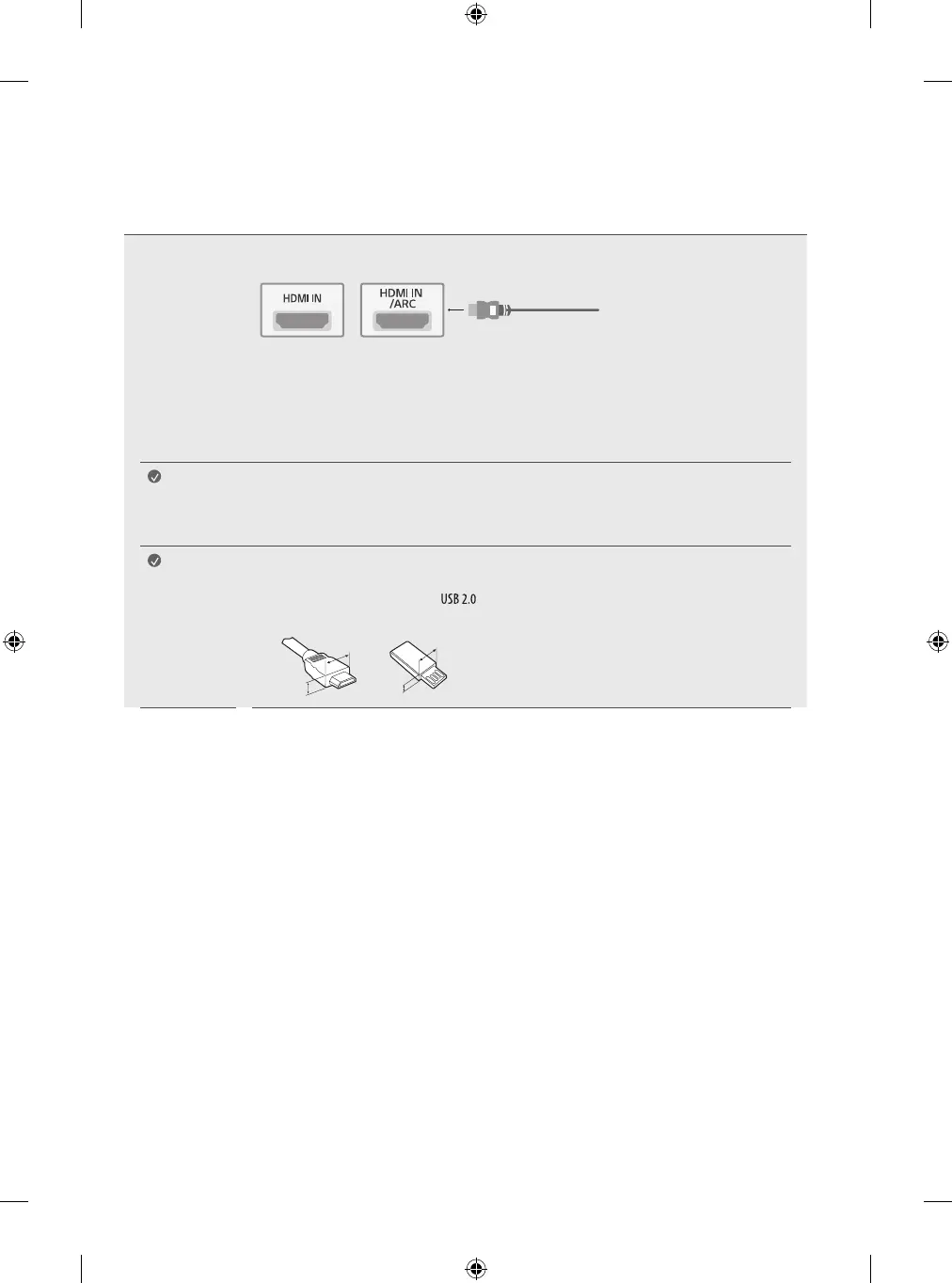
HDMI
• When connecting the HDMI cable, the product and external devices should be turned off and unplugged.
• Supported HDMI Audio format: (Depending upon model)
DTS (44.1kHz / 48kHz / 88.2kHz / 96kHz),
DTS HD (44.1kHz / 48kHz / 88.2kHz / 96kHz / 176.4kHz / 192kHz),
Dolby Digital / Dolby Digital Plus (32kHz / 44.1kHz / 48kHz),
PCM (32kHz / 44.1kHz / 48kHz / 96kHz / 192kHz)
Note
• Use a certified cable with the HDMI logo attached. If you do not use a certified HDMI cable, the screen may not
display or a connection error may occur.
• Recommended HDMI cable types (3m or less)
- Ultra High Speed HDMI
®
/™ cable
Note
• For an optimal connection, HDMI cables and USB devices should have bezels less than 10mm thick and 18mm
width.
• Use an extension cable that supports if the USB cable or USB flash drive does not fit into your TV’s USB
port.
A
B
A
B
* A ≦ 10mm
* B ≦ 18mm


 To Next Page