EasyManua.ls Logo

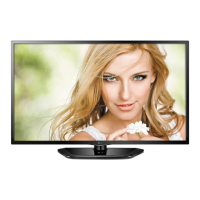
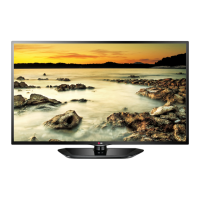
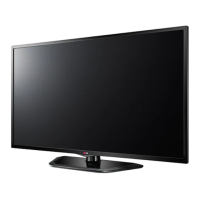
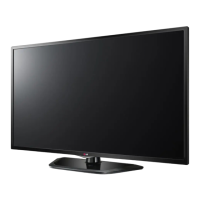
LG 32LN541V-ZC - User Manual

LG 32LN541V-ZC
63 pages
Print Icon
To Next Page IconTo Next Page
Loading...
www.lg.com
MANUALE DELL’UTENTE
TV LED
*TV LED LG include uno schermo LCD con retroilluminazione LED.
Leggere attentamente il presente manuale prima di utilizzare
l’apparecchio e conservarlo come riferimento futuro.

Questions and Answers

  • B
    Barry HansonAug 9, 2025
    How to fix LG LED TV remote not working?
    • C
      Caroline TaylorAug 9, 2025
      If your LG LED TV remote control isn't working, first, make sure there are no obstructions between the remote and the TV. Then, check the remote control sensor on the TV. Finally, verify that the batteries are working and correctly installed, paying attention to the + and - symbols.
  • F
    Fernando DuncanAug 15, 2025
    Why does my LG 32LN541V-ZC turn off by itself?
    • D
      Deborah SteeleAug 15, 2025
      If your LG LED TV suddenly turns off, examine the power control settings to ensure the power supply isn't interrupted. Check if the Automatic Standby or Off Time feature is enabled within the TIME settings. Also, be aware that the TV will automatically shut down after 15 minutes of inactivity if there's no signal.
  • T
    tjohnsonAug 25, 2025
    What to do if my LG LED TV has no picture and sound?
    • V
      vsimmonsAug 25, 2025
      If your LG LED TV shows no image and produces no sound, ensure the TV is turned on and the power cord is properly connected to the wall outlet. To check the wall outlet, try connecting other products to it to see if they work.
  • N
    nicholas45Aug 31, 2025
    What to do if LG 32LN541V-ZC says no signal on HDMI from PC?
    • J
      John GeorgeAug 31, 2025
      If you're seeing a ‘No signal’ or ‘Invalid Format’ message when connecting your PC to your LG LED TV via HDMI, try turning the TV off and on using the remote control. If that doesn't work, try reconnecting the HDMI cable. As a final step, restart your PC while the TV is powered on.

LG 32LN541V-ZC Specifications

General IconGeneral
Screen Size32 inches
Display TypeLED
Backlight TypeLED
Refresh Rate50 Hz
Video Processing EngineTriple XD Engine
HDMI Ports2
USB Ports1
Scart Ports1
Component Video Input1
Composite Video Input1
Digital Audio Output1 (Optical)
RF In (Antenna)1
Energy Efficiency ClassA
Power Consumption (Typical)41 W
VESA Mounting200 x 200 mm
Operating SystemNot Smart TV
Audio CodecDolby Digital
Dimensions (W x H x D)738 mm x 497 mm x 207 mm (with stand)

Related product manuals