EasyManua.ls Logo

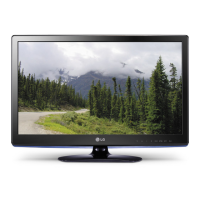
LG 32LS3400 - Service Manual

LG 32LS3400
53 pages
Print Icon
To Next Page IconTo Next Page
Loading...
Printed in KoreaP/NO : MFL67360710 (1203-REV00)
CHASSIS : LD21C
MODEL: 32LS3400/340S/340T/3450
MODEL: 32LS3400/340S/340T/3450-ZC
CAUTION
BEFORE SERVICING THE CHASSIS,
READ THE SAFETY PRECAUTIONS IN THIS MANUAL.
LED LCD TV
SERVICE MANUAL
North/Latin America http://aic.lgservice.com
Europe/Africa http://eic.lgservice.com
Asia/Oceania http://biz.lgservice.com
Internal Use Only

Other manuals for LG 32LS3400

Questions and Answers

  • S
    Shawn JohnsonSep 3, 2025
    How to improve poor reception on my LG LCD TV?
    • J
      Jason RobinsonSep 3, 2025
      If your LG LCD TV has poor reception on some channels, try switching to other channels as there may be an issue with the broadcast. Also, try adjusting the antenna's direction to improve the station signal. Check for any local interference from electrical appliances or power tools.
  • S
    Sarah ReyesSep 1, 2025
    Why is my LG 32LS3400 LCD TV showing black and white or poor color quality?
    • A
      Adam CooperSep 1, 2025
      If you see an image in black and white or the color quality is poor on your LG LCD TV, adjust the color settings in the menu. Ensure there's enough distance between the TV and other electronic devices. You may also want to try changing channels, as the broadcast itself could be the issue.
  • D
    Dawn DiazAug 31, 2025
    Why is my LG LCD TV showing no image and no sound?
    • C
      Cynthia StevensAug 31, 2025
      If your LG LCD TV shows no image and produces no sound, make sure the TV is turned on. Check that the power cord is properly connected to a working wall outlet. To test the outlet, try plugging in other devices.
  • M
    Michael YangAug 29, 2025
    What to do if my LG 32LS3400 says 'No Signal'?
    • R
      richardwilsonAug 29, 2025
      If your LG LCD TV displays 'No Signal', verify that the signal cable is properly connected between the TV and other devices. Also, check the selected input source by pressing the INPUT button.
  • N
    Nancy JacksonAug 27, 2025
    Why does my LG 32LS3400 keep turning off by itself?
    • K
      Kent ThompsonAug 27, 2025
      If your LG LCD TV suddenly turns off, check the power control settings to ensure the power supply isn't interrupted. Also, verify if the Auto sleep feature is enabled in the Time settings. Note that the TV will automatically turn off after 15 minutes of inactivity if there is no signal.
  • A
    Alexis YoungAug 26, 2025
    How to fix an LG 32LS3400 remote that is not working?
    • K
      Krista BarnesAug 27, 2025
      If you're unable to control your LG LCD TV with the remote, start by checking the remote control sensor on the TV and try again. Make sure there are no obstructions between the remote and the TV. Also, ensure the batteries in the remote are working and correctly installed.
  • Z
    Zachary MurphyAug 25, 2025
    How to brighten the screen on my LG 32LS3400?
    • J
      jillnunezAug 25, 2025
      If the image on your LG LCD TV appears extremely dark, adjust the brightness and contrast settings in the menu.
  • C
    Christina MillerAug 22, 2025
    How to restore sound on LG 32LS3400 LCD TV?
    • R
      Rachel RileyAug 22, 2025
      If you're not getting any sound from your LG LCD TV while images are displaying, try pressing the VOL + or - button. Ensure the sound isn't muted by pressing MUTE. Try switching to different channels as the problem might be with the broadcast. Finally, check if the TV Speaker feature is activated in the menu options.

LG 32LS3400 Specifications

General IconGeneral
Screen shapeFlat
Response time- ms
Display diagonal32 \
Display brightness- cd/m²
Display resolution1366 x 768 pixels
Native aspect ratio16:9
Native refresh rate50 Hz
LED backlighting type-
Supported video modes1080i, 1080p, 720p
Screen format adjustments4:3, 14:9, Auto, Zoom
Motion interpolation technologyMCI (Motion Clarity Index) 100
3DNo
Annual energy consumption102.2 kWh
Product colorBlack
Panel mounting interface200 x 100 mm
Audio systemDolby MS10, Infinite Surround
RMS rated power10 W
Number of speakers2
HDMI version1.4
DVI-D ports quantity0
USB 2.0 ports quantity1
Consumer Electronics Control (CEC)Anynet+
Audio formats supportedAAC, AC3, LPCM, MP3
Image formats supportedJPG
AC input voltage100 - 220 V
AC input frequency50 - 60 Hz
Power consumption (standby)0.3 W
Power consumption (typical)40 W
CertificationRoHS
Weight and Dimensions IconWeight and Dimensions
Depth (with stand)207 mm
Height (with stand)568 mm
Weight (with stand)9000 g
Depth (without stand)73.5 mm
Width (without stand)795 mm
Height (without stand)504 mm
Weight (without stand)8000 g

Related product manuals