EasyManua.ls Logo

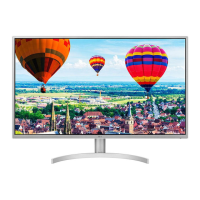
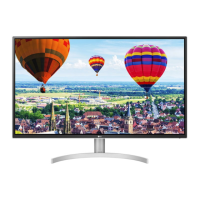
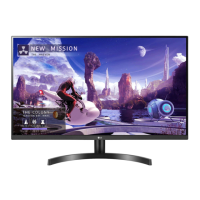
LG 32QK500-W.AEUQ - User Manual

LG 32QK500-W.AEUQ
24 pages
Print Icon
To Next Page IconTo Next Page
Loading...
* LG LED Monitor applies LCD screen with LED backlights.
Please read this manual carefully before operating your set and
retain it for future reference.
32QK500
32BK50Q
OWNER’S MANUAL
LED LCD MONITOR
(LED Monitor*)
www.lg.com
Copyright © 2018 LG Electronics Inc. All Rights Reserved.

Questions and Answers

  • C
    Casey ArcherSep 3, 2025
    Why is my LG 32QK500-W.AEUQ Monitor screen shaky and unstable?
    • K
      Kyle SmithSep 4, 2025
      If your LG Monitor's screen display is unstable or images leave shadow trails, and if the resolution is set to HDMI 1080i 60/50 Hz (interlaced), try changing it to 1080p or the recommended resolution. Also, ensure your graphics card is set to the recommended (optimal) resolution to avoid blurred text, a dimmed screen, a truncated display area, or misalignment. Displaying a still image for a prolonged time may cause damage to the screen, resulting in the retention of the image. To extend the lifetime of the monitor, use a screensaver.
  • M
    Matthew DeleonSep 18, 2025
    Why are there spots on my LG 32QK500-W.AEUQ Monitor screen?
    • C
      Christopher SantiagoSep 18, 2025
      When using the LG monitor, pixilated spots (red, green, blue, white, or black) may appear on the screen. This is normal for an LCD screen. It is not an error, nor is it related to the monitor's performance.
  • D
    Diane HendersonSep 16, 2025
    How to fix 'Unrecognized monitor, Plug and Play (VESA DDC) monitor found' message on LG Monitor?
    • D
      darren39Sep 16, 2025
      To address the "Unrecognized monitor, Plug and Play (VESA DDC) monitor found" message on your LG Monitor: * Install the display driver from the display driver CD (or diskette) that came with your display. * Alternatively, download the driver from the LG website. * Also, make sure to check if your graphics card supports the Plug and Play function.
  • V
    Veronica SmithSep 14, 2025
    What to do if some functions are not available when I press the Menu button on my LG Monitor?
    • X
      xcruzSep 14, 2025
      If some functions are unavailable when you press the Menu button on your LG Monitor, the OSD may be locked. To unlock it, disable [OSD Lock] in [General].
  • H
    Heather WarnerSep 13, 2025
    Why are there spots on the screen of my LG Monitor?
    • S
      Steven LangSep 13, 2025
      When using the LG Monitor, pixilated spots (red, green, blue, white, or black) may appear on the screen. This is normal for an LCD screen. It is not an error, nor is it related to the monitor's performance.
  • A
    Anthony LewisSep 12, 2025
    How to unlock the menu on my LG 32QK500-W.AEUQ?
    • C
      Caleb HarrisonSep 12, 2025
      If some functions are unavailable when you press the Menu button on your LG Monitor, the OSD might be locked. To unlock it, disable [OSD Lock] in [General].
  • S
    Sandra VanceSep 9, 2025
    Why are some features disabled on my LG 32QK500-W.AEUQ Monitor?
    • C
      Cathy AllenSep 9, 2025
      If some features are disabled on your LG Monitor, the OSD might be locked. Try disabling [OSD Lock] in the [General] settings. Also, ensure you have installed the display driver from the CD or diskette that came with your display, or download it from the LG website. Verify that your graphics card supports the Plug and Play function.
  • P
    Phillip JohnsonSep 7, 2025
    How to fix no sound from the headphone port on my LG 32QK500-W.AEUQ?
    • J
      Julie PetersSep 7, 2025
      If there is no sound from the headphone port on your LG Monitor, first ensure that the headphone port connections are properly made. Then, try increasing the volume using the joystick. Lastly, set the audio output of your PC to the monitor you are using. Note that the specific settings may vary depending on your operating system.
  • R
    Rachel MurphySep 5, 2025
    Why does my LG 32QK500-W.AEUQ say "Unrecognized monitor, Plug and Play (VESA DDC) monitor found"?
    • P
      Patrick GambleSep 5, 2025
      If you see an "Unrecognized monitor, Plug and Play (VESA DDC) monitor found" message on your LG Monitor, install the display driver from the CD (or diskette) that came with the display. Alternatively, download the driver from the LG website. Also, ensure that your graphics card supports the Plug and Play function.
  • B
    Brenda CaldwellAug 21, 2025
    How to fix LG 32QK500-W.AEUQ when nothing is displayed on the screen?
    • V
      vthomasAug 21, 2025
      If your LG Monitor screen is blank, first ensure the power cord is securely plugged into the power outlet. Use the adapter provided with the product. Check the power cable connection and press the power button. Also, verify that the connected input is enabled in the monitor's settings under [Settings] [Input]. If the signal cable between your PC and the monitor is disconnected, check the cable and reconnect it. If signals transferred from the PC are out of the horizontal or vertical frequency range of the monitor, see the Product Specification section of this manual to set the appropriate frequency.

LG 32QK500-W.AEUQ Specifications

General IconGeneral
Panel TypeIPS
Refresh Rate75 Hz
Brightness250 cd/m²
Aspect Ratio16:9
Contrast Ratio1000:1
Color Gamut (Typical)sRGB 99%
VESA Mounting100 x 100 mm
Resolution2560 x 1440
Response Time5 ms
ConnectivityHDMI, DisplayPort
Viewing Angle178°
Color Depth8 bits
Screen Size31.5 inches

Related product manuals