Need help?
Do you have a question about the LG 32SM5J and is the answer not in the manual?
Lists the standard accessories included with the product.
Details optional accessories that can enhance product performance.
Explains the function of each button on the screen control panel.
Guides on connecting IR sensors for remote control reception.
Instructions for attaching and detaching the LG logo bracket.
Steps to secure the memory cover after USB memory installation.
Information on installing and using the Kensington lock device.
Guidelines for setting up the monitor's orientation (vertical, tilt).
Recommends suitable indoor and outdoor installation locations.
Details on installing the optional wall mount holder and VESA compatibility.
States that damage from excessive dust is not covered by warranty.
Explains afterimage phenomenon and how to prevent it.
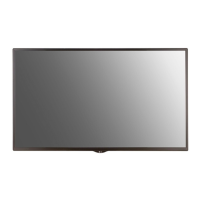
This document is the owner's manual for the LG Digital Signage (Monitor Signage) model 32SM5J. It provides essential information for safe and convenient use of the product.
The LG Digital Signage is a display device designed for various applications, including commercial and public spaces. It functions as a monitor signage, capable of displaying digital content.
The monitor supports both horizontal and vertical installation orientations. When installing vertically, the monitor should be rotated 90 degrees anti-clockwise while facing the front of the screen. This flexibility allows for diverse display setups to suit different environments and content requirements. The manual also provides guidelines for tilt angle and ceiling/floor orientation, ensuring proper and safe mounting.
The device includes an IR sensor system for remote control operation. The IR sensors can be rotated to accommodate either horizontal or vertical mounting, ensuring that the remote control signals are effectively received regardless of the display's orientation.
For user interaction, the monitor features a set of screen buttons located on the bottom bezel. These buttons include:
The LG logo bracket can be mounted or removed depending on the desired aesthetic or installation requirements. The manual provides instructions for both removing the bracket from the lower back of the monitor and screwing it into a hole on the right side.
For security, the monitor is equipped with a Kensington lock device connector on the back. This allows users to connect a Kensington security system cable between the monitor and a table, helping to prevent theft. This feature is optional and applies to some models.
The device also supports wireless connectivity through a built-in wireless module (LGSBWAC92), which includes Wireless LAN (IEEE 802.11a/b/g/n/ac) and Bluetooth capabilities. This enables network connectivity and potential integration with other wireless devices for content delivery or control.
The manual emphasizes the importance of proper installation and usage to ensure product longevity and maintain warranty coverage. It explicitly states that LG is not responsible for product damage caused by failure to follow the guide.
Regarding installation location, the manual provides specific clearance requirements for both wall-mounted and recessed installations, ensuring adequate ventilation and preventing damage from direct sunlight on the front panel. It warns that damage caused by direct sunlight is not covered under warranty.
For wall mounting, the manual specifies VESA dimensions and recommended screw lengths (M6 x 21.3 mm) to prevent damage to the monitor's internal components. It also cautions against overtightening screws, which could void the warranty, and advises using VESA-compliant screws and wall mount plates.
The manual addresses precautions for use, particularly concerning dust and afterimages. It states that the warranty will not cover damage caused by using the product in an excessively dusty environment, highlighting the importance of maintaining a clean operating environment.
To prevent afterimages, which can occur when a still image is displayed for extended periods, the manual recommends using a screen-saver function. It explains that afterimages are a normal display characteristic when switching from screens with high luminance differences to darker screens. To mitigate this, it suggests:
The manual also includes instructions for assembling a memory cover after attaching a USB memory device. This cover is secured with a screw to prevent theft of the USB memory.
Overall, the LG Digital Signage is designed for versatile display applications, offering flexible installation options, user-friendly controls, and security features, with clear guidelines for proper usage and maintenance to ensure optimal performance and durability.
 General
| Haze rate | 1 % |
|---|---|
| Touchscreen | - |
| Response time | 10 ms |
| Display diagonal | 32 \ |
| Display brightness | 400 cd/m² |
| Display technology | IPS |
| Contrast ratio (dynamic) | 1000000:1 |
| Contrast ratio (typical) | 1100:1 |
| Operating hours (hours/days) | 24/7 |
| Orientation | Horizontal/Vertical |
| Product color | Black |
| Product design | Digital signage flat panel |
| Panel mounting interface | 200 x 200 mm |
| HDMI version | 2.2 |
| USB ports quantity | 1 |
| HDMI ports quantity | 3 |
| Internal memory | 8 GB |
| Operating system installed | Web OS |
| Operating temperature (T-T) | 0 - 40 °C |
| Operating relative humidity (H-H) | 10 - 80 % |
| AC input voltage | 100 - 240 V |
| Heat dissipation | 187.67 BTU/h |
| AC input frequency | 50 - 60 Hz |
| Power consumption (standby) | - W |
| Power consumption (typical) | 55 W |
| Heat dissipation (max) | 255.911 BTU/h |
| Sustainability certificates | ErP |
| RMS rated power | 10 W |
| Number of built-in speakers | 2 |
| Cables included | AC, HDMI, RS-232 |
| Harmonized System (HS) code | 85285210 |
 Weight and Dimensions
| Depth | 55.5 mm |
|---|---|
| Width | 729.4 mm |
| Height | 428.9 mm |
| Weight | 5700 g |
| Base width | 13 mm |
| Depth (with stand) | 154.2 mm |
| Height (with stand) | 481 mm |
| Weight (with stand) | 6500 g |


 To Next Page