10
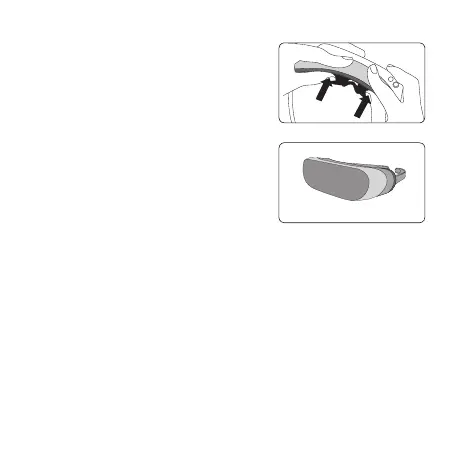
4 Fit the top of the Light Blocker to the LG 360 VR.
Hold the Light Blocker with your index fingers and
then push on it with your thumbs to attach it.
Press on it again firmly.
5 The Light Blocker is now attached.
If the hooks are not fastened completely, press on
them again.



 To Next Page