9
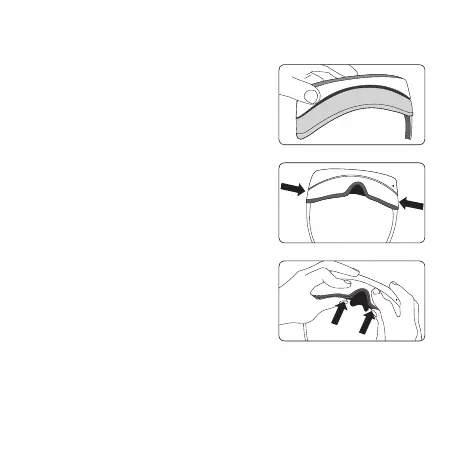
1 Attaching the Light Blocker to the LG 360 VR.
2 Open the temples of the LG 360 VR, fit the Light
Blocker in place, and then push on the sides to attach
both of the side hooks.
3 Fit the bottom of the Light Blocker to the LG 360 VR.
Hold the Light Blocker with your index fingers and
then push on it with your thumbs to attach it.
Press on it again firmly.
Attaching the Light Blocker



 To Next Page