EasyManua.ls Logo

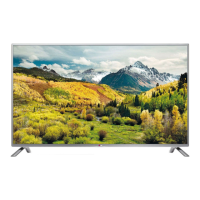
LG 39LB58 Series - User Manual

LG 39LB58 Series
234 pages
Print Icon
To Next Page IconTo Next Page
Loading...
OWNER’S MANUAL
LED TV
*
Please read this manual carefully before operating your set and retain
it for future reference.
* LG LED TVs are LCD TVs with LED backlighting.
www.lg.com
LB49** LB61**
LB57**
LB58**
P/NO : MFL68027046(1411-REV05)
Printed in Korea
*MFL68027046*

Questions and Answers

  • J
    Joshua JonesAug 17, 2025
    How to fix LG 39LB58 LED TV remote not working?
    • D
      Dustin CastilloAug 17, 2025
      If your LG LED TV remote isn't working, first ensure there are no obstacles blocking the path between the remote and the TV. Then, check the remote control sensor on the TV. Finally, make sure the batteries in the remote are working and correctly installed.
  • G
    Glenn MillerAug 20, 2025
    Why is my LG 39LB58 remote not working?
    • S
      scottsolisAug 20, 2025
      If you cannot control your LG LED TV with the remote, first check the remote control sensor on the TV and try again. Also, make sure there are no obstacles blocking the path between the remote and the TV. Finally, verify that the batteries in the remote are working and properly installed, paying attention to the correct polarity (+ to -, + to -).
  • M
    mathew17Aug 22, 2025
    Why does my LG 39LB58 turn off by itself?
    • R
      Robert VasquezAug 23, 2025
      If your LG LED TV suddenly turns off, first check the power control settings. The power supply may be interrupted. Also, verify that the Sleep Timer or Off Time feature isn't activated in the TIME settings. Finally, if the TV is on but not receiving a signal, it will automatically turn off after 15 minutes of inactivity.
  • L
    Lisa JonesAug 25, 2025
    Why no picture or sound on my LG 39LB58?
    • C
      Craig LambAug 26, 2025
      If your LG LED TV has no image and no sound, first check if the TV is turned on. Then, check if the power cord is properly connected to the wall outlet. Finally, test the wall outlet by plugging in other products to see if the outlet is working.
  • J
    Joshua JohnsonAug 28, 2025
    What to do if my LG LED TV has no picture and sound?
    • M
      michaeljenkinsAug 28, 2025
      If your LG LED TV shows no image and produces no sound, ensure that the TV is turned on. Check that the power cord is securely connected to a working wall outlet. To verify the outlet's functionality, connect another device to it.
  • G
    galvankeithAug 30, 2025
    Why is my LG LCD TV remote not working?
    • E
      Erin Grant MDAug 30, 2025
      If you cannot control your LG LCD TV with the remote, first check the remote control sensor on the TV and try again. Also, ensure there are no obstacles between the remote and the TV. Finally, check that the batteries in the remote are working and properly installed.
  • K
    Kevin JonesSep 2, 2025
    Why does my LG LCD TV have no image and sound?
    • G
      Gary Evans MDSep 2, 2025
      If your LG LCD TV shows no image and produces no sound, ensure that the TV is turned on. Next, check if the power cord is properly connected to a wall outlet. To rule out any issues with the outlet itself, connect other products to the same outlet to see if they work.
  • M
    Mathew WebbSep 5, 2025
    What to do if LG 39LB58 LED TV says no signal from PC?
    • B
      Bridget MendozaSep 5, 2025
      If your LG LED TV shows ‘No signal’ or ‘Invalid Format’ when connected to a PC via HDMI/DVI, try turning the TV off and then on using the remote control. If that doesn't work, reconnect the HDMI cable. As a final step, restart your PC while the TV is powered on.
  • J
    Jessica ChavezSep 8, 2025
    How to fix 'No signal' on LG 39LB58 LED TV when connecting to PC?
    • T
      Theresa BennettSep 8, 2025
      If you see a 'No signal' or 'Invalid Format' message on your LG LED TV when connecting to a PC via HDMI or DVI, try turning the TV off and then on again using the remote control. If that doesn't work, reconnect the HDMI cable. As a final step, restart your PC while the TV is powered on.
  • D
    Denise ReynoldsSep 12, 2025
    What to do if my LG LCD TV turns off suddenly?
    • S
      Samuel RobertsSep 12, 2025
      If your LG LCD TV turns off suddenly, it could be due to a few reasons. First, check the power control settings, as the power supply may be interrupted. Also, verify if the Automatic Standby, Sleep Timer, or Time Power Off is activated in the TIME settings. Finally, if the TV is on but there is no signal, it will turn off automatically after 15 minutes of inactivity.

LG 39LB58 Series Specifications

General IconGeneral
BrandLG
Model39LB58 Series
CategoryLED TV
LanguageEnglish

Related product manuals