Need help?
Do you have a question about the LG 42/50PJ2 Series and is the answer not in the manual?
This document is an owner's manual for an LG Plasma TV, providing essential information for installation, operation, and maintenance.
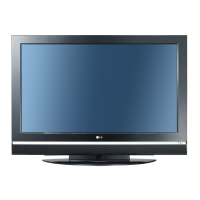
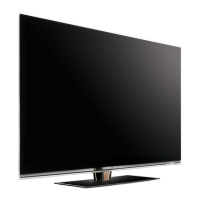
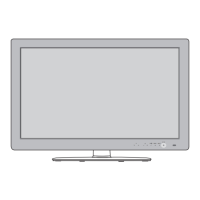
The LG Plasma TV is designed to display television programs and content from various external sources. It offers a large screen for an immersive viewing experience, suitable for both home and store environments. The TV can be connected to a range of devices such as DVD players, set-top boxes, VCRs, and personal computers, expanding its functionality beyond standard broadcast reception. It supports both analog and digital television signals, with specific features for DVB-C digital cable broadcasts in certain regions. The TV also includes a USB input for playing media from memory sticks.
Turning On and Initial Setup: To turn on the TV from standby mode, users can press the power button on the TV itself or on the remote control, or use the INPUT or NUMBER buttons. Upon the first power-on, an On-Screen Display (OSD) guides the user through initial setup, including language selection, mode setting (Home Use or Store Demo), country selection, and auto-tuning. The "Home Use" mode is recommended for optimal home viewing, while "Store Demo" mode is designed for retail environments and will reset image quality settings periodically. For countries where DVB-C is supported, specific auto-tuning options are available, allowing users to select "User" or "Full" mode for channel scanning.
Connectivity: The TV offers multiple connection options for external devices. It includes HDMI inputs for high-definition sources like DVD players and set-top boxes, component video inputs, and RGB (PC) input for connecting a computer. Audio input jacks are available for PC connections, and an RS-232C port is provided for control and service. A USB input allows for the playback of media from USB memory sticks. Antenna input is standard for receiving broadcast signals. Cable holders are provided to manage and bundle connected cables, ensuring a neat setup.
Viewing the Manual: The TV comes with an extended owner's manual on a CD-ROM, which can be accessed via a personal computer with a CD-ROM drive and Adobe Acrobat Reader. For quick reference, a "Simple Manual" can be viewed directly on the TV screen by pressing the MENU and INFO buttons.
Swivel Stand: For models equipped with a swivel stand, the TV can be manually adjusted 20 degrees to the left or right, allowing users to optimize their viewing angle.
Cleaning the Screen: To keep the screen clean and dust-free, it is recommended to wipe it with a soft cloth dampened with a mixture of lukewarm water and a small amount of fabric softener or dishwashing detergent. The cloth should be wrung out until almost dry to prevent excess moisture on the screen. It is crucial to allow the screen to dry completely before turning the TV back on. A polishing cloth is included with some models for gently wiping away stains or fingerprints without scratching the surface.
Cleaning the Cabinet: The TV cabinet should be cleaned with a soft, dry, lint-free cloth to remove dirt or dust. Wet cloths should not be used on the cabinet.
Battery Installation: The remote control requires two 1.5V AAA batteries. When installing, ensure correct polarity (+ with +, - with -) and avoid mixing old or used batteries with new ones.
Extended Absence: If the TV will not be used for an extended period, such as during a holiday, it is advised to unplug the power cord from the wall outlet. This precaution helps protect the TV from potential damage caused by lightning strikes or power surges.
Troubleshooting: The manual provides a troubleshooting section to address common issues. This includes solutions for problems with the remote control (e.g., checking batteries, ensuring no obstructions), sudden power-offs (e.g., sleep timer, power supply interruption), video and sound issues (e.g., checking connections, antenna direction, broadcast problems), picture quality problems (e.g., color settings, interference), and HDMI connectivity issues (e.g., cable version). It also addresses a specific scenario where picture settings revert to initial settings, indicating the TV might be in "Store Demo" mode and provides instructions to switch to "Home Use" mode.
 General
| Display Type | Plasma |
|---|---|
| Resolution | 1024 x 768 |
| Aspect Ratio | 16:9 |
| Composite Video Input | 1 |
| Brightness | 1500 cd/m² |
| Screen Size | 42/50 inches |
| Inputs | HDMI, Component, Composite, RF |


 To Next Page