EasyManua.ls Logo

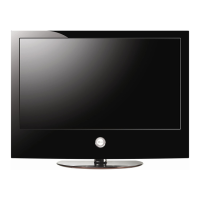
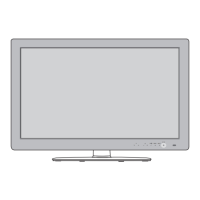
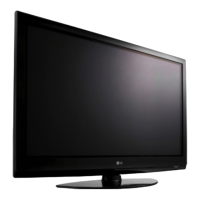
LG 42PG1000 - User Manual

LG 42PG1000
30 pages
Print Icon
To Next Page IconTo Next Page
Loading...
PLASMA TV
SERVICE MANUAL
CAUTION
BEFORE SERVICING THE CHASSIS,
READ THE SAFETY PRECAUTIONS IN THIS MANUAL.
CHASSIS : PD83A
MODEL : 42PG1000 42PG1000-ZA
website:http://biz.LGservice.com
Internal Use Only

Questions and Answers

  • R
    reedashleyAug 15, 2025
    What to do if the interface screen doesn't display correctly on my LG 42PG1000 TV?
    • G
      gconradAug 15, 2025
      If the entire interface screen is not displaying correctly on your LG TV, the suggested solution is to check the interface signal condition.
  • A
    antoniogarciaAug 18, 2025
    What to do if the high tension output VSC signal doesn't come out on my LG 42PG1000?
    • W
      William BurnsAug 18, 2025
      If the high tension output VSC signal is not present in your LG TV, the suggested solution is to check the VSC low voltage output circuit.
  • F
    fjohnsonAug 21, 2025
    What to do if the VSC low pressure output doesn't come out on my LG 42PG1000 TV?
    • K
      kpattersonAug 22, 2025
      If the VSC low pressure output is not present in your LG TV, check the Y B/D Module output circuit.
  • A
    Alexis WilliamsAug 25, 2025
    What to do if the No 5V Monitor signal doesn't come out on my LG 42PG1000 TV?
    • K
      Kevin HallAug 26, 2025
      If the No 5V Monitor signal is not present in your LG TV, check the VSC RL-ON signal.
  • R
    randallsarahAug 28, 2025
    What to do if the high tension output doesn't occur on my LG TV?
    • A
      Amanda LoganAug 28, 2025
      If the high tension output does not occur, examine the VSC low voltage output circuit.
  • T
    Taylor RobersonAug 30, 2025
    What to do if the 5V Monitor signal doesn't come out on my LG TV?
    • C
      Christopher JordanAug 31, 2025
      If the 5V Monitor signal doesn't appear, check the VSC RL-ON signal.
  • J
    Jeffrey DelgadoSep 2, 2025
    What to do if the VSC signal RL-ON doesn't come out on my LG 42PG1000 TV?
    • A
      Adam HarrisSep 2, 2025
      If the VSC signal RL-ON does not appear, check the VSC Vs-ON.
  • B
    bradyjonathanSep 5, 2025
    Why is the high tension output voltage dropping on my LG TV's power board?
    • R
      ryanhurstSep 6, 2025
      If you're experiencing a drop in the high tension output voltage from the power board of your LG TV, the suggested solution is to check the Power Board's output high tension circuit.
  • C
    Catherine HowellSep 9, 2025
    What to do if the Interface Power Off signal is active on my LG TV?
    • M
      Melissa CarterSep 9, 2025
      If the Power Off signal is active on the interface of your LG TV, you should check the Power Off condition.
  • L
    Laura CastilloSep 12, 2025
    Why is the Z B/D Module output voltage dropping on my LG 42PG1000 TV?
    • S
      Sandra DavisSep 12, 2025
      If the output voltage of the Z B/D Module in your LG TV is dropping, check the Z B/D Module output circuit.

Summary

Safety Precautions

General Servicing Guidance

General advice and precautions for safe handling and servicing procedures.

Leakage Current Safety Tests

Procedures for checking AC leakage current for safety compliance.

Product Specifications

Application Range & Test Method

Defines the scope of specifications and testing procedures.

General Product Specifications

Lists key physical and environmental specifications of the unit.

Module Specifications

Market & Broadcasting System Specs

Specifies market variations and broadcasting system compatibility.

Input & Receiving System Specs

Details available input types and receiving system standards.

Adjustment Instructions

Adjustment Scope & Notes

Outlines the scope of adjustments and essential notes before starting.

ADC and RGB Signal Calibration

Procedures for calibrating Analog-to-Digital Converter and RGB signals.

Component Input ADC

Component Input Gain;Offset Adjustment

Steps for adjusting gain and offset for component video inputs.

Power Board Voltage Adjustments

Power Board Va;Vs Voltage Adjustment

Procedures for adjusting Va and Vs voltages on the power board.

EDID;DDC Data Download

EDID Download: Equipment & Prep

Lists necessary equipment and preparation steps for EDID download.

EDID Download Procedure

Step-by-step guide for downloading EDID data to the TV.

White Balance Adjustment

White Balance: Equipment & Procedures

Details required equipment and procedures for auto and manual white balance.

Communication and EEPROM Operations

Communication & Command Protocols

Explains communication methods and command structures.

EEPROM Data Read and Write Operations

Procedures for reading and writing data to the EEPROM.

Set Information and Factory Settings

Serial & Model Name Verification

Instructions to verify serial number and model name.

Factory Shipment Mode Settings

Settings required for factory shipment mode.

Software Download via D-SUB

MSTV Software Installation Guide

Steps to install the MSTV software for downloads.

D-SUB Firmware Download Process

Procedure for downloading firmware via D-SUB connection.

Software Download via USB

USB Firmware Update Process

How to prepare a USB stick and perform the software update.

Troubleshooting Guide

Power Board Troubleshooting Flowchart

Flowchart for diagnosing issues related to the power board.

Troubleshooting: No Power

No Power: Symptoms & Diagnostic Steps

Identifies symptoms of no power and outlines diagnostic steps.

Troubleshooting: Protect Mode

Protect Mode: Symptoms & Diagnostic Steps

Identifies symptoms of protect mode and outlines diagnostic steps.

Troubleshooting: No Raster

No Raster: Symptoms & Diagnostic Steps

Identifies symptoms of no raster and outlines diagnostic steps.

Troubleshooting: Strange Screen Display

Strange Screen in Specific Modes

Diagnosing unusual screen behavior in specific input modes.

Troubleshooting: Input Display Issues

RF, S-Video, AV Display Issues

Diagnosing display problems for RF, S-Video, and AV inputs.

Troubleshooting: HDMI;SCART Display Issues

HDMI & SCART Display Issues

Diagnosing display problems for HDMI and SCART inputs.

Troubleshooting: No Sound

No Sound: Symptoms & Diagnostic Steps

Identifies symptoms of no sound and outlines diagnostic steps.

Block Diagram

Main System Block Diagram

Overview of the TV's main functional blocks and connections.

Power Supply System

Power Supply Voltage Distribution

Detailed breakdown of power supply voltages and distribution.

Exploded View

Exploded View: Component Assembly

Visual guide showing the assembly of internal components.

Circuit Schematics

Circuit Schematics: AMP, DDR, CI, HDMI

Detailed circuit diagrams for audio, memory, CI, and HDMI sections.

Circuit Schematics

Circuit Schematics: Module, Power, SCART

Detailed circuit diagrams for module, power board, and SCART interface.

Circuit Schematics

Circuit Schematics: Inputs, Tuner, Control

Detailed circuit diagrams for various inputs, tuner, and control boards.

LG 42PG1000 Specifications

General IconGeneral
Depth83.6 mm
Height677 mm
Weight24000 g
Pixel pitch0 mm
Aspect ratio16:9
Audio systemSRS TruSurround XT
Product colorBlack
LED indicatorsStand-by
RMS rated power14 W
Display diagonal42 \
Depth (with stand)308 mm
Display brightness1500 cd/m²
Display resolution1024 x 768 pixels
Display technologyPlasma
Width (with stand)1040 mm
Height (with stand)731 mm
Weight (with stand)26000 g
Supported video modes1080i, 1080p, 480i, 480p, 576i, 576p, 720p
USB 2.0 ports quantityUSB 2.0 ports have a data transmission speed of 480 Mbps, and are backwards compatible with USB 1.1 ports. You can connect all kinds of peripheral devices to them.
Contrast ratio (dynamic)30000:1
Contrast ratio (typical)-
Analog signal format systemPAL, SECAM
Power consumption (standby)0.8 W
Power consumption (typical)310 W

Related product manuals