EasyManua.ls Logo

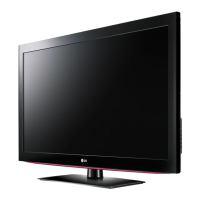
LG 42LD400 - User Manual

LG 42LD400
19 pages
Print Icon
To Next Page IconTo Next Page
Loading...
OWNER’S MANUAL
LED LCD TV / LCD TV
PLASMA TV
Please read this manual carefully before operating
your set and retain it for future reference.
www.lg.com

Other manuals for LG 42LD400

Questions and Answers

  • J
    Jordan MartinAug 18, 2025
    How to fix LG LCD TV remote control not working?
    • Y
      yvonnesalazarAug 18, 2025
      Ensure that the batteries are installed with the correct polarity (+ to +, - to -). You might also try installing new batteries. Check if there is an obstruction between the remote and the TV, and make sure you are pointing the remote directly at the LG LCD TV. Verify that the correct remote operating mode is set (TV, VCR, etc.).
  • R
    Ryan ScottAug 20, 2025
    What to do if my LG 42LD400 LCD TV has no picture and no sound?
    • M
      Matthew LaraAug 20, 2025
      First, check if the power cord of your LG LCD TV is properly inserted into the wall power outlet. Test the outlet by plugging another product's power cord into it. Also, make sure that the product is turned on. If the issue persists, try another channel to rule out a broadcast problem. Check your antenna direction and/or location too.
  • D
    Daniel SmithAug 23, 2025
    Why does my LG 42LD400 LCD TV keep turning off suddenly?
    • D
      Donna PatelAug 23, 2025
      If your LG LCD TV turns off automatically, check if the sleep timer is set. Also, review the power control settings. If there is no signal, the TV will turn off automatically after 10 minutes.
  • R
    Ryan WrightAug 26, 2025
    Why is there no sound when connecting HDMI/USB to my LG LCD TV?
    • H
      hannahhubbardAug 26, 2025
      If you're experiencing no sound when connecting HDMI or USB to your LG LCD TV, first verify that you are using a High Speed HDMI cable or a USB cable over version 2.0. Also, ensure you are using a normal MP3 file. This feature is not available for all models.
  • K
    katie92Aug 28, 2025
    Why is there no picture when connecting HDMI to my LG LCD TV?
    • M
      Melissa HancockAug 28, 2025
      If you have no picture when connecting HDMI to your LG LCD TV, it might be because the HDMI cable doesn’t support High Speed HDMI. Use the latest cables that support High Speed HDMI to resolve this issue.
  • M
    Michael JonesAug 31, 2025
    Why is the screen color unstable on my LG LCD TV?
    • P
      Patrick BartonAug 31, 2025
      If the screen color on your LG LCD TV is unstable or showing a single color, start by checking the signal cable. If the issue continues, try reinstalling the PC video card.
  • J
    Jonathan MccormickSep 2, 2025
    How to improve poor reception on some channels on my LG LCD TV?
    • S
      Steven HernandezSep 2, 2025
      If you are experiencing poor reception on some channels with your LG LCD TV, try tuning to another station to rule out issues with the station or cable product. If the station signal is weak, reorient the antenna. Also, check for any sources of possible interference.
  • N
    Nicole HicksSep 5, 2025
    How to fix no output from one of the speakers on my LG 42LD400 LCD TV?
    • C
      Christopher HendersonSep 5, 2025
      To address no output from one of the speakers on your LG LCD TV, adjust the Balance in the menu option.
  • N
    Natasha BallSep 7, 2025
    How to stop horizontal bars or picture shaking on my LG 42LD400?
    • K
      Kristina GrantSep 7, 2025
      If you experience horizontal or vertical bars, or picture shaking on your LG LCD TV, check for local interference from electrical appliances or power tools.
  • L
    Lori JamesSep 9, 2025
    How to improve poor color or picture on my LG LCD TV?
    • G
      Gerald JonesSep 9, 2025
      To improve poor color or poor picture quality on your LG LCD TV, start by adjusting the Color in the menu options. Ensure a sufficient distance between the TV and any VCRs. Try another channel in case the broadcast is the issue. Check that the video cables are properly installed. Activate any function to restore the brightness of the picture.

LG 42LD400 Specifications

General IconGeneral
Screen Size42 inches
Resolution1920 x 1080
Display TypeLCD
Backlight TypeCCFL
Response Time5 ms
HDMI Ports2
USB Ports1
Audio Output10W x 2
Contrast Ratio (Dynamic)50, 000:1
Refresh Rate60 Hz
Component Video Input1
Composite Video Input1
TunerATSC/NTSC

Related product manuals