EasyManua.ls Logo

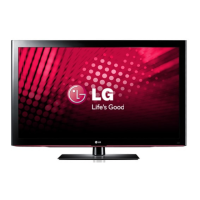
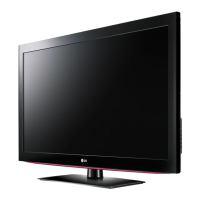
LG 42LD320H - User Manual

LG 42LD320H
317 pages
Print Icon
To Next Page IconTo Next Page
Loading...
OWNER’S MANUAL
LCD TV
Please read this manual carefully before operating
your set and retain it for future reference.
P/NO : SAC34026009 (1202-REV07)
www.lg.com
The model and serial number of the TV is located
on the back and one side of the TV.
Record it below should you ever need service.
MODEL
SERIAL
32LD330H
37LD330H
32LD333H
37LD333H
26LD340H
32LD340H
37LD340H
42LD340H
26LD343H
32LD343H
37LD343H
42LD343H
26LD345H
32LD345H
37LD345H
42LD345H
32LD310H
37LD310H
32LD325H
37LD325H
26LD320H
32LD320H
37LD320H
42LD320H

Table of Contents

Other manuals for LG 42LD320H

Questions and Answers

  • L
    Lisa ClarkeAug 9, 2025
    How to clean LG 42LD320H LCD TV screen?
    • S
      Samuel TaylorAug 9, 2025
      To clean your LG LCD TV screen, wet a soft cloth in a mixture of lukewarm water and a little fabric softener or dish washing detergent. Ensure excess water is off the screen, and allow it to air-dry completely before turning the TV on.
  • B
    Brian CaldwellAug 14, 2025
    Why doesn't my LG TV remote work?
    • M
      Michelle BoydAug 14, 2025
      If your LG TV remote isn't working, first ensure the 'TV' mode is selected using the MODE key. Then, point the remote directly at the TV's IR receiver, making sure there are no obstructions in the path. If the issue persists, try moving closer to the TV or dimming the room light. Weak batteries can also cause this problem, so replace them, ensuring correct polarity (+ and -).
  • T
    thuffmanAug 18, 2025
    What to do if leaving LG LCD TV for extended absence?
    • E
      Eric Mcguire MDAug 19, 2025
      If you anticipate your LG LCD TV will be unused for an extended period, like during a vacation, unplug the power cord. This precaution helps protect the TV from potential damage due to lightning strikes or power surges.
  • J
    jandersenAug 25, 2025
    How to clean LG 42LD320H LCD TV cabinet?
    • G
      garrett89Aug 25, 2025
      To clean the cabinet of your LG LCD TV, wipe it with a soft, dry, lint-free cloth to remove any dirt or dust. Avoid using a wet cloth.
  • A
    Alexander WilliamsAug 29, 2025
    What to do if my LG TV has no picture?
    • A
      Amanda GonzalesAug 29, 2025
      If your LG TV has no picture, start by ensuring the TV is turned on. Check that the antenna or cable is securely connected to the TV. Also, verify all connections are correct. If you're using an MPI device, make sure the MPI cable is connected. If the issue persists, try switching to another channel in case the current program is encrypted, or adjust the Installer Menu settings if the tuning band is incorrect.
  • S
    Sandra TapiaSep 2, 2025
    How to unmute my LG TV?
    • J
      James MillerSep 3, 2025
      If your LG TV picture is normal but the audio is muted, first press the MUTE button or use the Volume Up key to increase the sound level. If that doesn't work, try switching to a different channel, as the issue might be with the broadcast itself.

LG 42LD320H Specifications

General IconGeneral
BrandLG
Model42LD320H
CategoryLCD TV
LanguageEnglish

Related product manuals