EasyManua.ls Logo

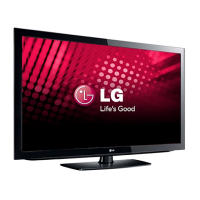
LG 42LD340H - User Manual

LG 42LD340H
317 pages
Print Icon
To Next Page IconTo Next Page
Loading...
OWNER’S MANUAL
LCD TV
Please read this manual carefully before operating
your set and retain it for future reference.
P/NO : SAC34026009 (1202-REV07)
www.lg.com
The model and serial number of the TV is located
on the back and one side of the TV.
Record it below should you ever need service.
MODEL
SERIAL
32LD330H
37LD330H
32LD333H
37LD333H
26LD340H
32LD340H
37LD340H
42LD340H
26LD343H
32LD343H
37LD343H
42LD343H
26LD345H
32LD345H
37LD345H
42LD345H
32LD310H
37LD310H
32LD325H
37LD325H
26LD320H
32LD320H
37LD320H
42LD320H

Table of Contents

Other manuals for LG 42LD340H

Questions and Answers

  • F
    frank42Sep 10, 2025
    Why does LG 42LD340H clone copy setup too fast?
    • K
      Kristy JonesSep 10, 2025
      If the clone copies the setup in less than 30 seconds on your LG LCD TV, for TLL-1100A, turn it OFF and then ON. For LT2002, press RESET on the clone programmer. Then redo Learn/Teach. Learning usually takes about 90 seconds; Teaching usually takes 3 to 4 minutes.
  • R
    ryan09Aug 22, 2025
    What to do if leaving LG 42LD340H for extended absence?
    • A
      Aaron DavisAug 23, 2025
      If you anticipate your LG LCD TV will be unused for an extended period, like during a vacation, unplug the power cord. This precaution helps protect the TV from potential damage due to lightning strikes or power surges.
  • M
    Michelle MurphyAug 25, 2025
    How to clean LG LCD TV cabinet?
    • M
      Marilyn AyalaAug 25, 2025
      To clean the cabinet of your LG LCD TV, wipe it with a soft, dry, lint-free cloth to remove any dirt or dust. Avoid using a wet cloth.
  • T
    Theresa LawsonAug 27, 2025
    How to fix LG 42LD340H remote not working?
    • C
      Carlos SmithAug 27, 2025
      If the remote isn't working on your LG LCD TV, first ensure the 'TV' mode is selected using the MODE key. Then, point the remote directly at the IR sensor on the TV, and make sure you're close enough. Remove any obstructions blocking the path to the TV's receiver. Replace weak batteries, ensuring correct polarity (+ and -) in the compartment. Dim the room light if there's too much light. If none of these steps work, you might need a compatible LG Installer Remote, so contact your LG dealer.
  • B
    Bonnie SimmonsAug 27, 2025
    What to do if my LG LCD TV has no picture?
    • A
      Alexander BrownAug 28, 2025
      If you're getting no picture on your LG LCD TV, first, ensure the TV is turned ON and check for any power failures. Verify that the antenna or cable is securely connected to the TV. Also, check all connections on the TV to make sure they are correct. If applicable, ensure the MPI cable is connected to the MPI device. If you're on an encrypted program, try switching to another channel. Lastly, adjust the Installer Menu settings if the tuning band is incorrect.
  • A
    ana65Aug 29, 2025
    How to resolve communication error on LG LCD TV?
    • R
      Robert ReyesAug 29, 2025
      If you are getting a Communication Error (“Communications Timeout”) on your LG LCD TV, check and connect the communication cables. Ensure the TV power cord is connected and that the TV is turned ON (default FTG Mode). Also, in the FTG Configuration Application, select the correct COM port for the cable being used.
  • N
    natasha24Sep 18, 2025
    How to set the time on my LG LCD TV clone programmer?
    • L
      Lacey CastroSep 18, 2025
      If there is no time set on your LG LCD TV, set the time on the TV and copy the time to the clone programmer.
  • J
    Jacqueline LambertSep 12, 2025
    What to do if LG 42LD340H clone menu doesn't appear?
    • T
      Terry WilsonSep 12, 2025
      If the clone menu does not appear on the display panel screen, the TLL-1100A shows an error message, or the LT2002 LED does not blink on your LG LCD TV, connect the MPI cord properly and ensure a good connection. Make sure the TV is powered ON for the clone programmer to work. For LT2002 only, install four fresh AA high-quality alkaline batteries. For TLL-1100A only, ensure it is fully charged or connected to AC power.
  • I
    ipriceSep 8, 2025
    Why doesn't the remote operate the clone programmer on my LG LCD TV?
    • M
      michaelsmithSep 8, 2025
      If the remote does not operate the clone programmer for your LG LCD TV, only use an LG Installer Remote to operate the clone programmer with the TV.
  • S
    Sheila MooreSep 5, 2025
    Why does my LG LCD TV clone scan channels more than once?
    • J
      Jennifer RodriguezSep 5, 2025
      If the clone scans channels more than once on your LG LCD TV, ensure the TV is set up correctly, and then try cloning again. The clone should only scan channels once.

LG 42LD340H Specifications

General IconGeneral
Product colorBlack
Panel mounting interface200 x 200 mm
Comb filter3D
Display diagonal42 \
Progressive scanNo
Display technologyLCD
Native aspect ratio16:9
Supported video modes1080i, 480i, 480p, 720p
Contrast ratio (dynamic)60000:1
Supported graphics resolutions1920 x 1080 (HD 1080)
RMS rated power20 W
Number of speakers2
Equalizer bands quantity5
Audio formats supportedMP3
Image formats supportedJPG
Video formats supportedMPEG2, MPEG4
Analog signal format systemNTSC
Digital signal format systemATSC
HDMI version1.3
RS-232 ports1
USB connector typeUSB Type-A
SCART ports quantity0
USB 2.0 ports quantityUSB 2.0 ports have a data transmission speed of 480 Mbps, and are backwards compatible with USB 1.1 ports. You can connect all kinds of peripheral devices to them.
Power consumption (average)120 W
AC input frequency50 - 60 Hz
Power consumption (max)270 W
Power consumption (standby)1 W
Weight and Dimensions IconWeight and Dimensions
Depth (with stand)260.8 mm
Width (with stand)1028 mm
Height (with stand)706.4 mm
Weight (with stand)17900 g
Depth (without stand)88.7 mm
Height (without stand)655 mm
Weight (without stand)15300 g

Related product manuals