PREPARATION
22
32/42LD420, 32/42LD420C
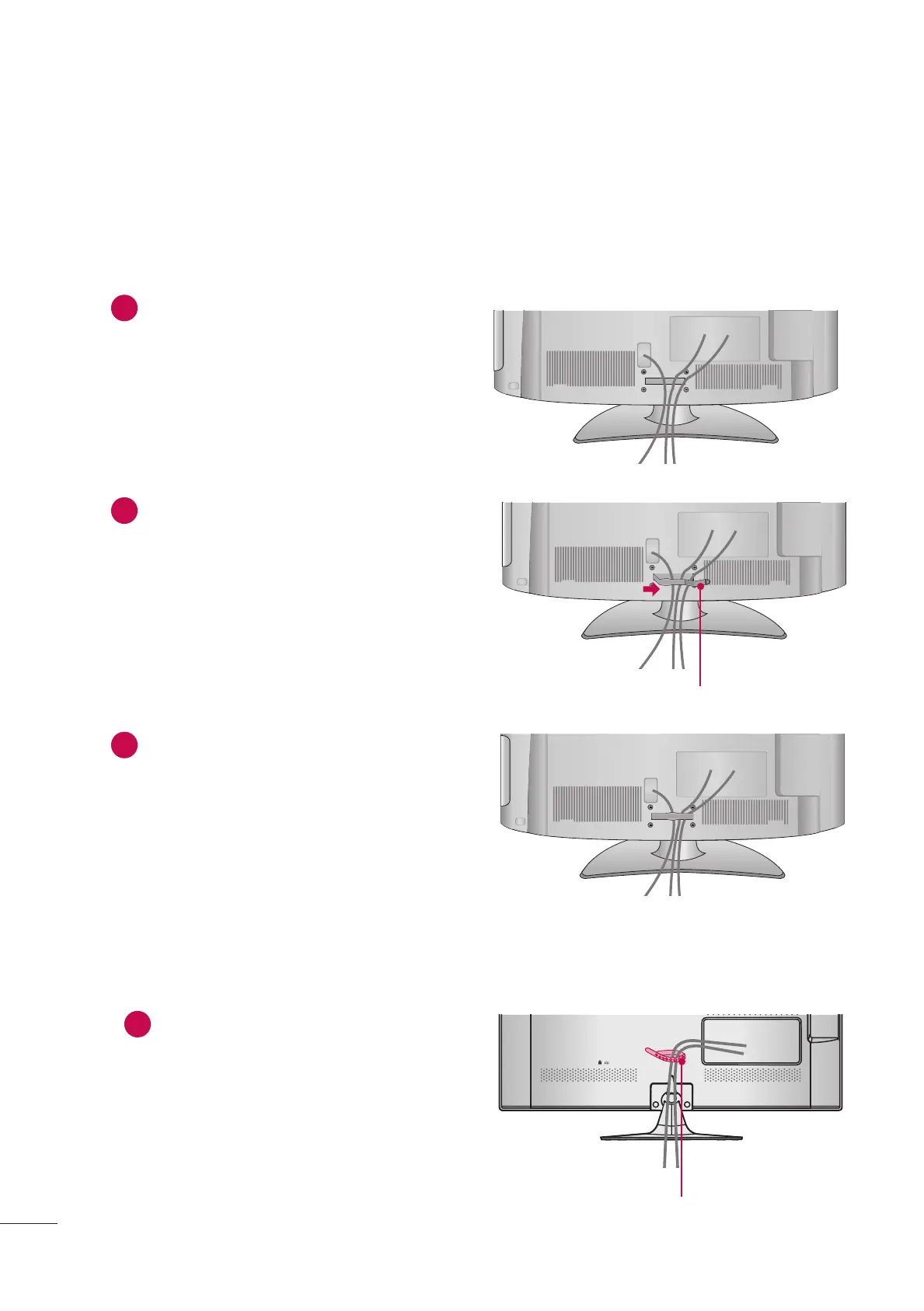
1
Connect the cables as necessary.
To connect additional equipment, see the
EXTERNAL EQUIPMENT SETUP section.
2
Open the CABLE MANAGEMENT CLIP as
shown.
3
Put the cables inside the CABLE
MANAGEMENT CLIP and snap it closed.
22/26LE6500
1
After connecting the cables as necessary,
install the CABLE TIE as shown and bundle
the cables.
CABLE MANAGEMENT CLIP
CABLE TIE



 To Next Page