EasyManua.ls Logo

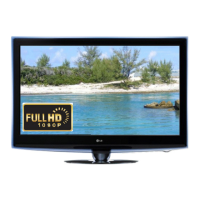
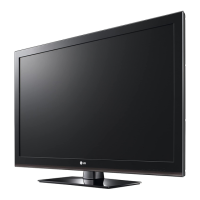
LG 42LW5400 - User Manual

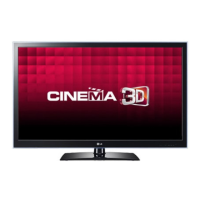
LG 42LW5400
63 pages
Print Icon
To Next Page IconTo Next Page
Loading...
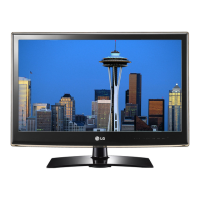
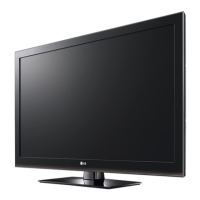
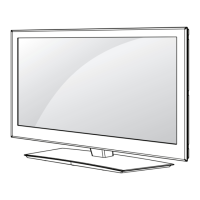
LED LCD TV
SERVICE MANUAL
CAUTION
BEFORE SERVICING THE CHASSIS,
READ THE SAFETY PRECAUTIONS IN THIS MANUAL.
CHASSIS : LB01U
MODEL : 42LW5400 42LW5400-TA
North/Latin America http://aic.lgservice.com
Europe/Africa http://eic.lgservice.com
Asia/Oceania http://biz.lgservice.com
Internal Use Only
Printed in KoreaP/NO : MFL67002752 (1111-REV00)

Questions and Answers

  • A
    Ashley GuerraAug 18, 2025
    How to fix vertical or horizontal bars on LG 42LW5400 screen?
    • L
      lopezcharlesAug 18, 2025
      To address issues like vertical or horizontal bars, residual images, light spots, or external device color errors on your LG LCD TV, perform a factory reset of the TV.
  • K
    Kim SchneiderAug 20, 2025
    What to do if my LG LCD TV has no video but normal audio?
    • W
      William KellyAug 20, 2025
      If your LG LCD TV has no video but the audio is normal, check the connections to ensure they are secure and that the input source is correctly selected.
  • D
    Derrick PatelAug 22, 2025
    What to do if my LG 42LW5400 LCD TV has video errors, lags, or stops?
    • M
      Mrs. Monique JohnsonAug 23, 2025
      If your LG LCD TV experiences video errors, lags, or stops, try restarting the TV. Also, check for any available firmware updates.
  • H
    Holly CameronAug 26, 2025
    What to do if LG 42LW5400 remote is not responding?
    • J
      jrodriguezAug 26, 2025
      If your LG LCD TV remote controller is not responding, or if you are experiencing key errors, recording errors, or memory errors, replace the batteries in the remote controller. You can also try rebooting the TV.
  • A
    Aaron HerringAug 28, 2025
    Why is there no video and no audio on my LG 42LW5400 LCD TV?
    • E
      edward39Aug 28, 2025
      If there is no video and no audio on your LG LCD TV, verify that the TV is powered on and that all connections are secure.
  • E
    esaundersAug 30, 2025
    How to fix an LG 42LW5400 that has no power?
    • J
      Jill HarrisAug 30, 2025
      If your LG LCD TV has no power, check the power cable and its connection to ensure it is properly connected.
  • B
    Bobby EdwardsSep 1, 2025
    How to troubleshoot no audio but normal video on LG 42LW5400 LCD TV?
    • O
      onavarroSep 2, 2025
      To troubleshoot no audio but normal video on your LG LCD TV, first check the audio settings. Then, disconnect any external devices to test if they are causing the issue.
  • S
    Samantha StevensonSep 4, 2025
    Why does my LG 42LW5400 LCD TV turn off by itself?
    • M
      Mike WatsonSep 4, 2025
      If your LG LCD TV turns off unexpectedly, whether when turning on, while viewing, or automatically, check for any overheating issues and ensure that the TV has adequate ventilation.
  • T
    Tammy WillisSep 7, 2025
    How to resolve wrecked audio, discontinuation, or noise issues on my LG 42LW5400 LCD TV?
    • N
      Natasha RodriguezSep 7, 2025
      To resolve audio issues like wrecked audio, discontinuation, or noise on your LG LCD TV, check the audio output settings. Also, try reconnecting any external devices that are connected to the TV.
  • C
    Cody HowellSep 9, 2025
    How to fix color error on LG LCD TV?
    • H
      Heather TurnerSep 9, 2025
      To fix a color error on your LG LCD TV, adjust the picture settings. Also, check the HDMI cable to ensure it is properly connected.

LG 42LW5400 Specifications

General IconGeneral
Screen Size42 inches
Resolution1920 x 1080
Display TypeLCD
Backlight TypeLED
Refresh Rate120 Hz
HDMI Ports4
USB Ports2
Audio Output20W
Smart TVYes
3DYes
Ethernet PortYes
Wi-FiYes
Energy Efficiency ClassA

Related product manuals