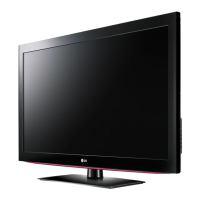
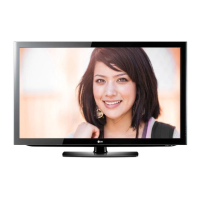
This document serves as the owner's manual for LG LCD TVs, specifically models 26LX1D, 32LX1D, 26LX2D, 32LX2D, 32LP1D, 37LP1D, and 42LP1D. It provides essential information for operating and maintaining the television, ensuring safe and optimal use.
The primary function of this device is to serve as an LCD TV/Monitor, capable of displaying video and audio content from various sources. It supports both analog and digital television signals, including DTV, CATV, and CADTV modes. The TV is designed to be user-friendly, with a clear control layout and comprehensive connection options.
Usage Features:
The TV features a front panel with several controls and indicators. A Logo Display Lamp illuminates to indicate the TV's status: red for standby mode, and blinking green then solid green when the TV is switched on. A Channel Display shows the current channel or input source.
Input sources supported include:
- DTV, CADTV mode: For digital over-the-air or cable signals.
- TV, CATV, DTV, CADTV mode: Comprehensive TV signal reception.
- Video1-2 mode: For standard composite video inputs.
- Component1-2 mode: For higher-quality component video inputs.
- PC mode: For connecting a personal computer.
- HDMI mode: For high-definition multimedia interface connections, supporting both video and audio.
- IEEE1394: For connecting compatible devices.
- Stereo mode: For audio output.
- XSTUDIO Mode: A special mode, likely for multimedia playback, indicated by a Memory Card Slot on the front panel that supports various card types (MS/MS-Pro/SD/MMC/SMC/XD, CF Type I/II).
Front panel controls include:
- ON/OFF Button: To power the TV on or off.
- TV GUIDE Button: To access the TV program guide.
- TV/VIDEO/Button: To switch between TV and video input sources.
- MENU Button: To access the on-screen menu.
- CHANNEL (▼, ▲) Buttons: To change channels up or down.
- VOLUME (◄, ►) Buttons: To adjust the volume.
- Remote Control Sensor: To receive signals from the remote control.
The rear panel offers extensive connection options:
- AC IN: For power input.
- G-LINK™ Port: For connecting G-LINK compatible devices.
- DIGITAL AUDIO OUTPUT (OPTICAL): For connecting to external audio equipment.
- DVI INPUT / COMPONENT1 INPUT: For digital video input and component video input.
- MONITOR OUT: Allows connecting a second TV or monitor to display the same content.
- AUDIO/VIDEO INPUT1: Standard audio and video input.
- HDMI / IEEE1394 Port: For high-definition digital connections. The HDMI port can also receive DVI video signals with an adapter.
- CableCARD™ Slot: For inserting a CableCARD to access premium cable channels without a separate set-top box.
- RS-232C INPUT (CONTROL/SERVICE) / RGB INPUT (PC/DTV INPUT): For connecting a PC or a digital set-top box, and for external control.
- PC AUDIO INPUT: For audio input from a PC.
- ANTENNA Input: For connecting an antenna.
- CABLE Input: For connecting a cable TV service.
- COMPONENT2 (VIDEO / AUDIO Input): Additional component video and audio input.
Connection Scenarios:
The manual details various connection setups:
- Antenna or Cable Connection: Instructions for connecting to wall antenna sockets or cable TV wall jacks, with or without a cable box. It also advises on using a signal amplifier in poor signal areas and a 2-Way Signal Splitter for multiple TVs.
- VCR Setup: Guides on connecting a VCR using RF antenna output or RCA cables, including tuning the TV to the VCR's output channel.
- DVD Setup: Instructions for connecting a DVD player via S-Video cable, HDMI cable, or component cable. It emphasizes matching jack colors and selecting the correct input source. For HDMI connections, it notes that the TV can receive video and audio simultaneously and discusses automatic resolution setting (1280x720p) or manual adjustment if the DVD player doesn't support Auto HDMI.
- HDSTB Setup (Digital Set-Top Box): Explains how to connect a digital set-top box using a D-sub 15 pin cable (RGB-DTV) or an HDMI cable. Similar to DVD connections, it covers resolution settings for HDMI.
- HDMI to DVI Cable Connection: Provides steps for connecting a digital set-top box or PC with DVI output to the TV's HDMI input, requiring separate audio connections if the source device lacks HDMI audio output. It also discusses resolution adjustments for optimal picture quality.
- External AV Source Setup: General guidance for connecting camcorders or video game sets to the TV's AUDIO/VIDEO jacks.
- Digital Audio Output: Instructions for sending the TV's audio to external audio equipment (stereo system) via the Digital Audio Optical Output port, with a caution against looking into the laser beam.
- Monitor Out Setup (32LX1D/2D, 32/37/42LP1D only): Explains how to connect a second TV or monitor to the TV's MONITOR OUTPUT jacks, noting that Component1/2 input sources can be used for Monitor out.
- CableCARD™ Setup: Details inserting a CableCARD into the dedicated slot to view premium channels, advising to contact the cable service provider for pairing information. A caution is given against dropping the card to prevent damage.
- PC Setup: Describes connecting a PC via a D-sub 15 pin cable (RGB-PC) or an HDMI to DVI cable. The TV supports Plug and Play (EDID/DDC protocol) for automatic PC setting adjustments. It provides a table of supported display resolutions for RGB-PC, RGB-DTV, and HDMI/DVI modes, and offers troubleshooting tips for image quality and fixed image retention.
- External Control Device Setup (RS-232C): Explains how to connect an external control device (like a computer or A/V control system) to the TV's RS-232C input jack for external control of the monitor's functions. It includes pin configurations for 7-wire and 3-wire setups.
Maintenance Features:
The manual emphasizes the importance of regular cleaning and proper care to extend the TV's lifespan and prevent malfunctions.
- Cleaning the Screen: Recommends using a soft cloth dampened with a mixture of lukewarm water and a little fabric softener or dishwashing detergent. The cloth should be wrung until almost dry before wiping the screen, and the screen should be air-dried before turning the TV on.
- Cleaning the Cabinet: Advises using a soft, dry, lint-free cloth to remove dirt or dust, specifically warning against using a wet cloth.
- Extended Absence: Suggests unplugging the power cord if the TV will be dormant for a long time (e.g., during a vacation) to protect against lightning or power surges.
- Fixed Image Retention: A warning is included to avoid keeping a fixed image on the TV's screen for long periods, as this can cause permanent imprinting on the screen.
The document also includes regulatory information, such as FCC compliance statements and a note for cable/TV installers regarding proper grounding. It advises against unauthorized modifications to the product, as this could void the user's authority to operate the equipment.

 Need help?
 General

 To Next Page