EasyManua.ls Logo

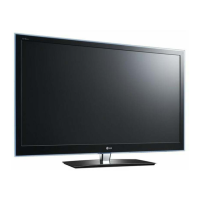
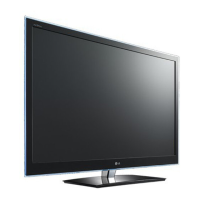
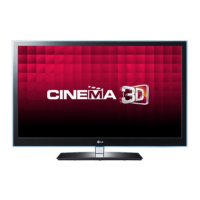
LG 42LW659S-ZC - User Manual

LG 42LW659S-ZC
68 pages
Print Icon
To Next Page IconTo Next Page
Loading...
LED LCD TV
SERVICE MANUAL
CAUTION
BEFORE SERVICING THE CHASSIS,
READ THE SAFETY PRECAUTIONS IN THIS MANUAL.
CHASSIS : LD12C
MODEL : 42LW650G/S/T/W 42LW659S
MODEL :
42LW650G/S/T/W-ZC 42LW659S-ZC
North/Latin America http://aic.lgservice.com
Europe/Africa http://eic.lgservice.com
Asia/Oceania http://biz.lgservice.com
Internal Use Only
Printed in KoreaP/NO : MFL67002306 (1108-REV01)

Questions and Answers

  • P
    Paul OrozcoAug 20, 2025
    Why is there no sound on my LG 42LW659S-ZC LED TV?
    • W
      William MyersAug 20, 2025
      If your LG LED TV has no sound but the images are displaying, first press the + or - button to adjust the volume. Make sure the sound isn't muted by pressing the MUTE button. Try switching to other channels in case there's an issue with the broadcast. Check that the audio cables are properly connected, and ensure the TV Speaker feature is enabled in the menu.
  • J
    Jamie MarshAug 22, 2025
    What to do if 'No Signal' appears on LG 42LW659S-ZC?
    • Q
      qhallAug 22, 2025
      If your LG LED TV displays the message “No Signal,” ensure the signal cable is correctly connected between the TV and any external devices. You should also verify the selected input source by pressing the INPUT button on your remote.
  • K
    Karen BullockAug 25, 2025
    How to fix LG LED TV remote control not working?
    • C
      Christina Williams DVMAug 25, 2025
      If you can't control your LG LED TV with the remote, first check the remote control sensor on the TV and try again. Ensure there are no obstacles blocking the path between the remote and the TV. Also, verify that the batteries in the remote are working and properly installed, and that the appropriate input mode (like TV or VCR) is selected on the remote.
  • D
    Daniel KruegerAug 26, 2025
    Why does my LG 42LW659S-ZC LED TV turn off by itself?
    • J
      John SandersAug 26, 2025
      If your LG LED TV turns off suddenly, examine the power control settings. Also, check whether the Auto sleep feature is enabled within the Time settings. If the TV is on and doesn't receive a signal, it will automatically power down after 15 minutes of inactivity.
  • N
    Nathan CastilloAug 27, 2025
    Why is my LG LED TV in black and white?
    • D
      David MacdonaldAug 28, 2025
      If your LG LED TV displays an image in black and white or the color quality is poor, adjust the color settings in the menu. Ensure there's enough distance between the TV and other electronic devices. Try switching to different channels, as the issue might be with the broadcast signal.
  • N
    Nancy PowersAug 29, 2025
    Why is the reception on my LG LED TV poor?
    • R
      Rachel HarveyAug 29, 2025
      If you are experiencing poor reception on some channels with your LG LED TV, try switching to other channels as the issue may be with the broadcast. Keep in mind that the station signal might be weak. Also, try aiming the antenna in the correct direction and check for any local interference from electrical appliances or power tools.
  • A
    Amanda WarrenAug 31, 2025
    What to do if my LG 42LW659S-ZC LED TV has no image and sound?
    • M
      Mrs. Rachel HodgesAug 31, 2025
      If your LG LED TV shows no image and produces no sound, verify that the TV is powered on. Check that the power cord is properly connected to a wall outlet. Test the wall outlet by plugging in other devices to ensure it is working correctly.
  • R
    Robert WeaverSep 2, 2025
    How to brighten the screen on LG 42LW659S-ZC LED TV?
    • S
      Stephanie StricklandSep 2, 2025
      If the image on your LG LED TV appears very dark even though the power is on, adjust the brightness and contrast settings in the menu.
  • C
    cdavisSep 4, 2025
    Why are there lines on my LG LED TV screen?
    • J
      Jennifer RuizSep 4, 2025
      If you see lines or streaks on the images of your LG LED TV, check the antenna connection or try aiming the antenna in a better direction.
  • F
    fcaldwellSep 6, 2025
    Why does the image appear slowly on my LG LED TV when turned on?
    • M
      Michelle OliverSep 6, 2025
      If your LG LED TV displays an image slowly when turned on, note that the image is muted during the startup process, which is normal. If the image doesn't appear after a few minutes, unplug the TV for 30 seconds and then try again. If the image still doesn't appear, no answer.

LG 42LW659S-ZC Specifications

General IconGeneral
Screen Size42 inches
Display TypeLED
Smart TVYes
HDMI Ports4
USB Ports2
Ethernet PortYes
Wi-FiYes
3D CapabilityYes
Energy Efficiency ClassA
Resolution1920 x 1080 pixels
3D TechnologyYes
Operating SystemNetCast
Audio Output20 W

Related product manuals