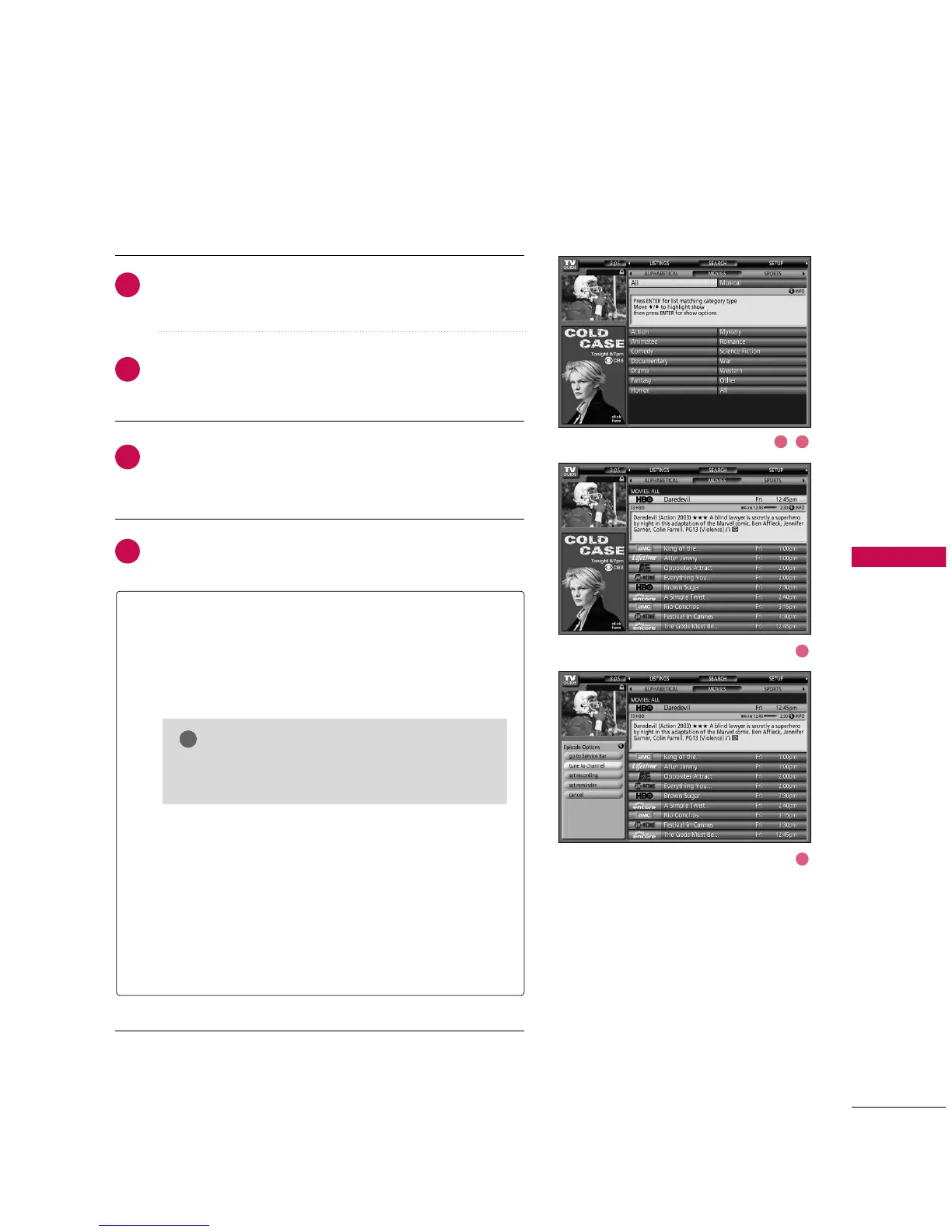
Use the
EE
button to highlight a subcategory (for example,
All).
Press the
EENNTTEERR
button to display a list of all Movies, orga-
nized by date and time.
TV GUIDE ON SCREEN
TM
SYSTEM
47
Highlight a show and press the
EENNTTEERR
button to watch (if
on now) or the
MMEENNUU
button to display the Episode
Options menu.
You can choose to set a reminder, or tune to the channel.
GG
Go to Service Bar - Closes the menu, changes no infor-
mation, and returns to the Search Service Bar.
GG
Tune to Channel - Exits the Guide and tunes to the
channel of the highlighted show (show airs in the
future).
GG
Set Recording - This TV doesn’t support recording fea-
ture.
GG
Set Reminder - Displays the Remind Options menu, from
which you can set frequency, when, automatically power
On, and auto-tune the TV.
GG
Cancel - Closes the menu, changes no information, and
returns to the highlighted show.
This option reads Watch Now if the show is cur-
rently airing.
NOTE



 To Next Page