TV GUIDE ON SCREEN
TM
SYSTEM
48
TV GUIDE ON SCREEN
TM
SYSTEM
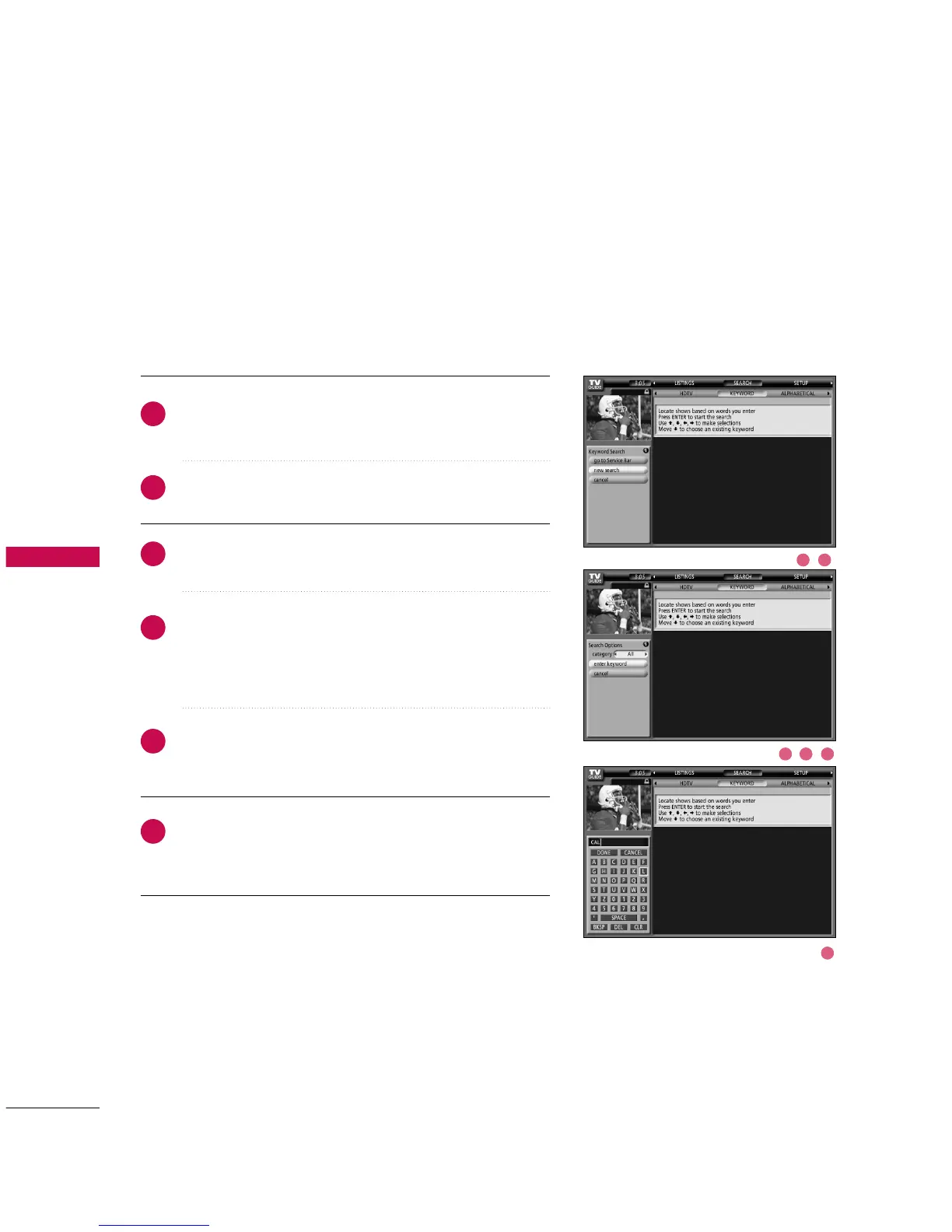
Keyword Search
Highlight the Keyword navigation label, and press the
EENNTTEERR
button to display the Keyword Search menu.
Highlight New Search, and press the
EENNTTEERR
button.
The Search Options menu is displayed.
Highlight Category, and use the
FF
or
GG
button to select a
category to search (e.g. All, HDTV, Children, Sports, etc.).
When finished, use the
EE
button to highlight Enter
Keyword.
Highlight Enter Keyword, and press the
EENNTTEERR
button.
The keyboard is displayed.
Use the
DD EE FF GG
button to highlight a character, and
press the
EENNTTEERR
button to display it. When complete,
highlight Done and press the
EENNTTEERR
button.
Keyword search lets you enter a word(s) to look for a particular show by category
or for every show title that matches.
2
1
3
4
5
6
1 2
43 5
6



 To Next Page