TV MENU
/
SETUP
(
CHANNEL
)
67
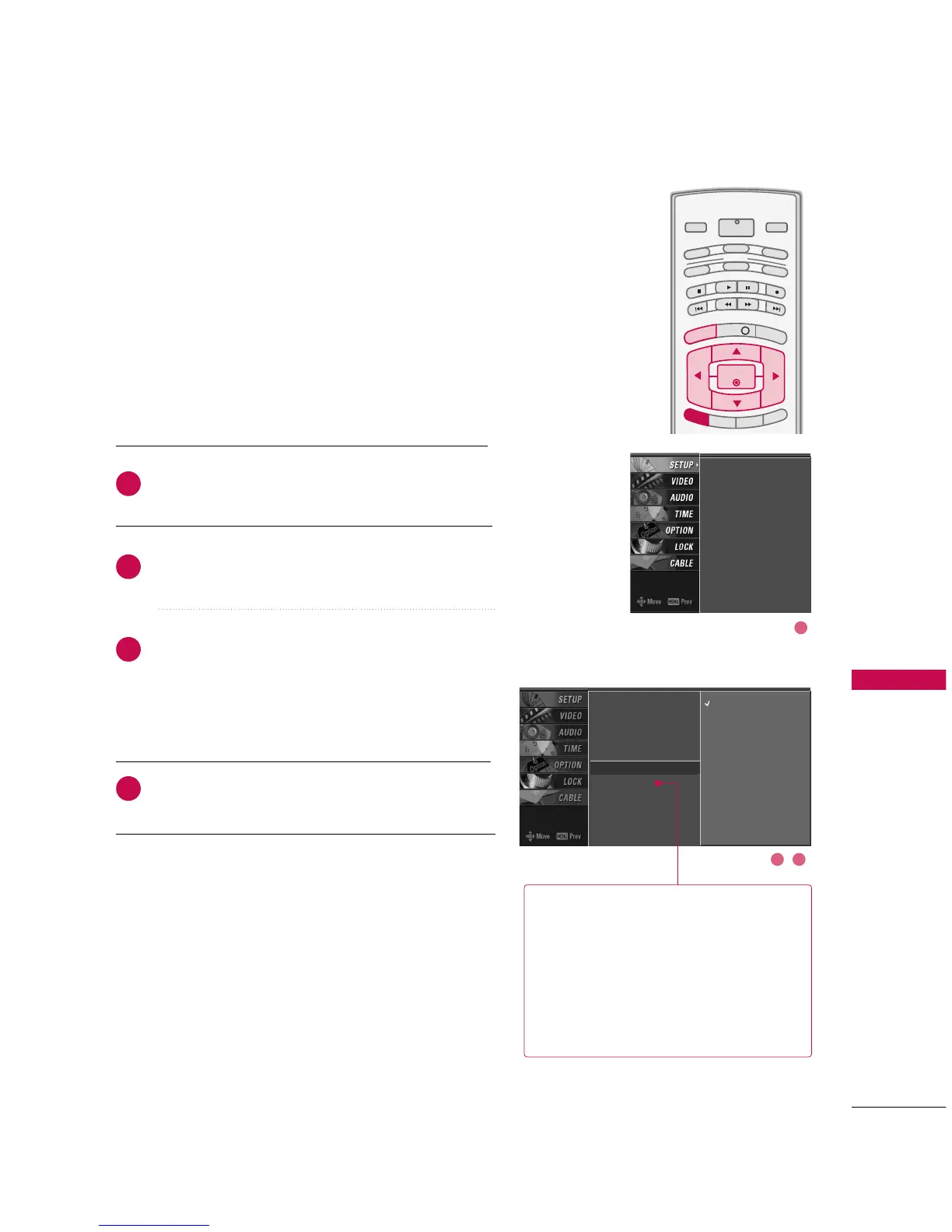
MAIN PICTURE SOURCE SELECTION
Changes the picture source so you can watch your off-air
TV, cable TV, VCR, DVD, or any other devices that are con-
nected to your TV.
Press the
MMEENNUU
button and then use
DD
or
EE
button
to select the
SSEETTUUPP
menu.
Press the
GG
button and then use
DD
or
EE
button to
select
MMaaiinn IInnppuutt..
Press the
GG
button and then use
DD
or
EE
button to
select the source:
AAnntteennnnaa
,
CCaabbllee
,
AAVV11
,
AAVV22
,
CCoommppoonneenntt11
,
CCoommppoonneenntt22
,
RRGGBB--PPCC
(or
RRGGBB--
DDTTVV
),
HHDDMMII11//DDVVII
, or
HHDDMMII22
.
■
To toggle RGB-DTV and RGB-PC, select RGB-PC (or
RGB-DTV) and press the
GG
button.
Press
EEXXIITT
button to return to TV viewing or press
MMEENNUU
button to return to the previous menu.
Select sources for the
SSuubb IInnppuutt
in the
SSEETTUUPP
menu.
See Page 59 for selecting the input
source for the sub picture by pressing the
PPIIPP IINNPPUUTT
button.
Sub Picture Source Selection



 To Next Page