TV MENU
/
OPTIONAL FEATURES
94
TV MENU
OPTIONAL FEATURES
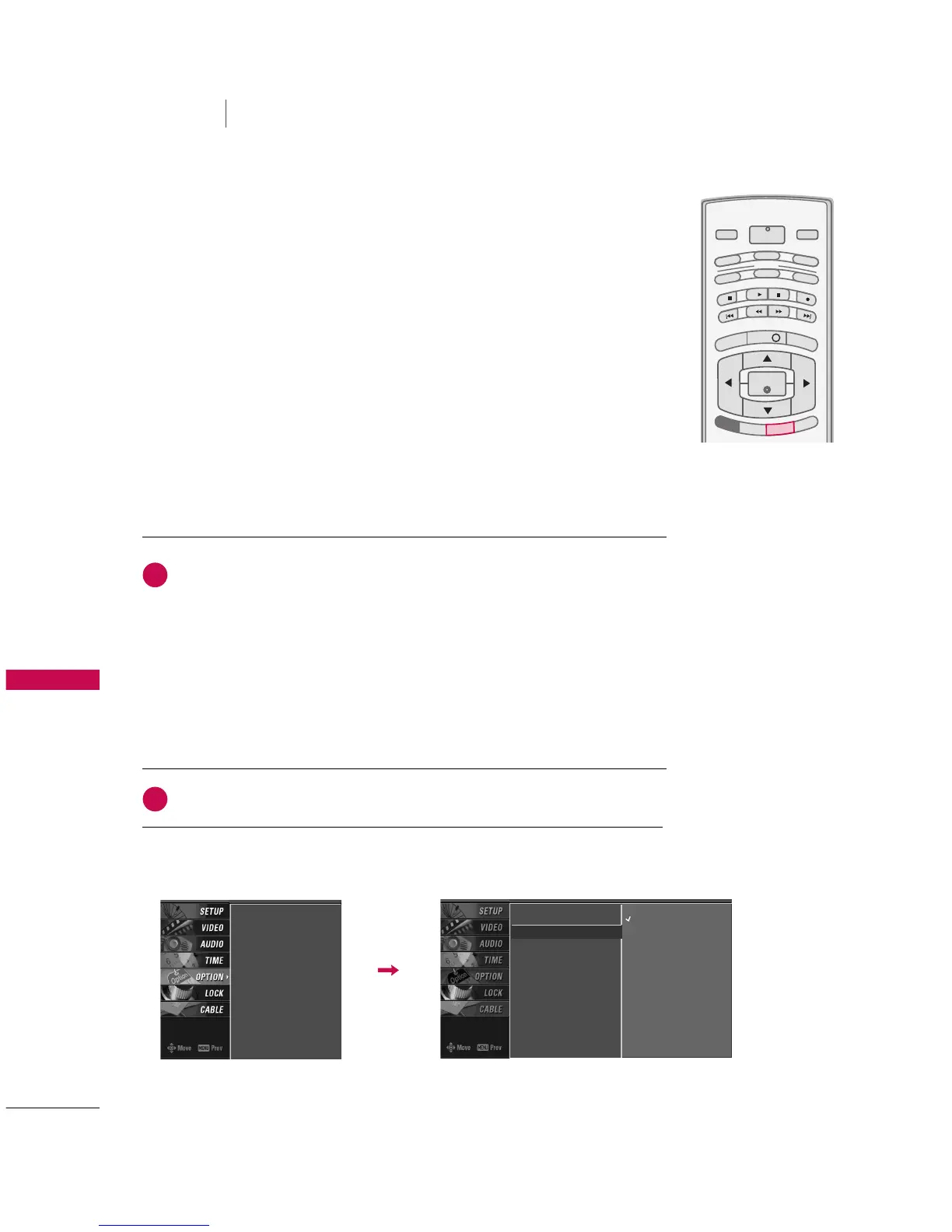
CAPTION / TEXT
Analog Broadcasting System Captions
Select a caption mode for displaying captioning information if provided on a
program. Analog caption displays information at any position on the screen
and is usually the program's dialog.
Text displays information, usually at the bottom position and is used for a
data service, generally not program related. Caption/Text, if provided by the
broadcaster, would be available for both digital and analog channels on the
Antenna/Cable.
This TV is programmed to memorize the caption/text mode which was last
set when you turn the power off.
Aspect Ratio
Caption/Text
G
Caption Option
Language
ISM Method
Low Power
Off
CC 1
CC 2
CC 3
CC 4
Text 1
Text 2
Text 3
Text 4
Aspect Ratio
Caption/Text
Caption Option
Language
ISM Method
Low Power
Use the
CCCC
button repeatedly to select Caption
OOffff
,
CCCC11
,
CCCC22
,
CCCC33
,
CCCC44
,
TTeexxtt11
,
TTeexxtt22
,
TTeexxtt33
or
TTeexxtt44
.
■
CCAAPPTTIIOONN
The term for the words that scroll across the bottom of the TV screen; usually
the audio portion of the program provided for the hearing impaired.
■
TTEEXXTT
The term for the words that appear in a large black frame and almost cover the
entire screen; usually messages provided by the broadcaster.
Press
EEXXIITT
to save and return to TV viewing.
■
You can also use the
OOPPTTIIOONN
menu to select
CCaappttiioonn
/
TTeexxtt
.
2
1



 To Next Page