TV MENU
/
OPTIONAL FEATURES
93
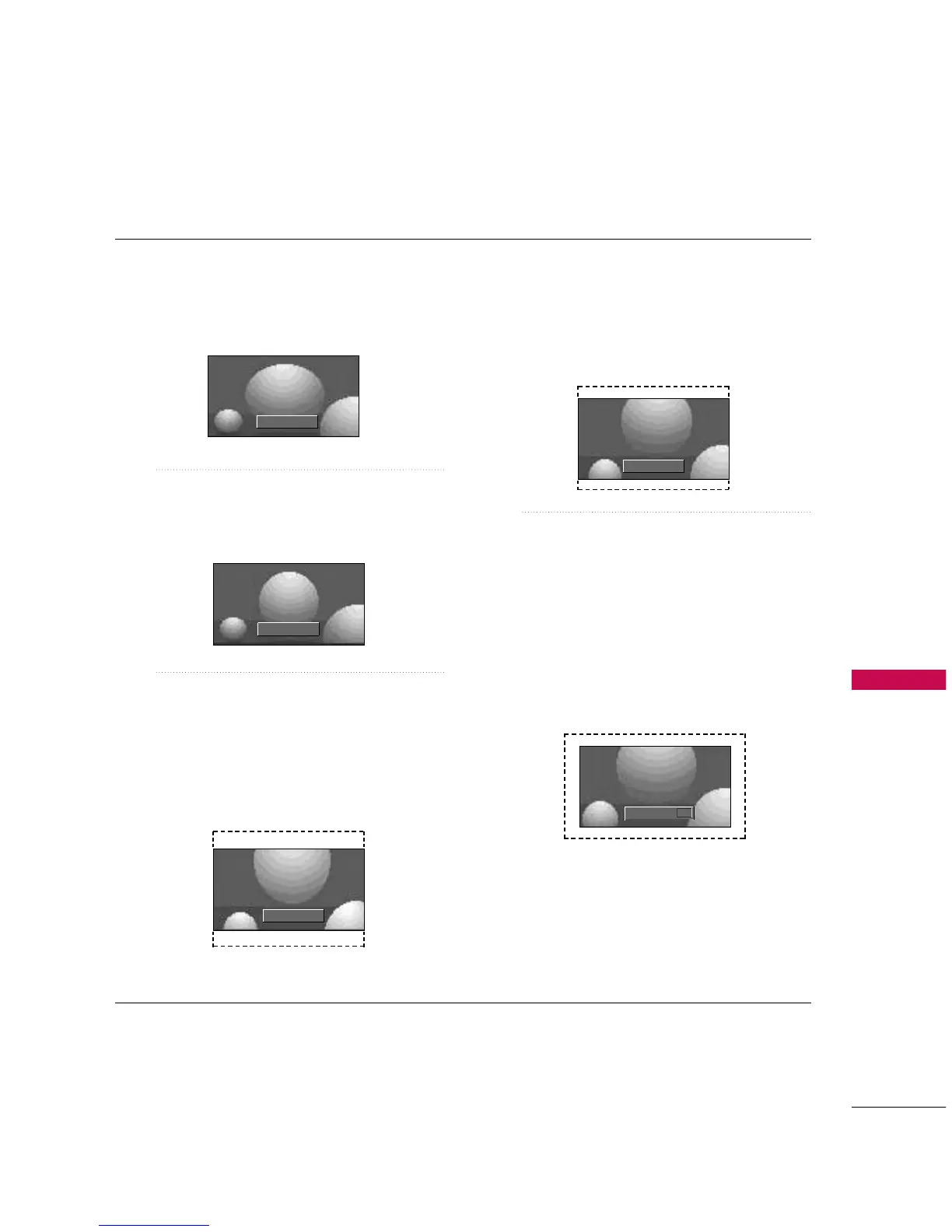
16:9
Adjust the picture horizontally, in a linear pro-
portion to fill the entire screen.
Horizon
The screen size is, more enlarged at both
sides, to create a spectacular view.
Zoom 1
Choose Zoom 1 when you want to view the
picture without any alteration. However, the
top and bottom portions of the picture will be
cropped.
Zoom 2
Choose Zoom 2 when you want the picture to
be altered, both vertically extended and
cropped. The picture taking a halfway trade
off between alteration and screen coverage.
Cinema Zoom
Choose Cinema Zoom when you want to
enlarge the picture in correct proportion.
Note: When enlarging or reducing the picture,
the image may become distorted.
You can adjust the enlarge proportion of
Cinema Zoom using
DD
or
EE
button.
The adjustment range is 1-16.
16:9
Horizon
Zoom 1
Zoom 2
Cinema Zoom
DD
1



 To Next Page