EasyManua.ls Logo

LG 42PC1DV - Sound Output Troubleshooting

LG 42PC1DV
51 pages
Print Icon
To Next Page IconTo Next Page
To Previous Page IconTo Previous Page
Loading...
- 22 -
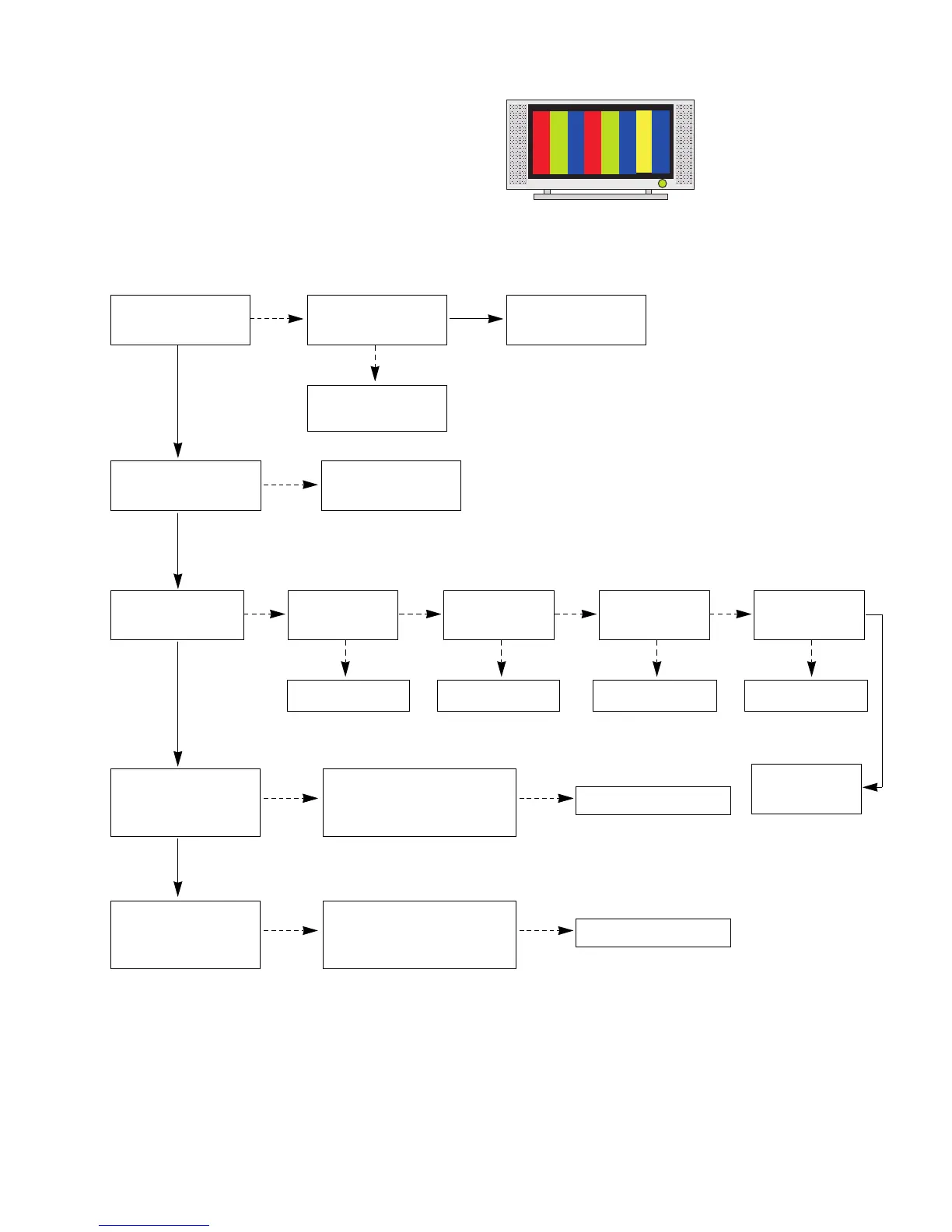
3. When sound is abnormal
(1) Symptom
1) LED is green.
2) Screen display but sound is not output.
(2) Check following
Is the SPK cable
normal?
Is the SPK cable
connected well?
Cable inserts well.
No
No
Is the Flat cable
connected well?
Is the RF(Digital)
sound normal?
Cable inserts well.
No
No
Replace the IC200.
Replace SPK cable.
Yes
Yes
Yes
Is the RF(Analog) / AV/
Component L-R sound
normal?
Is the CS5330A(IC1000),
MC33078(IC1001),
Scaler(IC401) normal?
No
No
Is the MSP4450K
(IC200) normal?
Replace the IC400.
Yes
Is the NSP2100
(IC400) normal?
Replace the IC402.
Yes
Is the TAS5122
(IC402) normal?
Replace the IC400.
Yes
Yes
No No No
No
Is the Scaler
(IC401) normal?
Replace
VSC Digital B/D.
Yes
Yes
Replace the IC.
No
Is the SPDIF sound
normal?
Is the XC95288(IC300),
CS8415A(IC1003),
Scaler(IC401) normal?
No
Replace the IC.

Related product manuals