- 11 -
LGE Internal Use OnlyCopyright©2007 LG Electronics. Inc. All right reserved.
Only for training and service purposes
13.
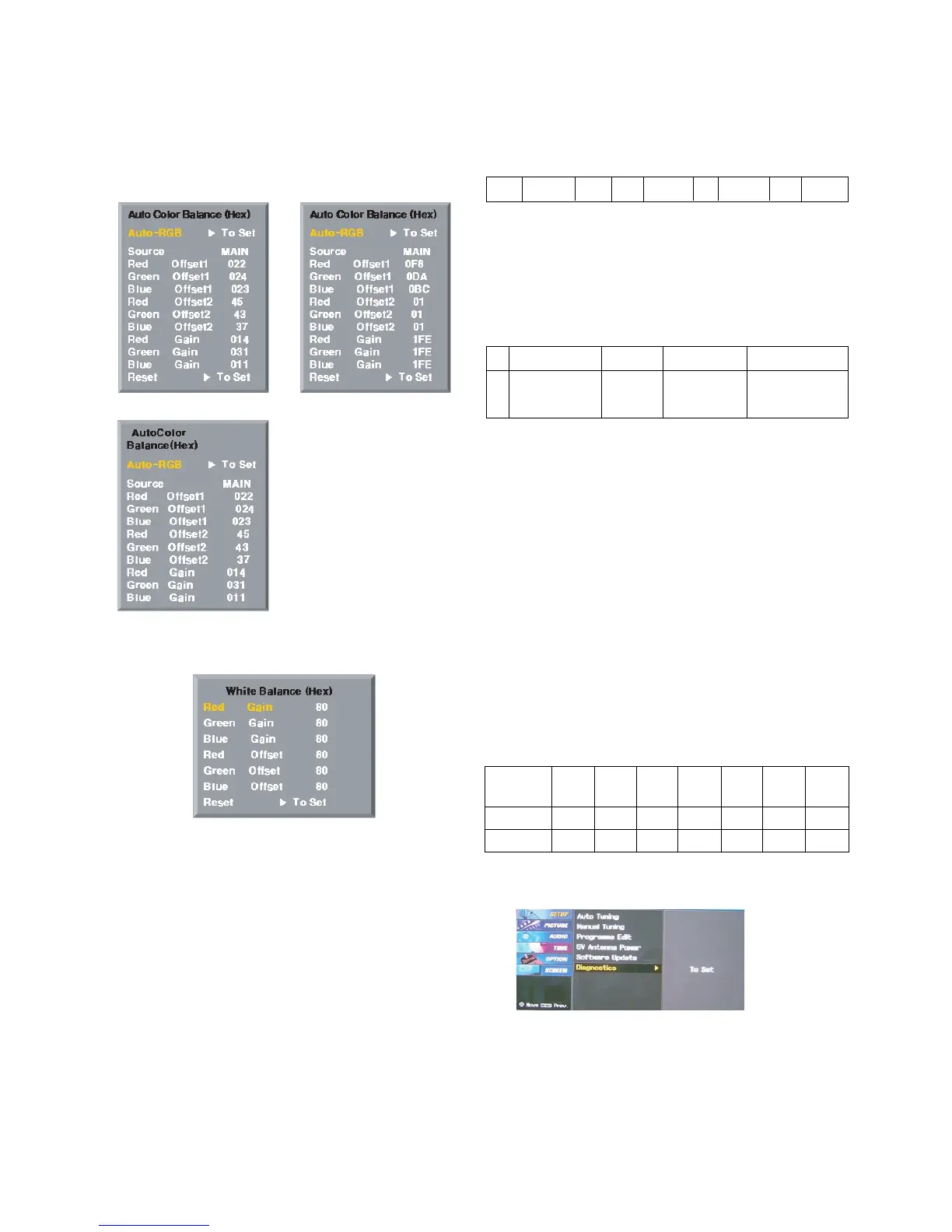
Default Value in Adjustment mode
13-1. Auto Color Balance
13-2. Write Balance
14. EEPROM Data Write
(Serial No D/L)
14-1. Signal TABLE
CMD : A0h
LENGTH : 85~94h (1~16 bytes)
ADH : E
2
PROM Sub Address high (00~1F)
ADL : E
2
PROM Sub Address low (00~FF)
Data : Write data
CS :
CMD + LENGTH + ADH + ADL + Data_1 + ... + Data_n
Delay : 20ms
14-2. Command Set
* Description
FOS Default write : <7mode data> write
Vtotal, V_Frequency, Sync_Polarity, Htotal, Hstart, Vstart, 0, Phase
Data write : Model Name and Serial Number write in EEPROM,.
14-3. Method & Notice
(1) Serial number D/L is using of scan equipment.
(2) Setting of scan equipment operated by Manufacturing
Technology Group.
(3) Serial number D/L must be conformed when it is produced
in production line, because serial number D/L is mandatory
by D-book 4.0.
15. Set Information(Serial No& Model name)
15-1.
Setting up like bottom figure
(After setting white balance, this is set)
(Setting: Press ADJ Key in the Adjust remocon)
(1) Select “System Control 2” by using
D / E (CH+/-) key, and
press
V (ENTER) Using Adjust remocon, RS-232 Host &
Baud Rate & Download value change)
15-2. Push the menu button in DTV mode.
(1) Select the STATION-> Diagno stics -> To set.
CMD
LENGTH
ADH ADL
DATA_1 DATA_n
... CS DELAY
No
1
EEPROM WRITE
A0h 84h+n n-byted Write
(n=1~16)
Adjust mode CMD(hex) LENGTH(hex) Description
(Fig. 7) Default on OSD
<Component> <RGB>
<AV>
(Fig. 8) Default on OSD
Model
Name
42PC35
Tool
Option1
2176 1697 0 14 2 1 192
Tool
Option2
Area
Option
Option1 Option2 Option3 Option4



 To Next Page