20
Plasma Fall 2008 42PG20
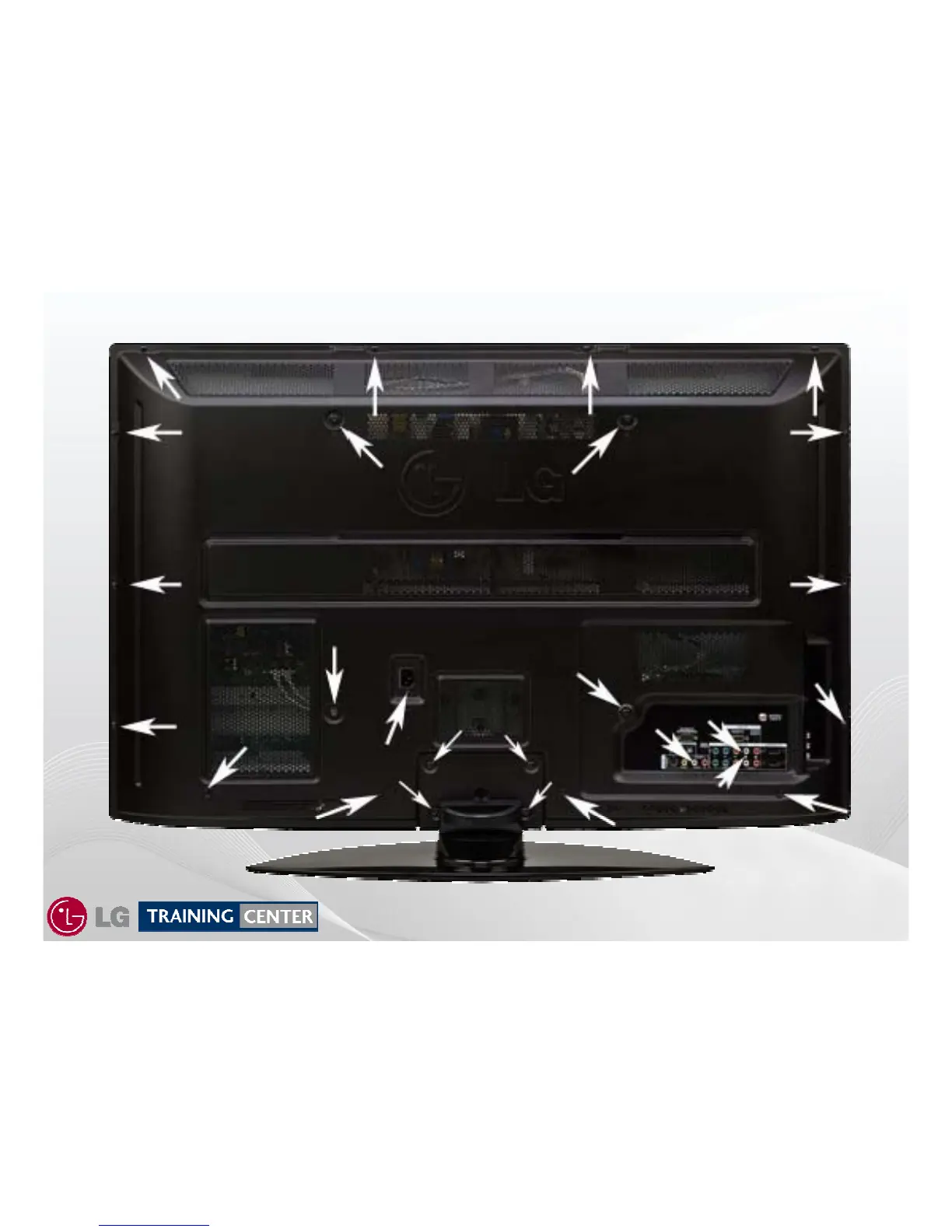
42PG20 Removing the Back Cover
42PG20 Removing the Back Cover
To remove the back cover, remove the 26 screws
(The Stand does not need to be removed).
Indicated by the arrows.
PAY CLOSE ATTENTION TO THE TYPE, SIZE AND LENGTH
Of the screws when replacing the back cover. Improper type can
damage the front.



 To Next Page